Seleziona un'organizzazione
ACM Troubleshooting: Use Salesforce Developer Console
Data pubblicazione: Jul 29, 2025
Operazione
GOAL
Firstly, there are two related KB.
- If you want to enable Debug for your user: ACM Troubleshooting: Use Salesforce Developer Console
- If you want to enable Debug for another user (as an SFDC Admin): ACM: Enable Salesforce Debug Logs for Specific Users
This article explains how to use Salesforce Developer Console. For example, you will be able to see debug log while operating your ACM Community site. As written in the Salesforce document, Developer Console is a powerful tool. This article explains a simple usage of it for ACM troubleshooting.
For more detail, please check the Salesforce document Set Up Debug Logging
Fasi
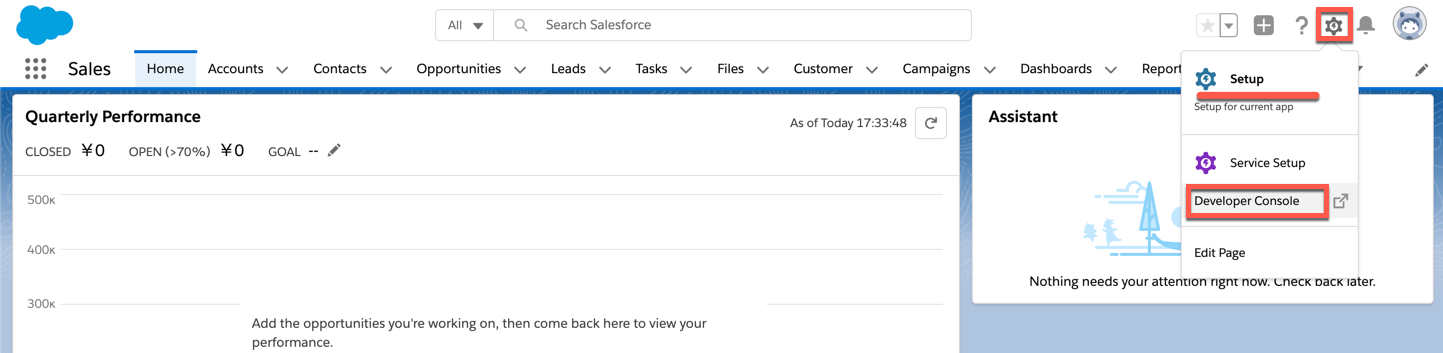
2) Click "Setup" -> "Developer Console"
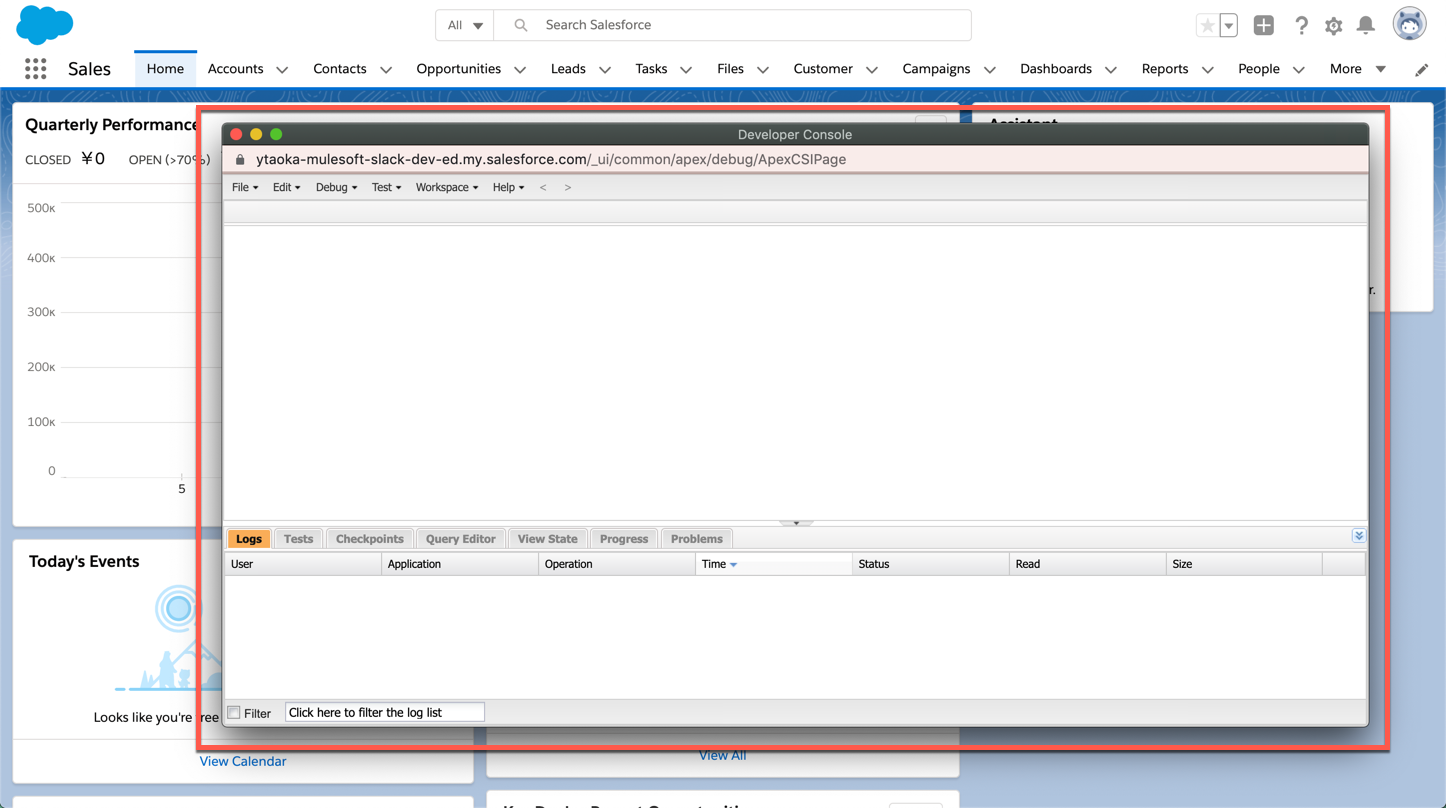
3) Then you will see a pop-up window. This window is tied to the current Salesforce browser session. So any operation executed in the main browser window will be logged in the console
4) For example, created a new Account record and its record Id is shown in the URL as 0010o00002jRcnH. In the Developer Console window, we are seeing the same record Id 0010o00002jRcnH as "EntityType:Account|NumRecordsToBeSaved:1". This is the debug log.
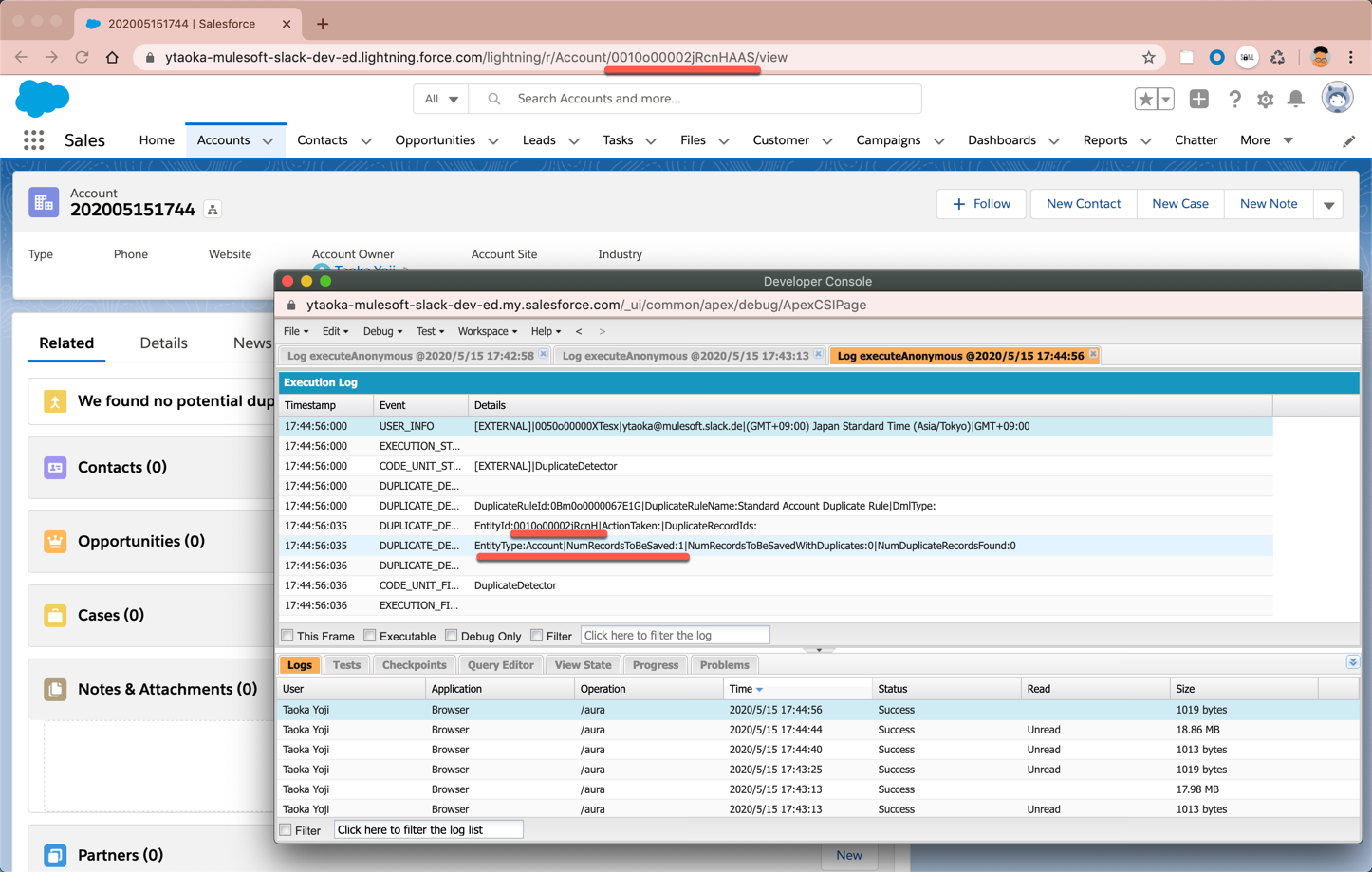
By following the above steps, you will be able to get debug(verbose) log while you are operating ACM site and seeing issues.
5) Also, you can perform SOQL (Query to Salesforce object) from Query Editor tab in the Developer Console as below.
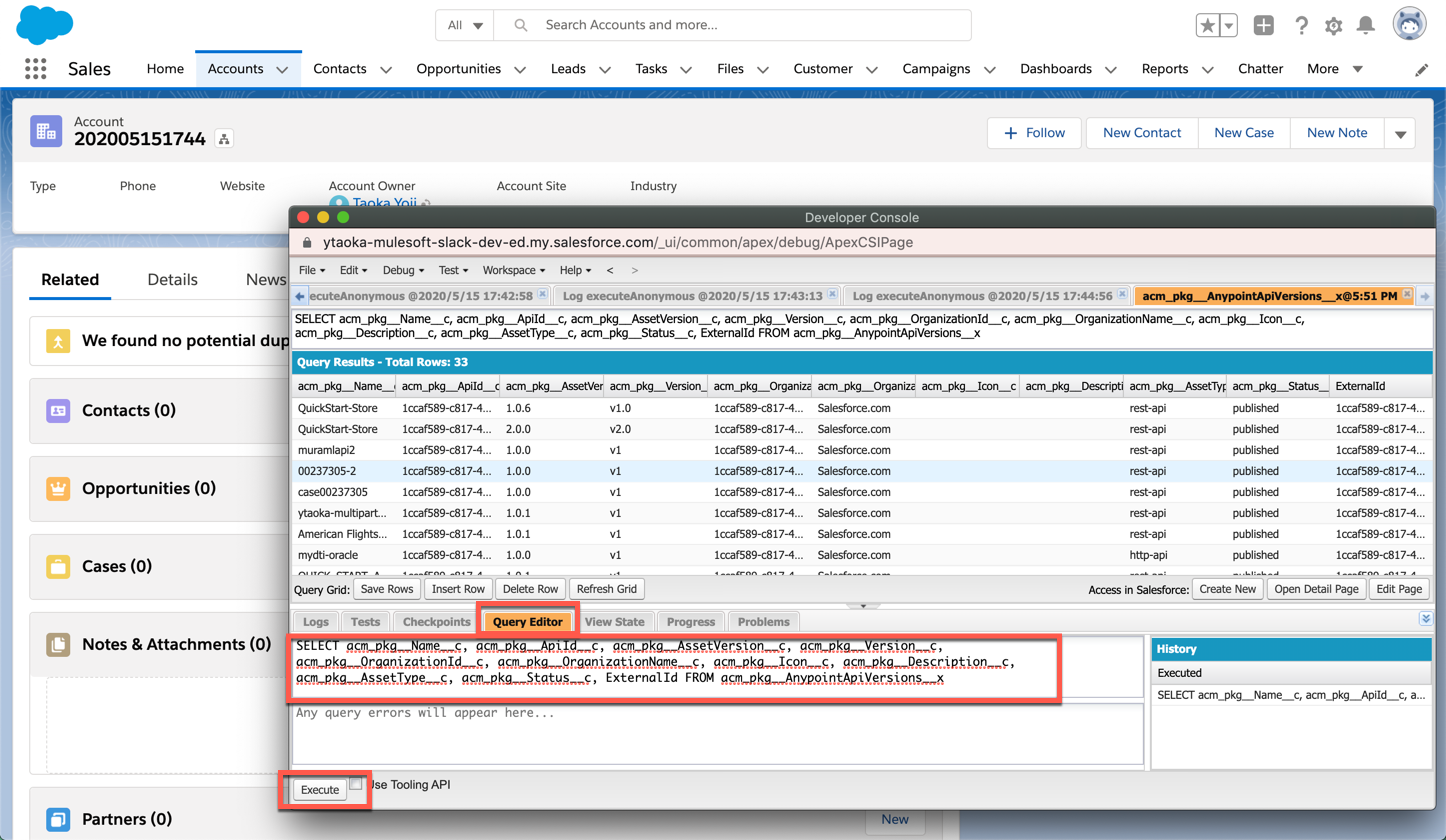
6) To check connectivity between ACM and Anypoint, please use this query. If the connectivity is working fine, the query returns some records. If not, it will show error messages to investigate the connectivity issue.
SELECT acm_pkg__Name__c, acm_pkg__ApiId__c, acm_pkg__AssetVersion__c, acm_pkg__Version__c, acm_pkg__OrganizationId__c, acm_pkg__OrganizationName__c, acm_pkg__Icon__c, acm_pkg__Description__c, acm_pkg__AssetType__c, acm_pkg__Status__c, ExternalId FROM acm_pkg__AnypointApiVersions__x
Disclaimer: This example is provided as a reference for your own usage and is not to be considered a MuleSoft product. This example should be considered as a custom solution. The custom solution is not a Supported MuleSoft product.
Numero articolo Knowledge
001117191
Questo articolo ha risolto il problema?
Facci sapere, così possiamo migliorare!
