조직 선택
Request an Expert Coaching Individual Session
게시 일자: Jul 7, 2026
상세 설명
|
What is Individual Expert Coaching?
Expert Coaching are specialized individual engagements where you can connect directly with a Salesforce expert on any topic or Cloud. They're designed to help you get more value from Salesforce, faster, with personalized guidance that are specific to your business use cases, challenges, and objectives.
|
|
Who can request Individual Expert Coaching?
Customers with either a Premier Success Plan or Signature Success Plan can request an individual Expert Coaching.
|
|
Request Individual Expert Coaching
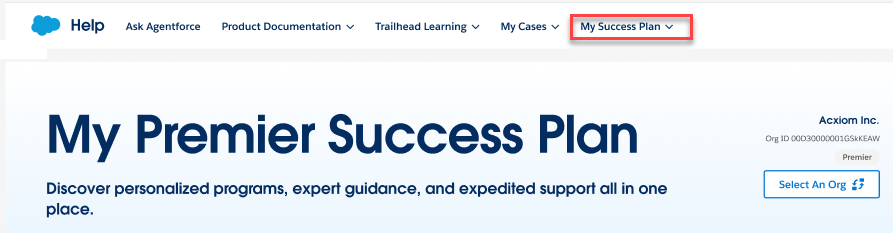
Step 1: Log in to your Trailblazer account using your Salesforce credentials. Step 2: From the Salesforce Help page, select “My Success Plans” at the top of the navigation bar.
Once selected, you will see a customized page based on the Success Plan for your organization. The image below shows the view for our Premier Success Plan customers.
TIP: As the designated contact, you can choose to swivel between any other orgs your company may have deployed.
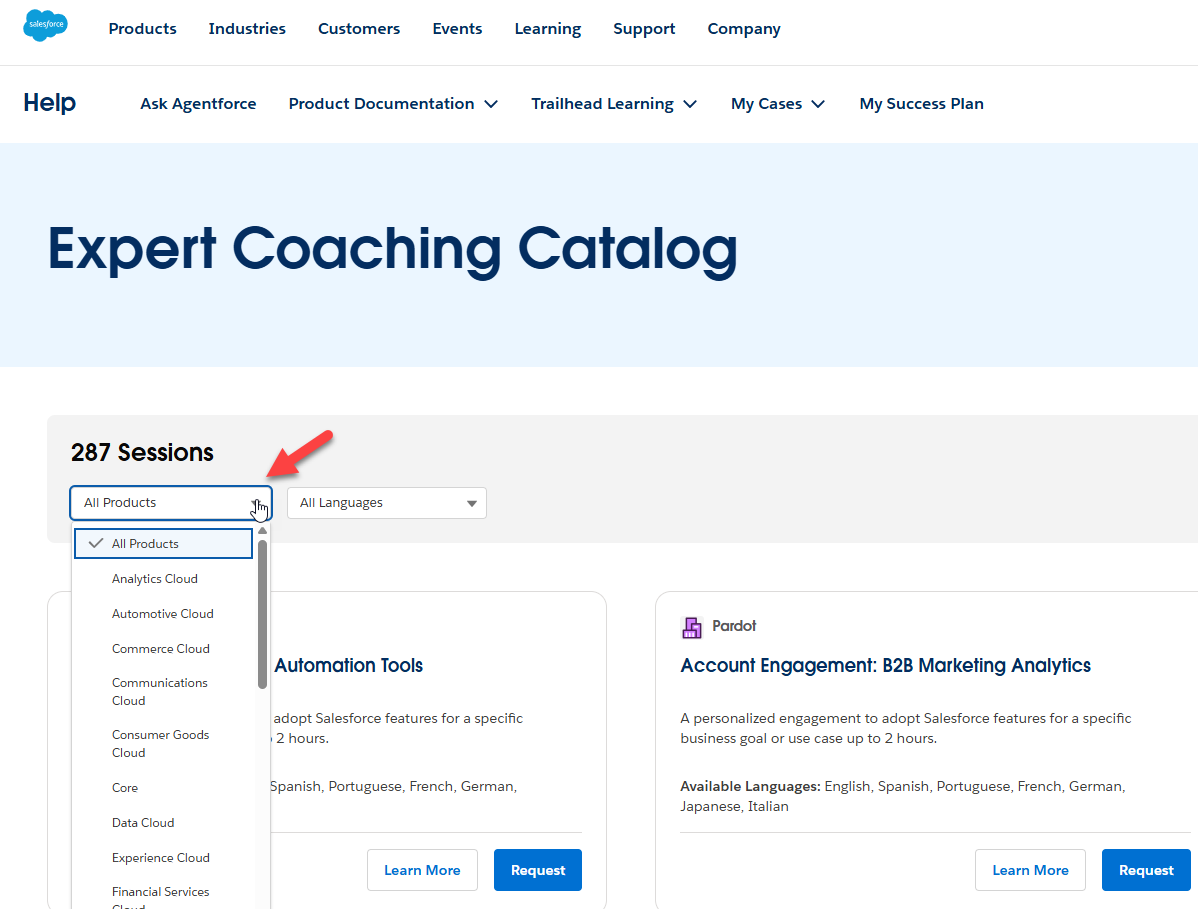
Step 4: Use catalog filters to find the Expert Coaching that’s right for you.
|
|
Additional Guidance
Premier and Signature customers may request an unlimited number of individual sessions and run them concurrently per success plan. If you do not see an Individual Expert Coaching that aligns to your product/topic of interest, contact your Account Executive for assistance raising a request. |
|
Troubleshooting
If you see a grayed-out "Request" button on the session you are interested in, a blank page, or cannot find sessions when you log in to Salesforce Help, try the following:
|
|
Additional information
|
Knowledge 기사 번호
000387492
이 기사를 통해 문제를 해결했습니까?
개선을 위한 의견을 보내주세요.
