組織を選択
Gmail インテグレーション (Lightning for Gmail) を初めて使う場合はどうすればよいですか?
公開日: Feb 26, 2025
説明
Gmail (ジーメール) インテグレーション (Lightning for Gmail) を初めて利用する場合の一般的な手順を紹介します。
※Gmail インテグレーション (Lightning for Gmail)は Google (グーグル) の有償サービスである G Suite をご利用いただく必要があります。
※本情報は 2021 年 02月 19日 Spring ’21 時点の情報を基に作成しました。
解決策
1. Gmail インテグレーション (Lightning for Gmail) の有効化
1-1. 設定画面のクイック検索で 「Gmail インテグレーション および同期」 と入力し [Gmail インテグレーション および同期] の下の [設定] を開き、 [ユーザが Salesforce レコードに Gmail からアクセスできるようにする] を有効にします。
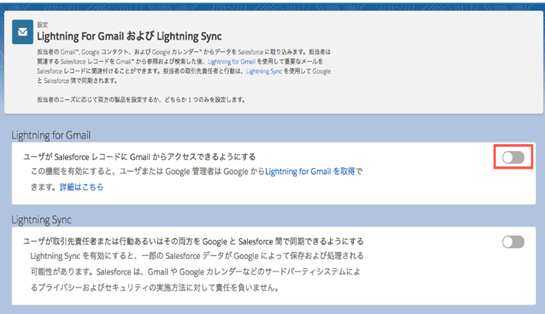
1-2. 有効化を行うと以下のように表示されます。
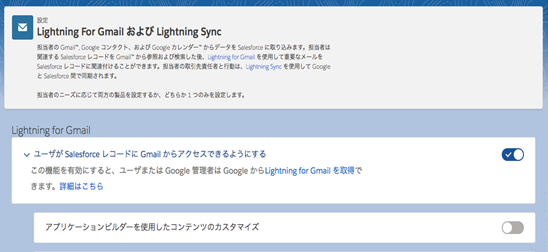
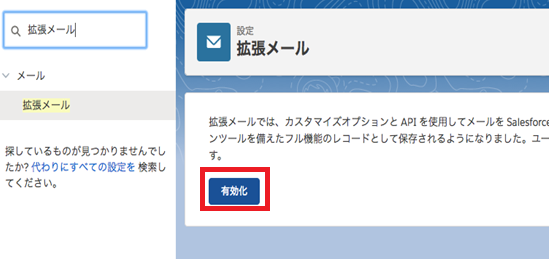
1-3. メールを Salesforce レコードに関連付けられるようにするには拡張メールを有効にします。
Gmail インテグレーション (Lightning for Gmail) での拡張メールについては下記ヘルプを参照してください。
【ヘルプ: 拡張メールおよび Gmail インテグレーション 】
設定画面のクイック検索に「拡張メール」と入力し [拡張メール] を選択して [有効化] をクリックします。
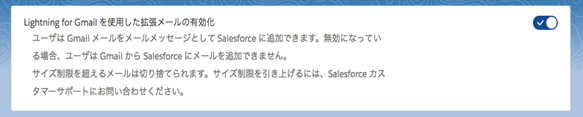
1-4. 拡張メールの有効化が完了すると以下のように表示されます。
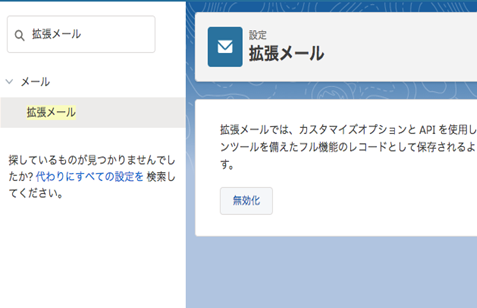
Gmail インテグレーション (Lightning for Gmail) の設定画面を表示すると [Gmail インテグレーション を使用した拡張メールの有効化] メニューが追加されています。
2. Google Chrome へ Gmail インテグレーション (Lightning for Gmail) 拡張機能の追加
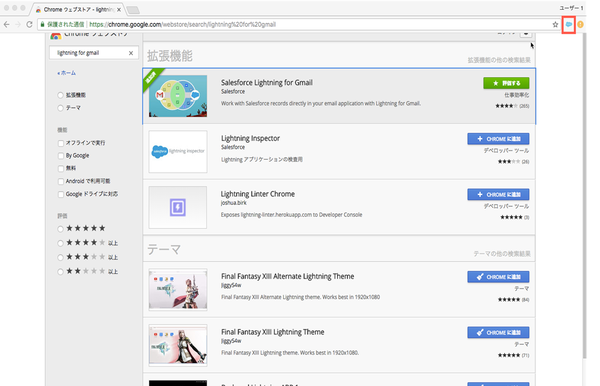
2-1. Chrome Web Store を表示します。
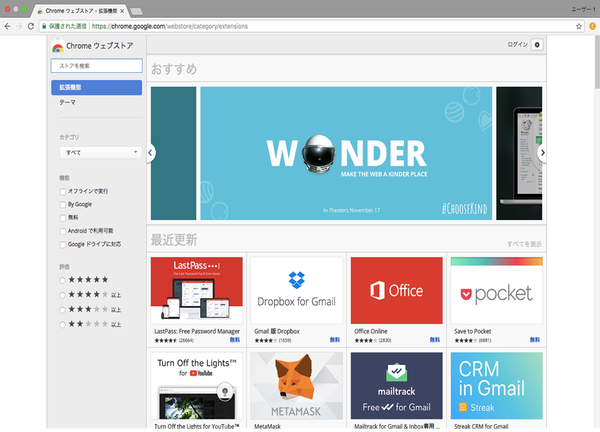
2-2. [ストアを検索] ボックスに「Salesforce」と入力し、Salesforce 拡張機能を選択の上 [Chrome に追加] をクリックします。
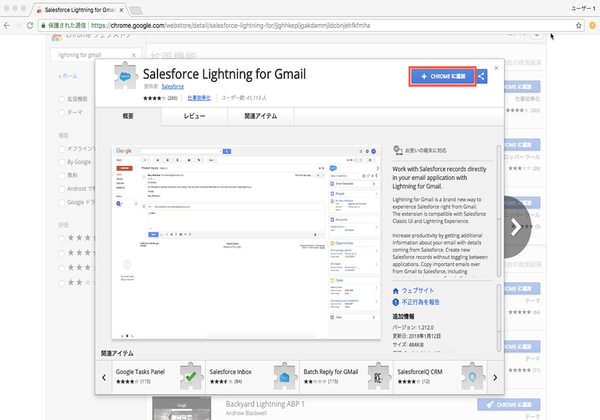
2-2. [ストアを検索] ボックスに「Salesforce」と入力し、Salesforce 拡張機能を選択の上 [Chrome に追加] をクリックします。
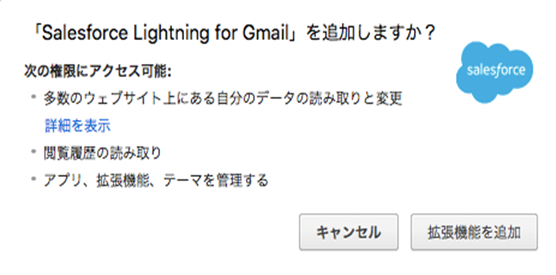
2-3. [拡張機能を追加] をクリックします。
2-4. Google Chrome へ Gmail インテグレーション (Lightning for Gmail) 拡張機能が追加されました。
3. Gmail インテグレーション (Lightning for Gmail) のログイン
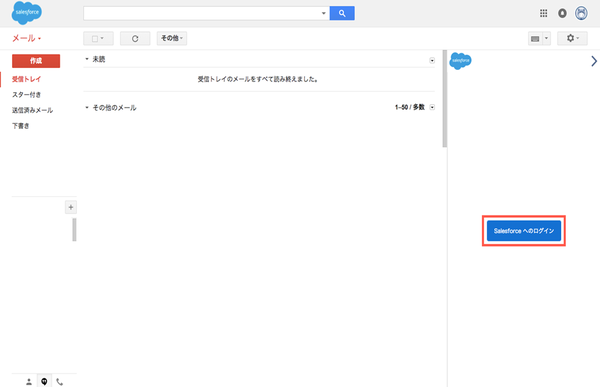
3-1. Gmail へログインし画面右へ表示される [Salesforce へログイン] をクリックします。
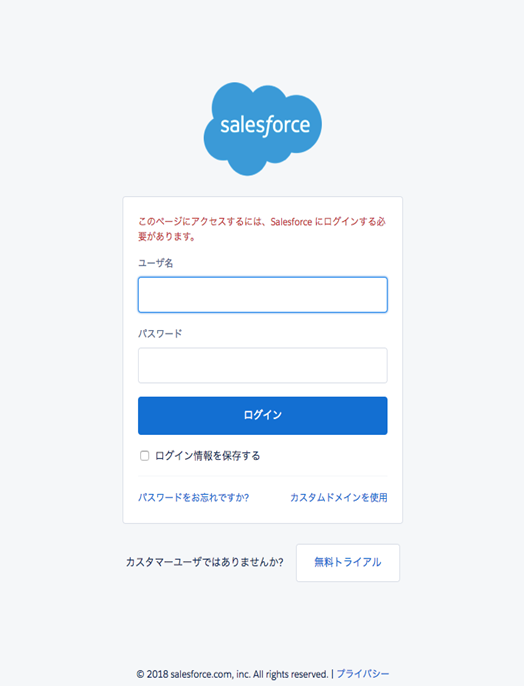
3-2. ユーザ名およびパスワードを入力し Salesforce へログインします。
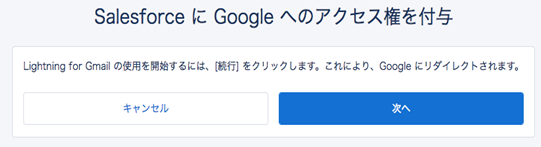
3-3. [次へ] をクリックします。
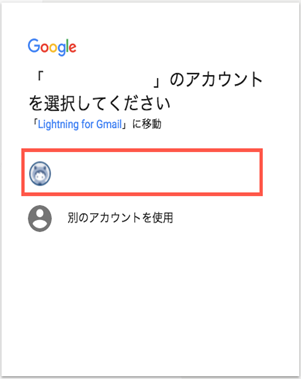
3-4. 利用している Gmail アカウントを選択します。
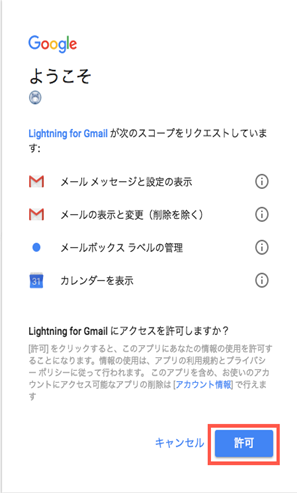
3-5. [許可] をクリックします。
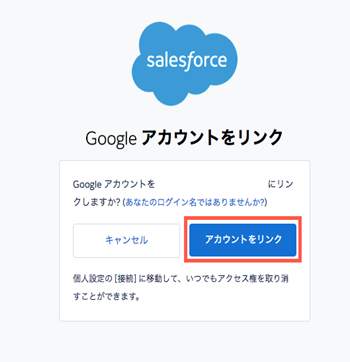
3-6. [アカウントをリンク] をクリックします。
3-7. [Go to Salesforce] をクリックします。
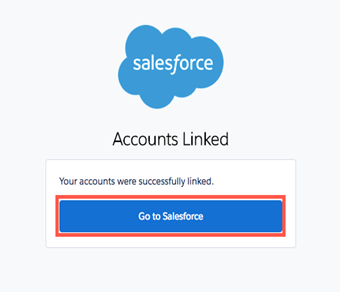
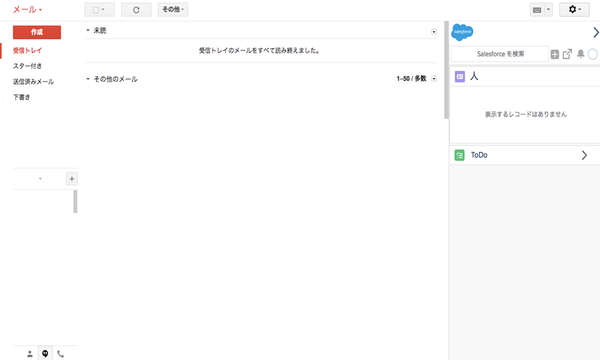
3-8. Gmail インテグレーション (Lightning for Gmail) へのログインが完了しました。
3-2. ユーザ名およびパスワードを入力し Salesforce へログインします。
3-3. [次へ] をクリックします。
3-4. 利用している Gmail アカウントを選択します。
3-5. [許可] をクリックします。
3-6. [アカウントをリンク] をクリックします。
3-7. [Go to Salesforce] をクリックします。
3-8. Gmail インテグレーション (Lightning for Gmail) へのログインが完了しました。
なお、Gmail インテグレーション (Lightning for Gmail) の利用方法については次の動画、記事を参照してください。
Connecting to Salesforce in Gmail (Gmail での Salesforce への接続) (日本語字幕あり)
Outlook および Gmail での Salesforce データの参照と使用
ナレッジ記事番号
000384623
この記事で問題は解決されましたか?
ご意見をお待ちしております。
