Select An Org
Delete the Entire Salesforce Event Series in Lightning Experience
Publish Date: Oct 7, 2024
Description
Recurring Events that are created in Lightning Experience behave differently from recurring Events created in Classic.
To delete the whole series of recurring Events created in Classic, we need to open the Event series and then click the 'Delete Series' button. If a recurring Event is created in Lightning, the 'Delete Series' button is not available.
Resolution
Steps to delete an entire Event series in Lightning
Note: These steps only apply to an Event series created in the Lighting Experience.
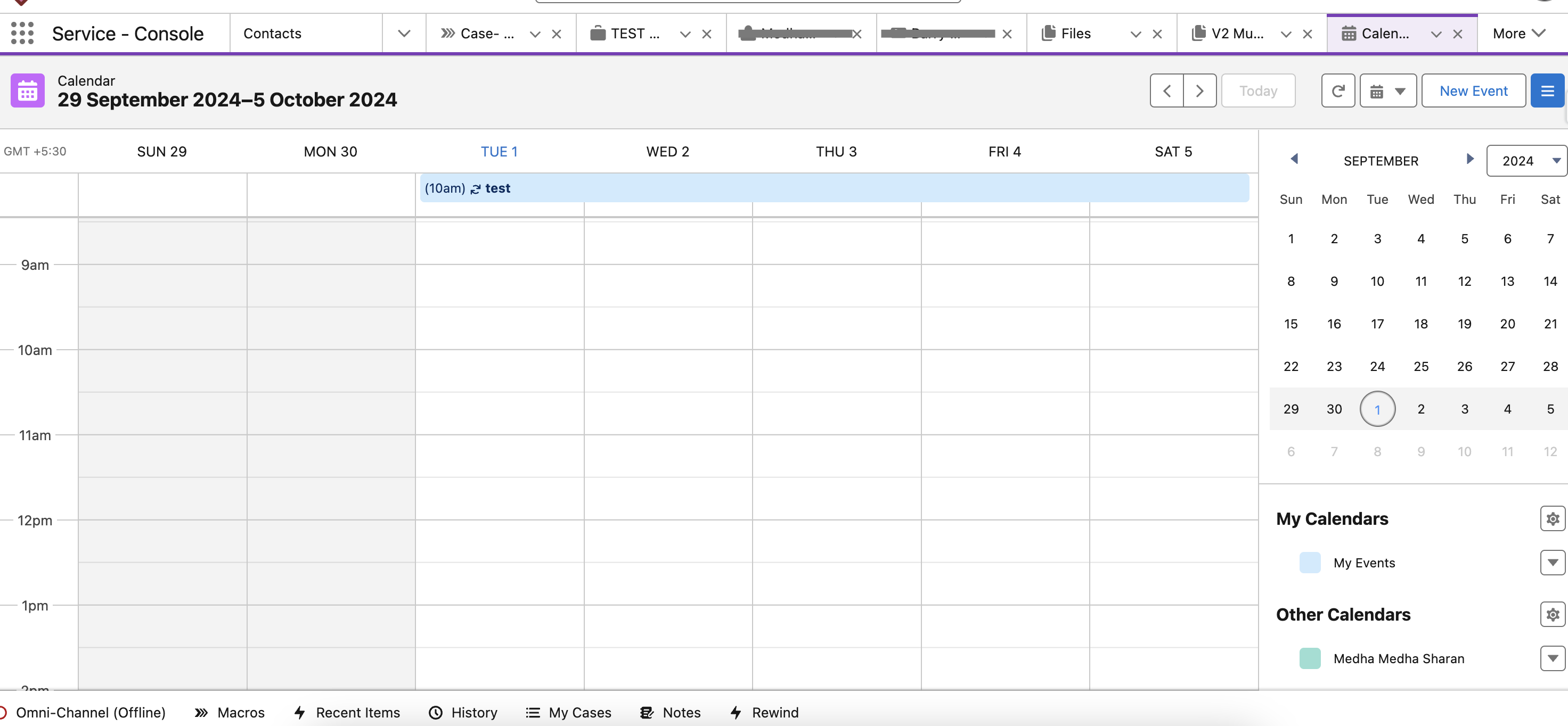
- Access the first occurrence of the recurring event that was created in Lightning Experience via the calendar or the Events list view.
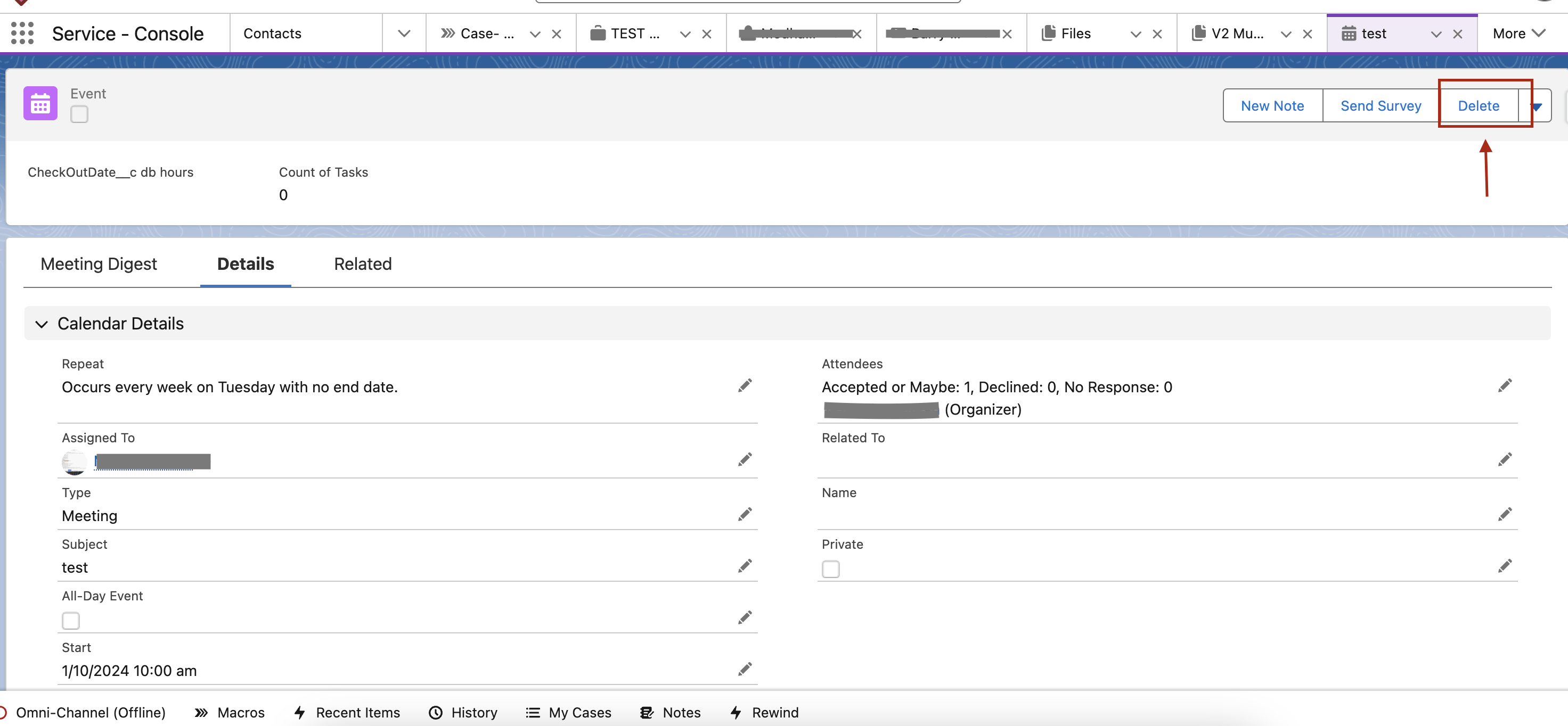
- On the Event detail page, click on the Delete button.
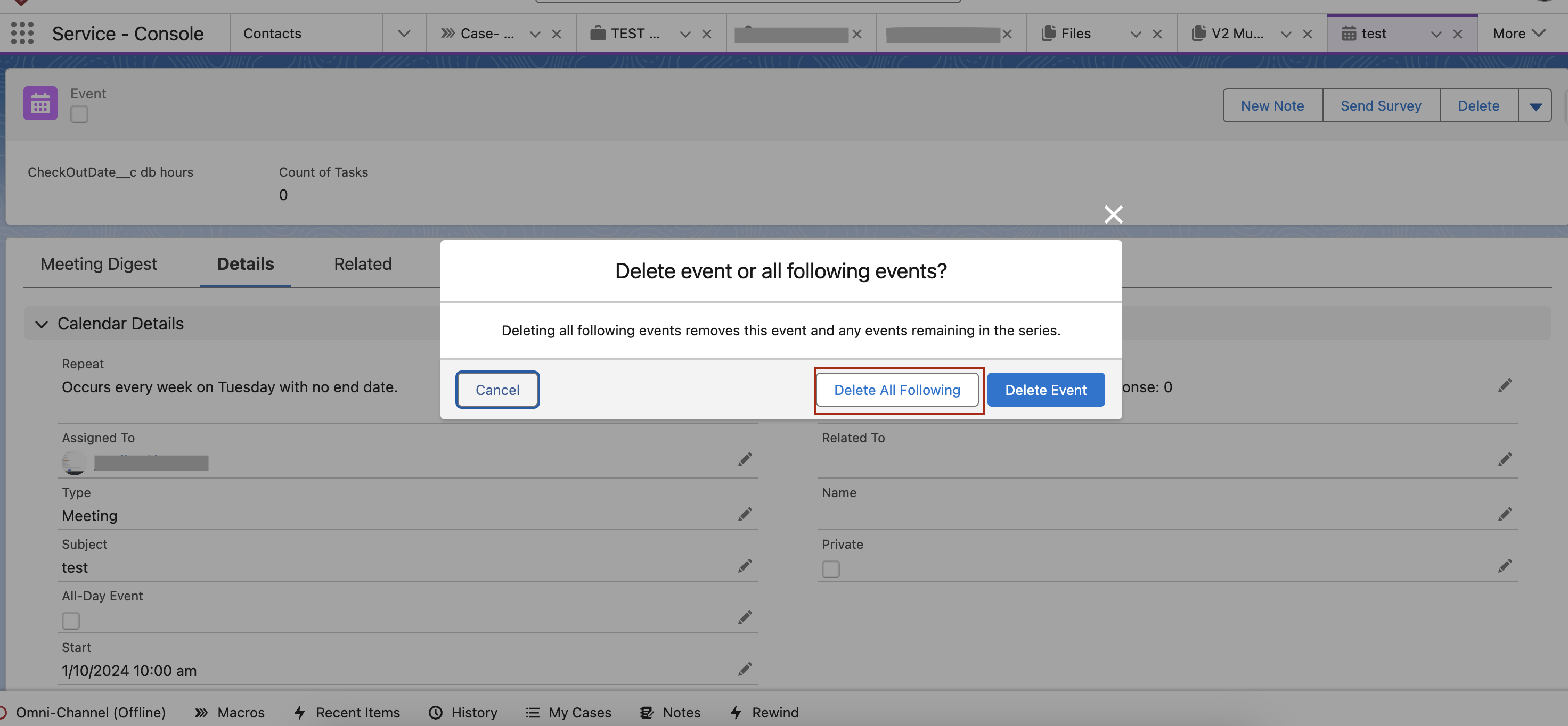
- Click on the Delete All Following button.
Additional Resources
Delete button not available on Events and Event series from Lightning Sync
Trailblazer Community - Community User doesn't see Events in the Calendar in Experience Site
Trailblazer Community - Salesforce Calendar not showing my Events
Knowledge Article Number
000380735
Did this article solve your issue?
Let us know so we can improve!
