조직 선택
Delete the Entire Salesforce Event Series in Lightning Experience
게시 일자: May 25, 2026
상세 설명
Recurring Events that are created in Lightning Experience behave differently from recurring Events created in Classic.
To delete the whole series of recurring Events created in Classic, we need to open the Event series and then click the 'Delete Series' button. If a recurring Event is created in Lightning, the 'Delete Series' button is not available.
솔루션
Steps to delete an entire Event series in Lightning
Note: These steps only apply to an Event series created in the Lighting Experience.
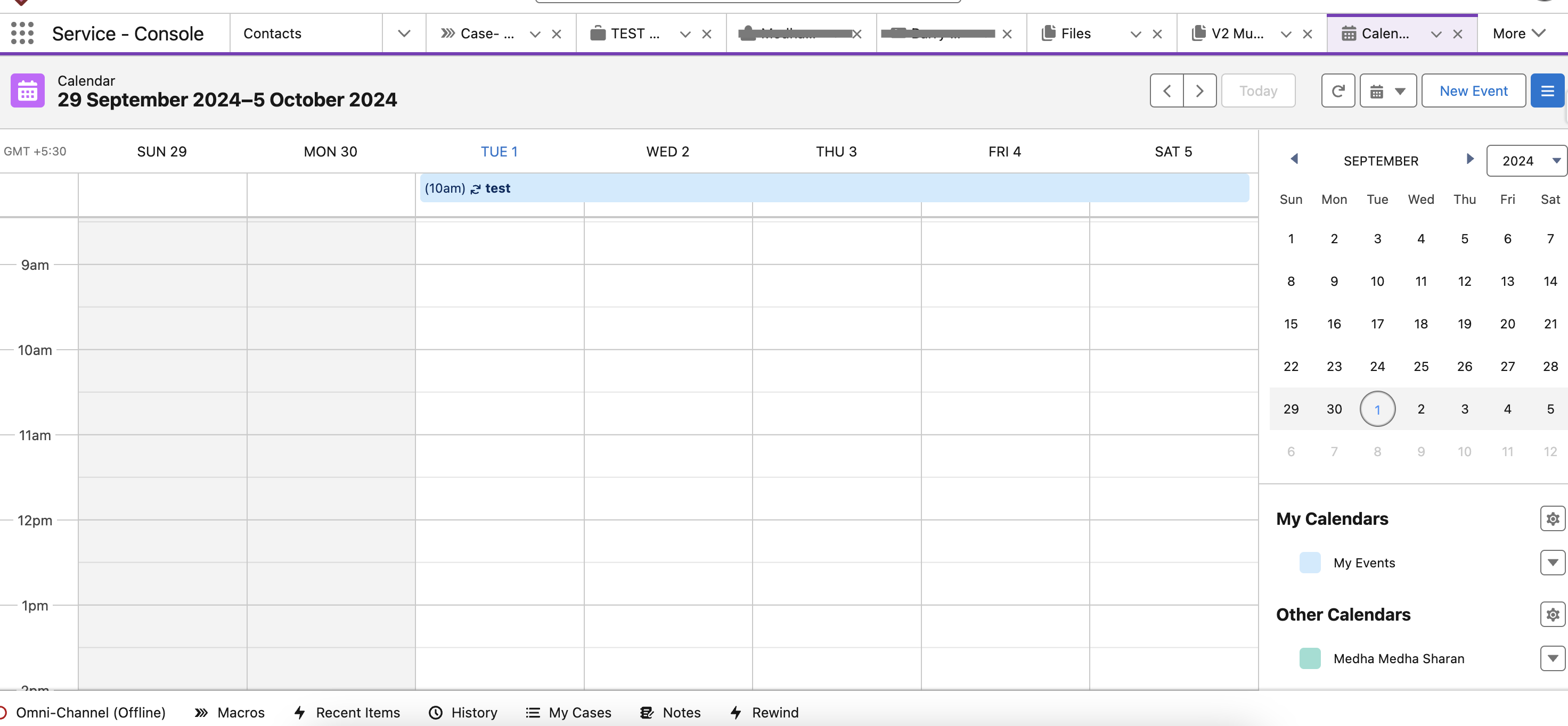
- Navigate to the first occurrence of the recurring event using the Salesforce calendar or the Events list view. It is important to start from the very first event in the series; otherwise, 'Delete All Following' will only delete events after the selected occurrence.
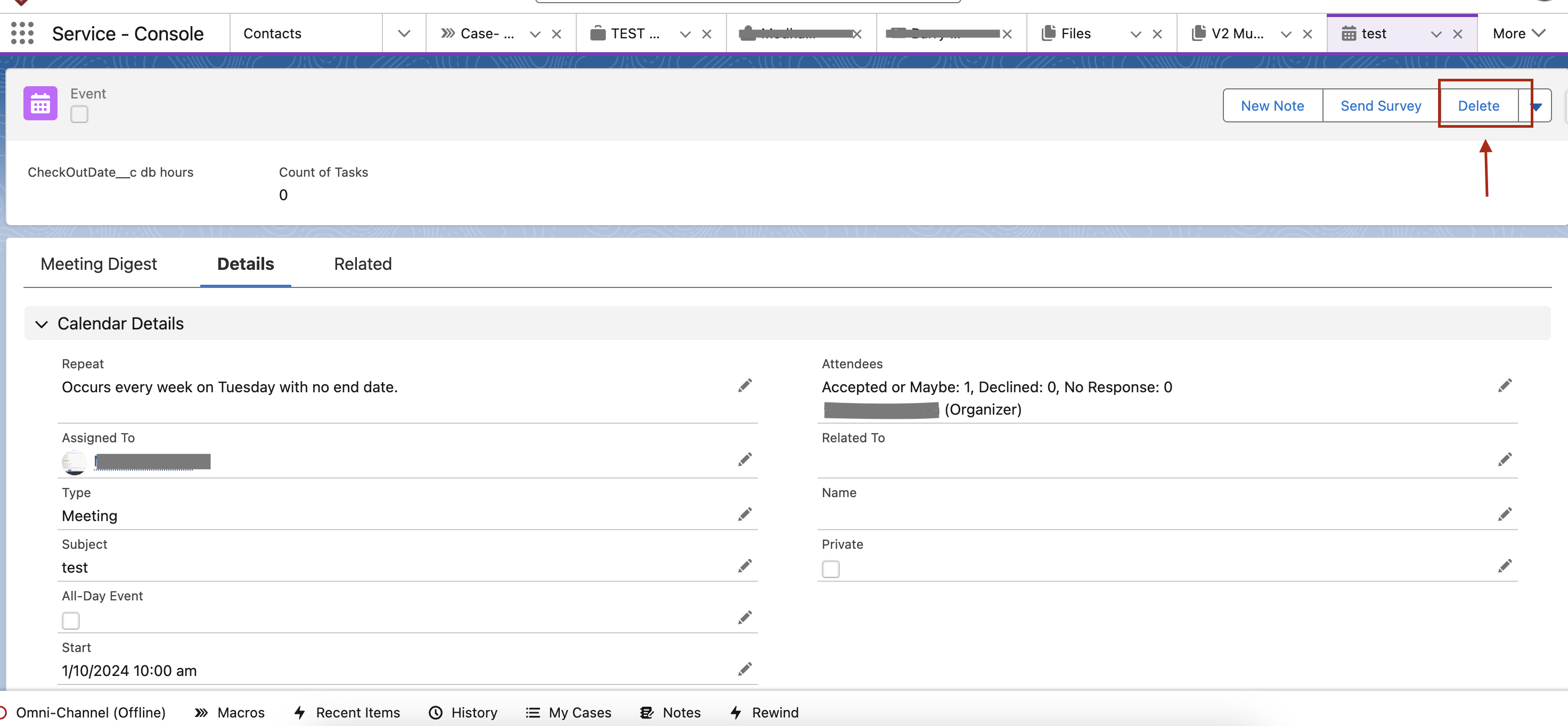
- On the Event detail page, click on the Delete button.
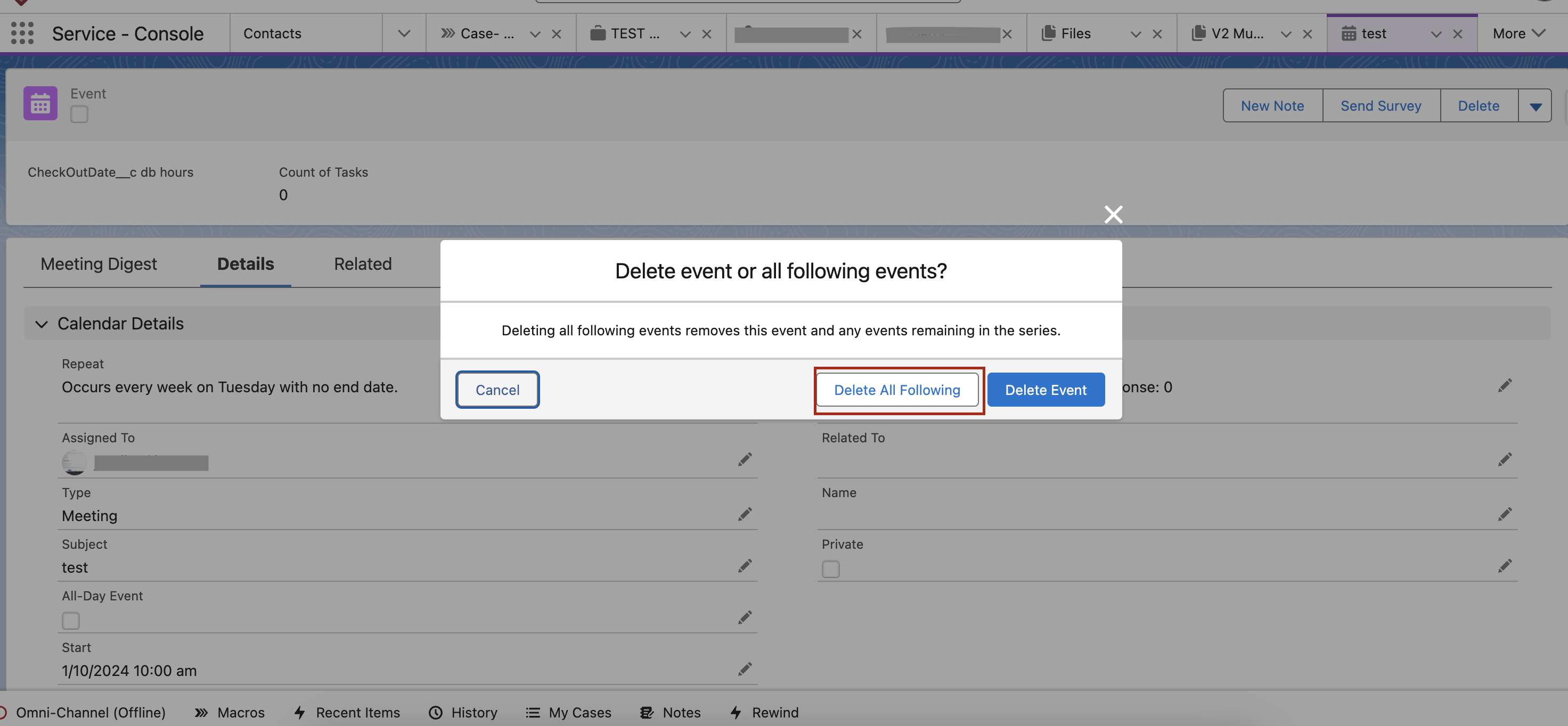
- Click on the Delete All Following button.
추가 자원
Delete button not available on Events and Event series from Lightning Sync
Trailblazer Community - Community User doesn't see Events in the Calendar in Experience Site
Trailblazer Community - Salesforce Calendar not showing my Events
Knowledge 기사 번호
000380735
이 기사를 통해 문제를 해결했습니까?
개선을 위한 의견을 보내주세요.
