Выбрать организацию
Delete the Entire Salesforce Event Series in Lightning Experience
Дата публикации: May 25, 2026
Описание
Recurring Events that are created in Lightning Experience behave differently from recurring Events created in Classic.
To delete the whole series of recurring Events created in Classic, we need to open the Event series and then click the 'Delete Series' button. If a recurring Event is created in Lightning, the 'Delete Series' button is not available.
Решение
Steps to delete an entire Event series in Lightning
Note: These steps only apply to an Event series created in the Lighting Experience.
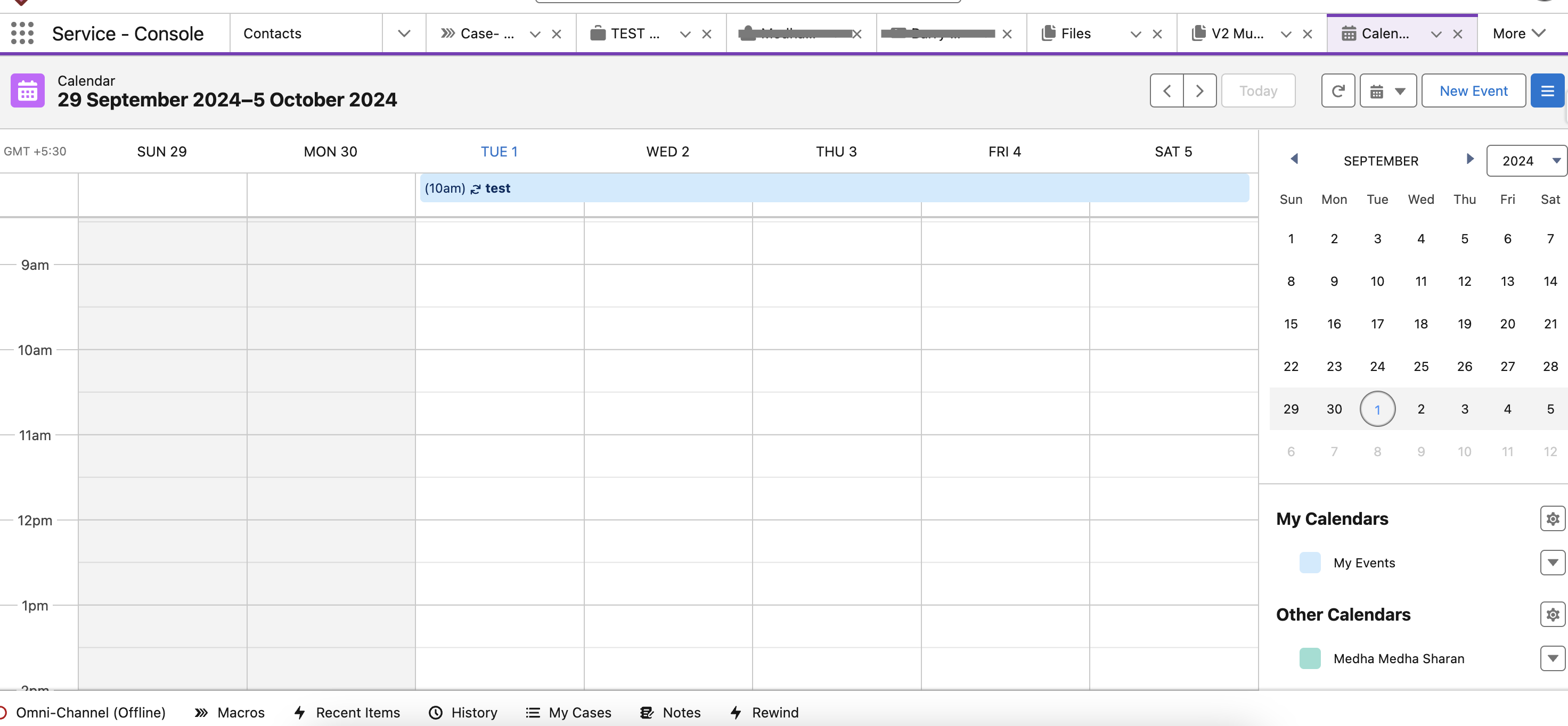
- Navigate to the first occurrence of the recurring event using the Salesforce calendar or the Events list view. It is important to start from the very first event in the series; otherwise, 'Delete All Following' will only delete events after the selected occurrence.
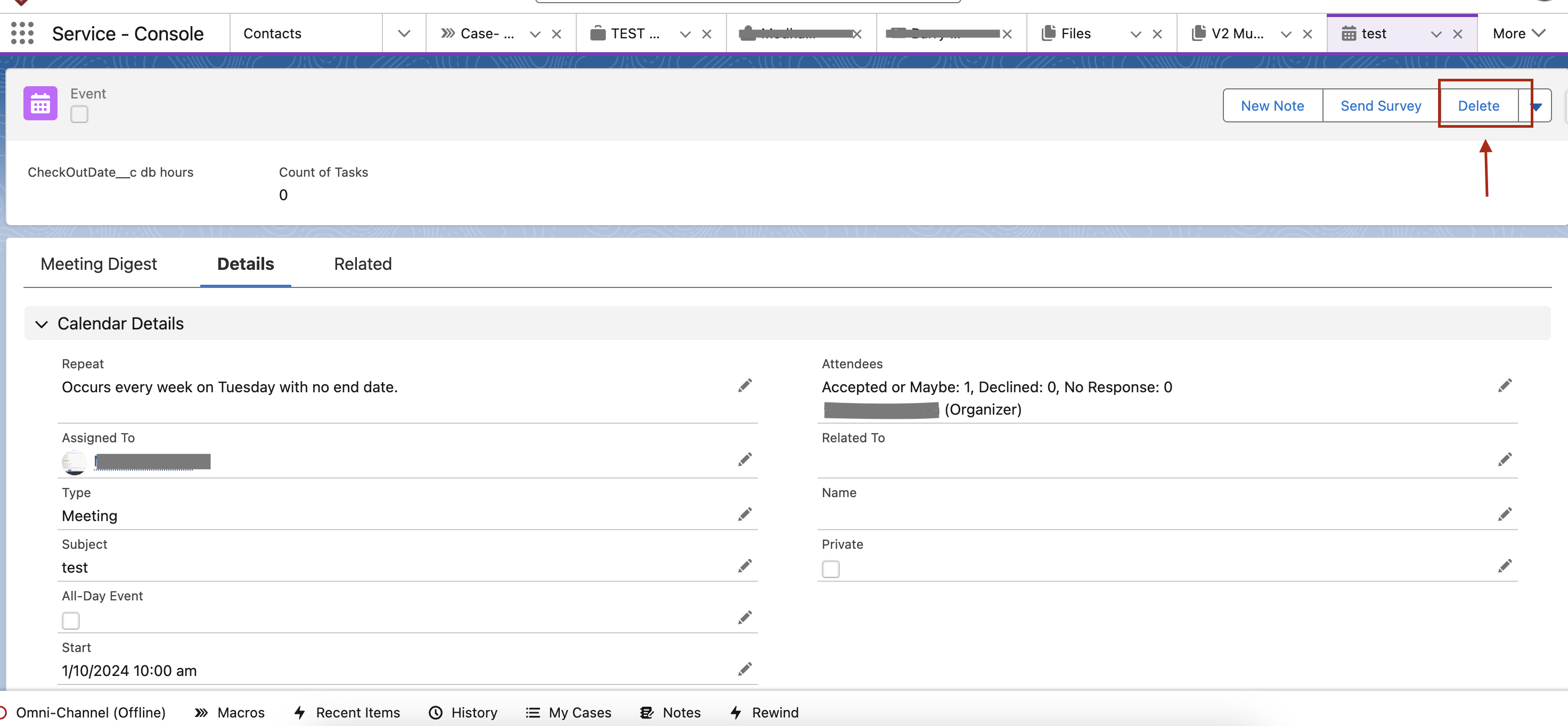
- On the Event detail page, click on the Delete button.
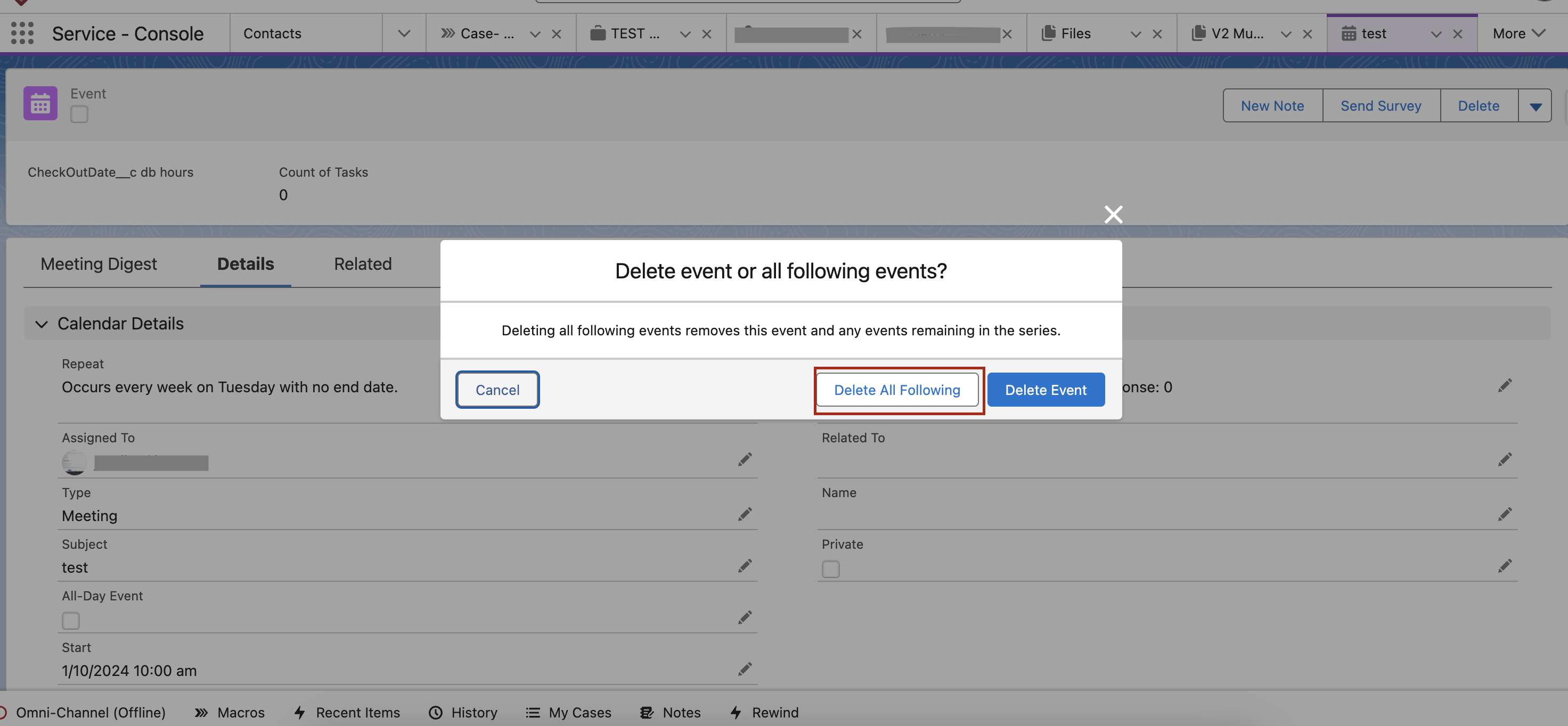
- Click on the Delete All Following button.
Дополнительные ресурсы
Delete button not available on Events and Event series from Lightning Sync
Trailblazer Community - Community User doesn't see Events in the Calendar in Experience Site
Trailblazer Community - Salesforce Calendar not showing my Events
Номер статьи базы знаний
000380735
Эта статья решила вашу проблему?
Оставьте свой отзыв, чтобы мы могли стать лучше!
