Выбрать организацию
Salesforce Mobile App: No Objects Error on Login
Дата публикации: Apr 17, 2025
Описание
When users log in to the Salesforce Mobile App, they may see a screen displaying the following error:
"No Objects — You don't have access to any apps. Your admin can help with that."
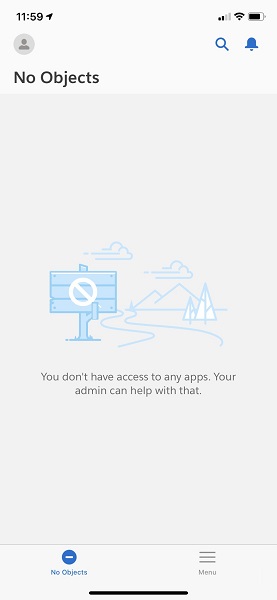
This screen indicates that the affected user does not have any apps assigned to their Profile that are marked as visible in the App Menu.
Решение
For users on Salesforce Mobile App version 222 or higher:
This page means that the affected user does not have any apps assigned to them that are marked as visible in the 'App Menu' after the admin has turned off the 'Mobile Only' app.
To resolve this issue as an end user:
- Tap Menu in the app
- Tap App Launcher
- Select an app
- If you don't see any apps, your admin will need to resolve the issue (see steps below)
To correct this issue as an admin:
- Navigate to Setup
- In the QuickFind Search type and select 'App Menu'
- Make a note of which apps are set to 'Visible in App Launcher'
- In the QuickFind Search type and select 'Profile'
- Select the affected user's profile
- Check the 'Assigned Apps' for the profile
- Make sure at least one of the assigned apps on the profile are also on the list of apps you noted in step 3.
Note: Classic apps may need to be updated to Lightning Apps to appear in the App Launcher.
Additionally, verify the form factor settings for each app:
- Navigate to Setup > App Manager.
- Select Edit next to the Lightning App.
- Go to App Options.
- Confirm that Phone or Desktop and Phone is selected as the form factor.
If the Issue Persists
If the steps above do not resolve the issue, see: FAQ: Salesforce Mobile App Page Loads
Дополнительные ресурсы
Номер статьи базы знаний
000381016
Эта статья решила вашу проблему?
Оставьте свой отзыв, чтобы мы могли стать лучше!
