Sélectionner une organisation
How to Add the Campaign Related List to the Account Page in Salesforce Lightning
Date de publication: Apr 30, 2026
Description
Résolution
This functionality is only available in the Lightning Experience user interface.
To add Campaigns related list to Account, please follow below click path:
Setup | Object Manager | Account | Page Layouts | Look for Campaigns under the related lists part and then drag it | Save the page layout.
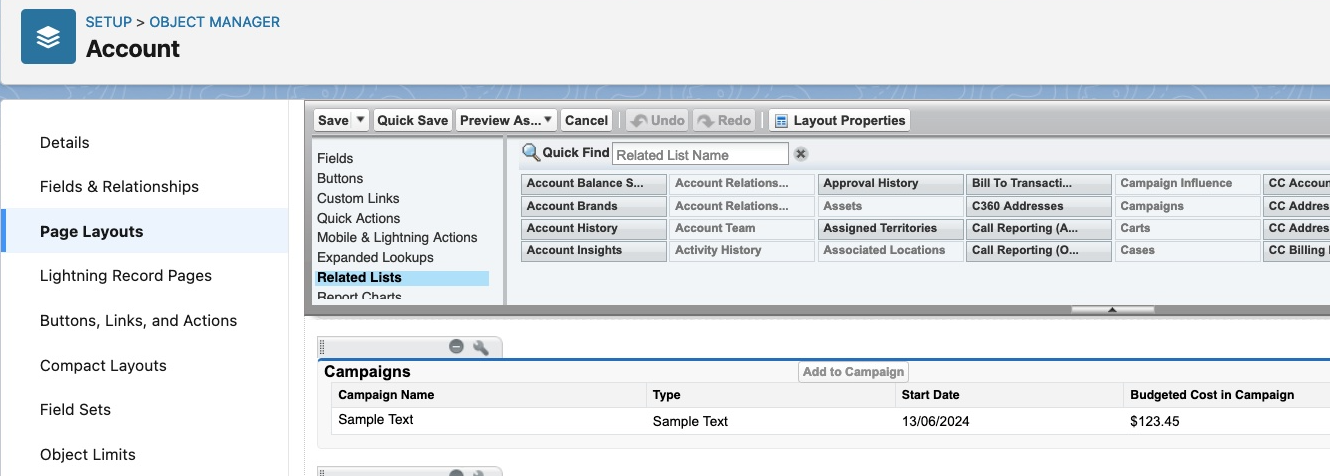
To add Accounts related list to Campaign, please follow below click path:
Setup | Object Manager | Campaign | Page Layouts | Look for Accounts under the related lists part and then drag it | Save the page layout.
Ressources supplémentaires
SEE ALSO:
Customize Related Lists
Numéro d’article de la base de connaissances
000381050
Cet article a-t-il résolu votre problème ?
Dites-nous ce que nous pouvons améliorer !
