Välj en organisation
Error IDs 1905160581 or 1946279285 When Editing a User Record in a Sandbox — Caused by Broken Image
Publiceringsdatum: Jul 5, 2026
Beskrivning
The following errors may appear when editing a User Record in a Sandbox environment. These errors are caused by a broken image on the User record, which must be corrected before the record can be saved.
Error ID 1905160581 appears as:
"An error has occurred while processing your request. The salesforce.com support team has been notified of the problem. If you believe you have additional information that may be of help in reproducing or correcting the error, please contact support@salesforce.com. Please indicate the URL of the page you were requesting as well as any other related information. We apologize for the inconvenience. Thank you again for your patience and assistance. And thanks for using salesforce.com! Error ID: 343746507-2476 (1905160581)"
Error ID 1946279285 appears as:
"Unable to Finish Processing Request — Error ID: 708378249-180741 (1946279285)"
Lösning
Why These Errors Occur
The error IDs 1905160581 and 1946279285 are triggered by a broken image on the User record in the Sandbox. The broken image needs to be located and removed before you can save the record successfully.Fix the Broken Image to Allow Edits to User Records in Sandbox
- Click Edit on the affected User Record.
- Review all fields and Apex Triggers to locate any broken images.
- If the broken image is on the Page Layout, you will see a "User-added image" placeholder — this indicates a broken image reference in the layout itself.
- If no placeholder is visible in the layout, review any Apex Triggers to determine if they are making a reference to a broken image URL.
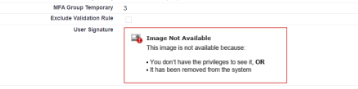
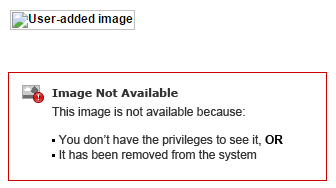
- Delete the broken image from the record.
- Click Save
Knowledge-artikelnummer
000381644
Löste denna artikel ditt problem?
Berätta för oss vad vi kan förbättra!
