Välj en organisation
Marketing Cloud Engagement - Deliverability Recommended Setting: Domain Throttling
Publiceringsdatum: Jun 9, 2025
Beskrivning
By default, Marketing Cloud Engagement processes large volumes of email send requests in parallel. However, some internet service providers (ISPs) limit the number of inbound emails they accept within a given timeframe. When send volumes exceed these thresholds, the platform automatically retries those sends.
These retries can trigger anti-spam mechanisms at certain ISPs, potentially resulting in a block on messages from specific IP addresses.
To reduce the likelihood of retries and improve deliverability, Domain Throttling can be configured upon customer request for email sends targeting specific ISP domains. This setting automatically regulates the sending speed—such as limiting delivery to “XXXX messages per hour per IP address”—to better align with ISP requirements. This configuration is particularly effective for improving email deliverability in Japan.
Use this article to understand when Domain Throttling is appropriate and how to request it through Salesforce Support.
Notes:
- If Send Throttling (also known as send speed control) is enabled in combination with Domain Throttling, Send Throttling will apply first, followed by Domain Throttling.
When these features are used together, retries performed by the Message Transfer Agent (MTA) may extend the total delivery window. As a result, messages could be delivered late at night or outside your intended send time.
To minimize this risk, we strongly recommend setting an earlier end time for Send Throttling.
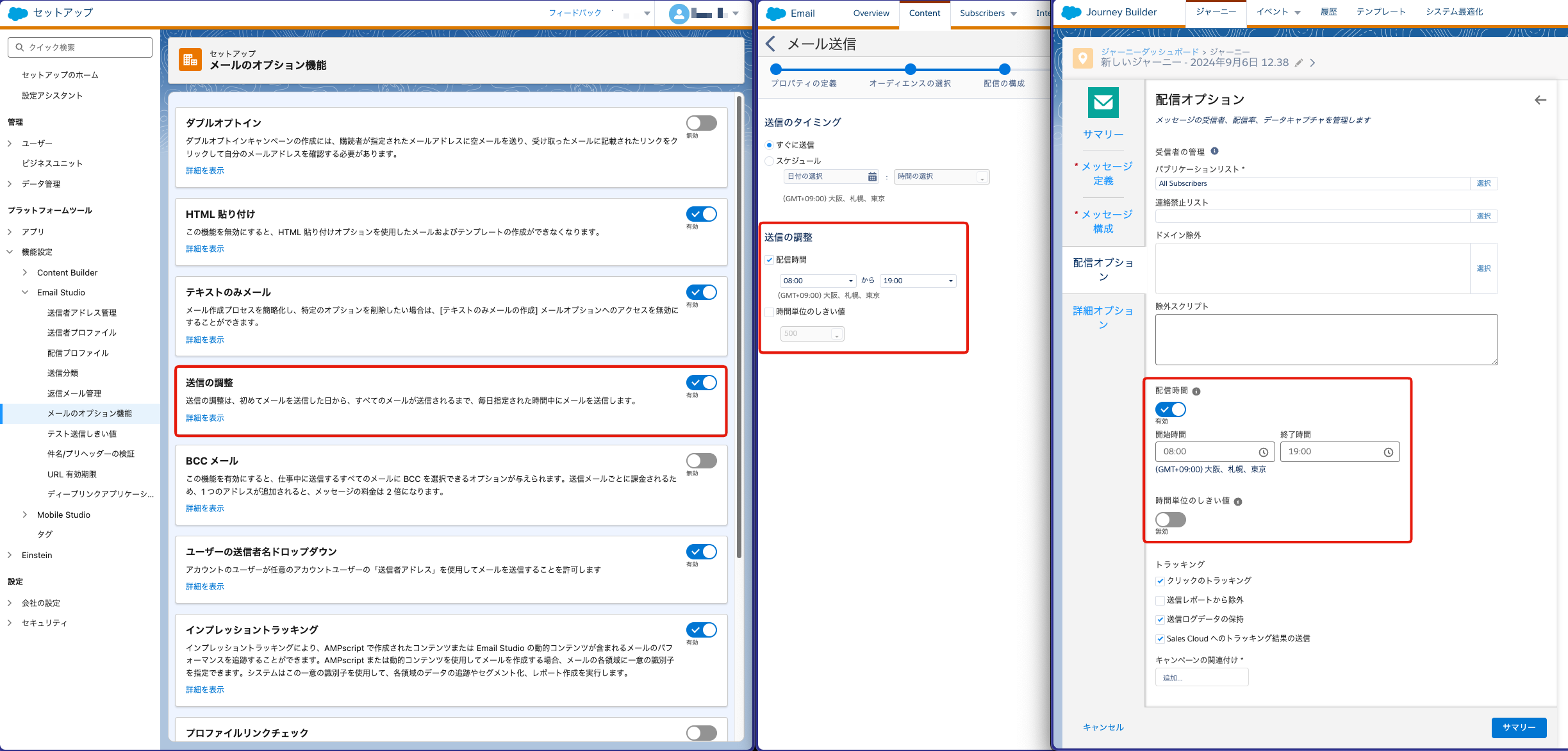
- If you need to control inbound traffic to a website or enforce rate limits on sends over a specific duration, consider splitting your audience lists and scheduling the sends separately.
- Domain Throttling is applied per email send job. If multiple large-scale send jobs are executed simultaneously, the combined volume may exceed the configured throttling limits, potentially resulting in blocks from ISPs.
Lösning
How to Request Domain Throttling
To enable Domain Throttling for your Marketing Cloud account, submit a case through Salesforce Help & Training with the following information.
To request this configuration, submit a case through Salesforce Help & Training and include the following information:
Request Timing
- Ensure that for each Business Unit (BU), your SAP (Sender Authentication Package) configuration is complete with one of the following options selected:
- “Use a dedicated IP space. Sends more than 250,000 emails per month.”
- “Use an existing dedicated IP space used by the account.”
Scope of Configuration
- Enterprise level or Business Unit level
Required Information
- Target MID (Member ID)
- Desired application scope (Enterprise level or Business Unit level)
*Domain Throttling can be applied to the following domains:
- docomo.ne.jp
- ezweb.ne.jp
- au.com
- softbank.ne.jp
- i.softbank.jp
- d.vodafone.ne.jp
- h.vodafone.ne.jp
- t.vodafone.ne.jp
- c.vodafone.ne.jp
- k.vodafone.ne.jp
- r.vodafone.ne.jp
- n.vodafone.ne.jp
- s.vodafone.ne.jp
- q.vodafone.ne.jp
- disney.ne.jp
- Emnet.ne.jp
- emobile.ne.jp
- emobile-s.ne.jp
- ymobile1.ne.jp
- ymobile.ne.jp
- pdx.ne.jp
- willcom.com
- wcm.ne.jp
- y-mobile.ne.jp
- nifty.ne.jp
- nifty.com
- We recommend also requesting the following configurations to further optimize deliverability:
Ytterligare resurser
Knowledge-artikelnummer
000382911
Löste denna artikel ditt problem?
Berätta för oss vad vi kan förbättra!
