조직 선택
Data Loader의 설치 순서
게시 일자: Jun 2, 2025
솔루션
동영상
동영상을 통해 이 Knowledge 기사에 기재된 하기의 순서를 확인할 수 있습니다.
순서
다음은 Data Loader 버전 45의 설치에 대해 기재한 것입니다. 단말기의 설정에 따라서는 언어 표시가 다르거나 경고 메시지가 표시되지 않는 경우가 있으므로 이용하는 단말기의 동작에 따라 올바르게 설치를 진행하기 바랍니다.
1. OpenJDK version 11의 다운로드 및 설치
<Windows>
Java Runtime Environment (JRE) 버전 11 이상(Zulu OpenJDK 버전 11 이상 등)
<macOS>
Java Runtime Environment (JRE) 버전 11 이상(Zulu OpenJDK 버전 11 이상 등)
Zulu JDK 설치
For Windows
1. 다운로드한 msi 파일을 더블 클릭하고 [Next]를 클릭합니다.
2. [Next]를 클릭합니다.
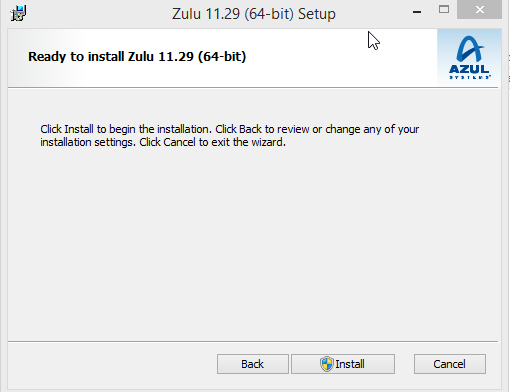
3. [Install]을 클릭합니다.
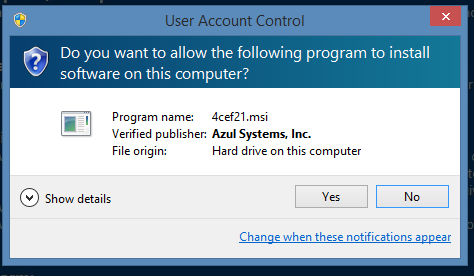
4. 경고 메시지가 표시된 경우에는 [Yes]를 클릭합니다.
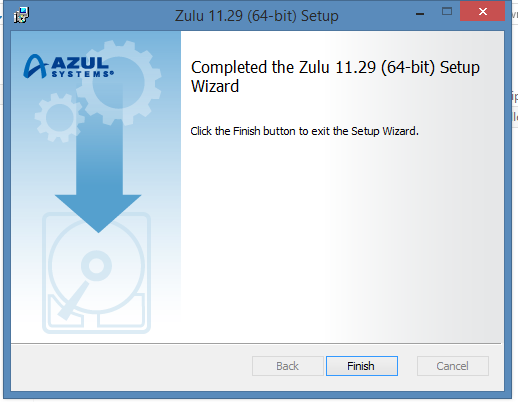
5. [Finish]를 클릭합니다.
For Mac
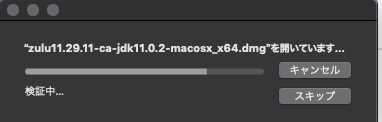
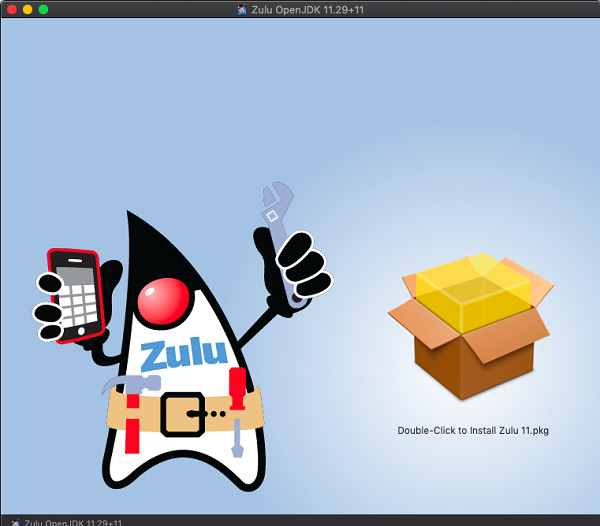
1. 다운로드한 dmg 파일을 더블 클릭합니다.
2. 더블 클릭하여 설치를 시작합니다.
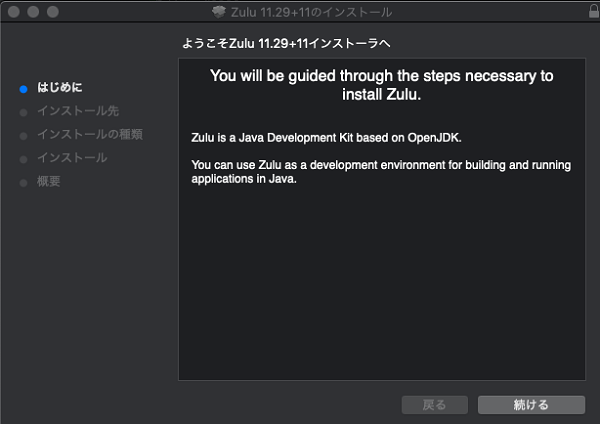
3. [계속]을 클릭합니다.
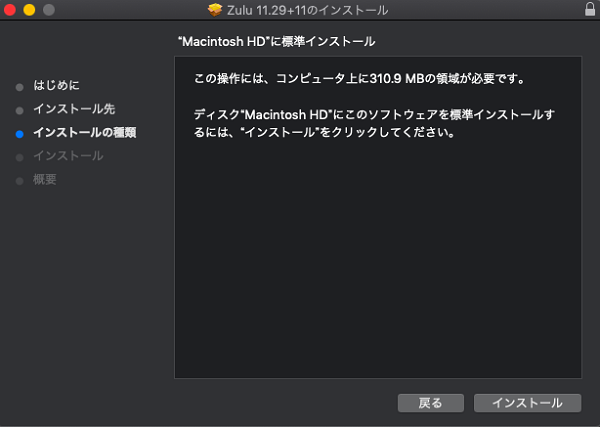
4. [설치]를 클릭합니다.
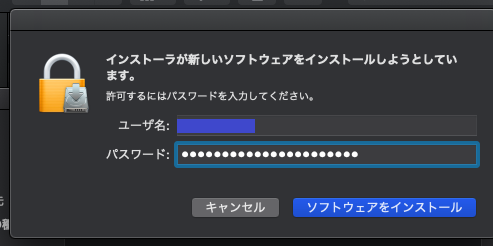
5. 사용자 이름/암호 입력을 요구하는 경우에는 입력한 뒤 [소프트웨어 설치하기]를 클릭합니다.


2. Data Loader 다운로드
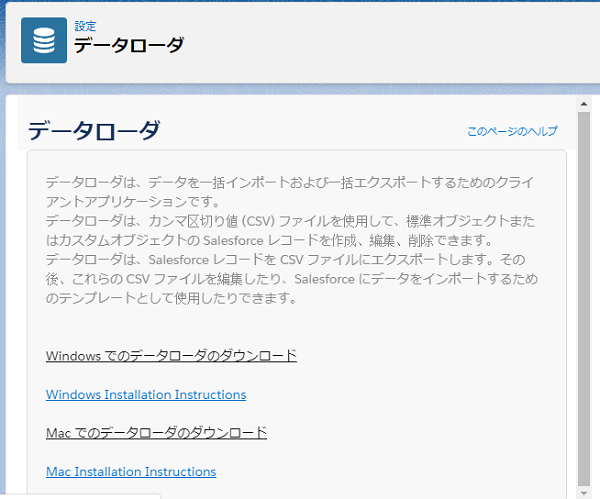
설정 메뉴에 액세스하여 [빠른 검색]란에 Data Loader를 입력한 뒤 [Data Loader]를 클릭합니다. 이용하시는 단말기에 해당하는 링크를 클릭하여 Data Loader를 다운로드합니다.
3. Data Loader를 설치합니다.
For Windows
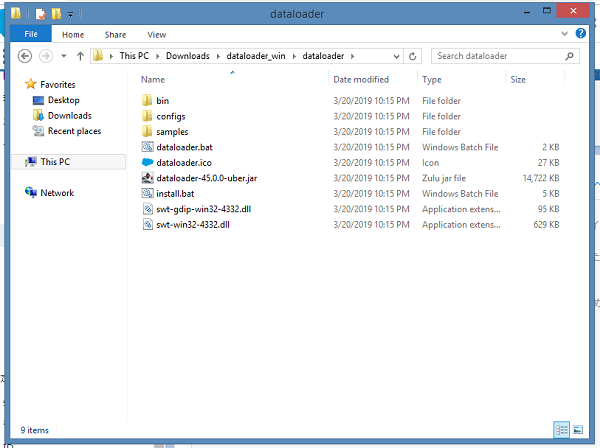
1. 다운로드한 zip 파일을 오른쪽 버튼 클릭하여 [압축 풀기]를 선택합니다.
2. 압축 해제된 파일 안에 있는 install.bat를 더블 클릭합니다.
3. 경고 메시지가 표시된 경우에는 [More info]를 클릭한 뒤 [Run anyway]를 클릭합니다.
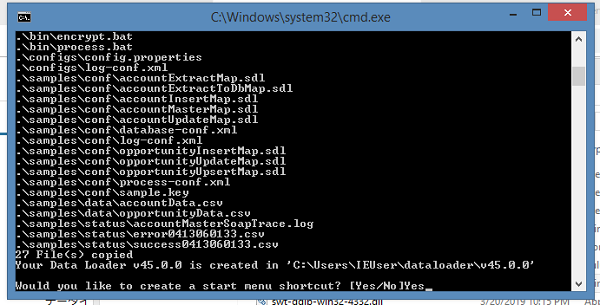
4. dataloader를 입력하고 Enter 키를 누릅니다.
5. Yes를 입력하고 Enter 키를 누릅니다.
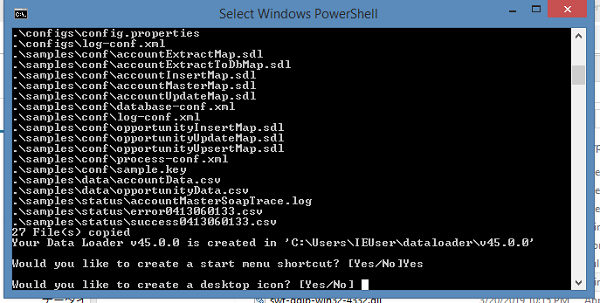
6. Yes를 입력하고 Enter 키를 누릅니다.
7. Enter 키를 눌러 창을 닫습니다.
For Mac
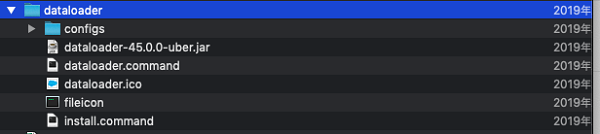
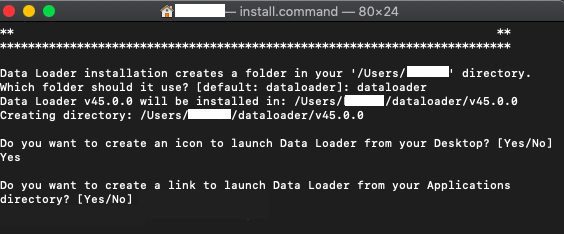
1. 다운로드한 zip 파일을 풀고 install.command 파일을 더블 클릭합니다.
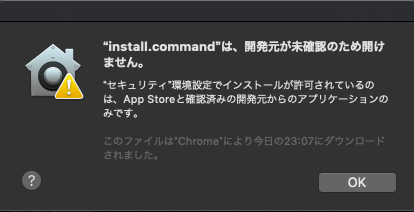
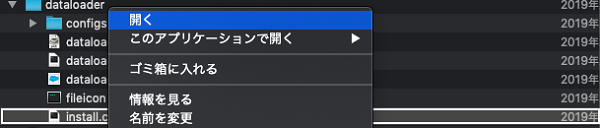
2. 오류 메시지가 표시된 경우에는 [OK]를 클릭한 뒤 다시 Control 키를 누른 상태에서 [열기]를 클릭합니다.
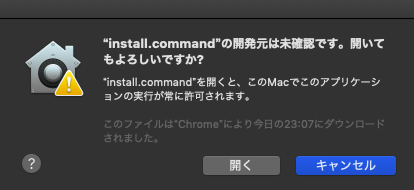
3. [열기]를 클릭합니다.
4. dataloader를 입력합니다.
5. Yes를 입력합니다.
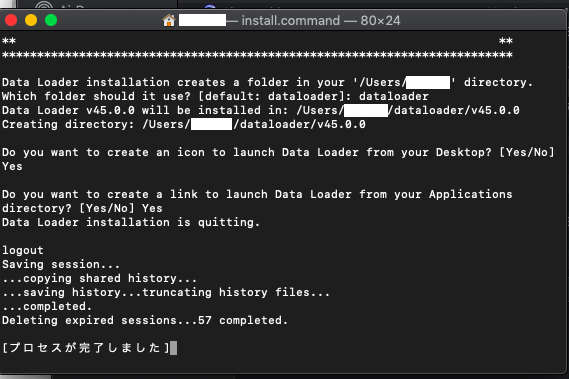
6. Yes를 입력합니다.
7. 이것으로 설치가 완료되었습니다.





Knowledge 기사 번호
000383107
이 기사를 통해 문제를 해결했습니까?
개선을 위한 의견을 보내주세요.
