Select An Org
Address 'noreply@salesforce.com' gets added on Sender field automatically
Publish Date: Aug 8, 2025
Description
Notes:
- The email delivery setting 'Enable Sender ID compliance' automatically adds 'no-reply@salesforce.com' to the Sender field on emails sent from Salesforce.
- Some email clients may append the phrase 'Sent on behalf of' when the sending domain does not match the from domain.
- Disabling the Sender ID compliance setting will stop this.
Resolution
Remove 'noreply@salesforce.com' or 'Sent on behalf of' from your outgoing email
In Salesforce Classic
- Click Setup | Email Administration | Deliverability
- Locate the Email Security Compliance section
- Deselect the Enable Sender ID compliance box
- Click on Save
- The emails you send will no longer include 'noreply@salesforce.com on behalf of...' in the Sender field.
In Lightning Experience
- Click on the gear icon and select Setup
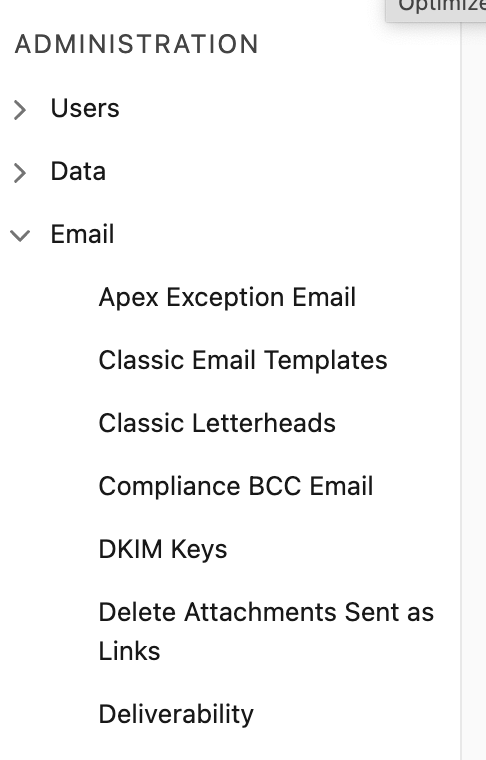
- In the Quick Find box on the left-hand side, type and select Deliverability located under ADMINISTRATION | Email
; - Scroll down to the Email Security Compliance section
- Deselect the Enable Sender ID compliance check box
-
Click on Save
- The emails you send will no longer include 'noreply@salesforce.com on behalf of...' in the Sender field.

For more information including needed permissions, see the introductory video on YouTube - Configuring the Email Deliverability of Your Org | Salesforce
If the information provided does not resolve your issue on removing 'no-reply@salesforce.com' or 'Sent on behalf of' on the Sender field on emails sent from Salesforce, please contact Salesforce Support .
If the information provided does not resolve your issue on removing 'no-reply@salesforce.com' or 'Sent on behalf of' on the Sender field on emails sent from Salesforce, please contact Salesforce Support .
Additional Resources
Gmail recipients see 'via (Interchangeable ID).d.bnc.salesforce.com' as the sender
Guidelines for Configuring Deliverability Settings for Emails Sent from Salesforce
Knowledge Article Number
000383125
Did this article solve your issue?
Let us know so we can improve!
