Valitse organisaatio
Salesforce Agent Console Retirement (Console Tab)
Julkaisupäivä: May 2, 2025
Kuvaus
Salesforce retired the Agent Console, also known as Console Tab or Legacy Console, with the Summer '20 release. After the retirement date, users assigned with the Agent Console layout are no longer able to access the feature.
Why did we retire the Agent Console feature?
The Agent Console feature has not been actively enhanced since the Spring ‘11 release and has not been available to new customers since the Spring ‘15 release. To ensure customers receive new features and support, Salesforce will retire the Agent Console. See Console Tab Removed from New Organizations.
What did you recommend based on this feature retirement?
To continue receiving feature updates and complete support, customers using the feature should transition to the improved and more user-friendly Lightning Console. This feature contains all of the functionality available in the Agent Console and is now available to customers in a more modern, productive, and feature-rich UI.
Which action do I needed to take?
Admins will need to transition users of the Agent Console to the Lightning Console. To identify which users are using the Agent Console, take the following steps:
- Go to ‘Setup,’ then ‘Profiles,’ and select a Profile
- On the profile detail page, look for Console Settings. (you may have to disable "Enhanced Profile User Interface ")
- Select ‘Edit,’ next to ‘Console Layout.’
On the Console Layout Assignment page, you can view which profiles are assigned to the Agent Console Layout.
Differences between Lightning Console, Classic Console, and Agent Console
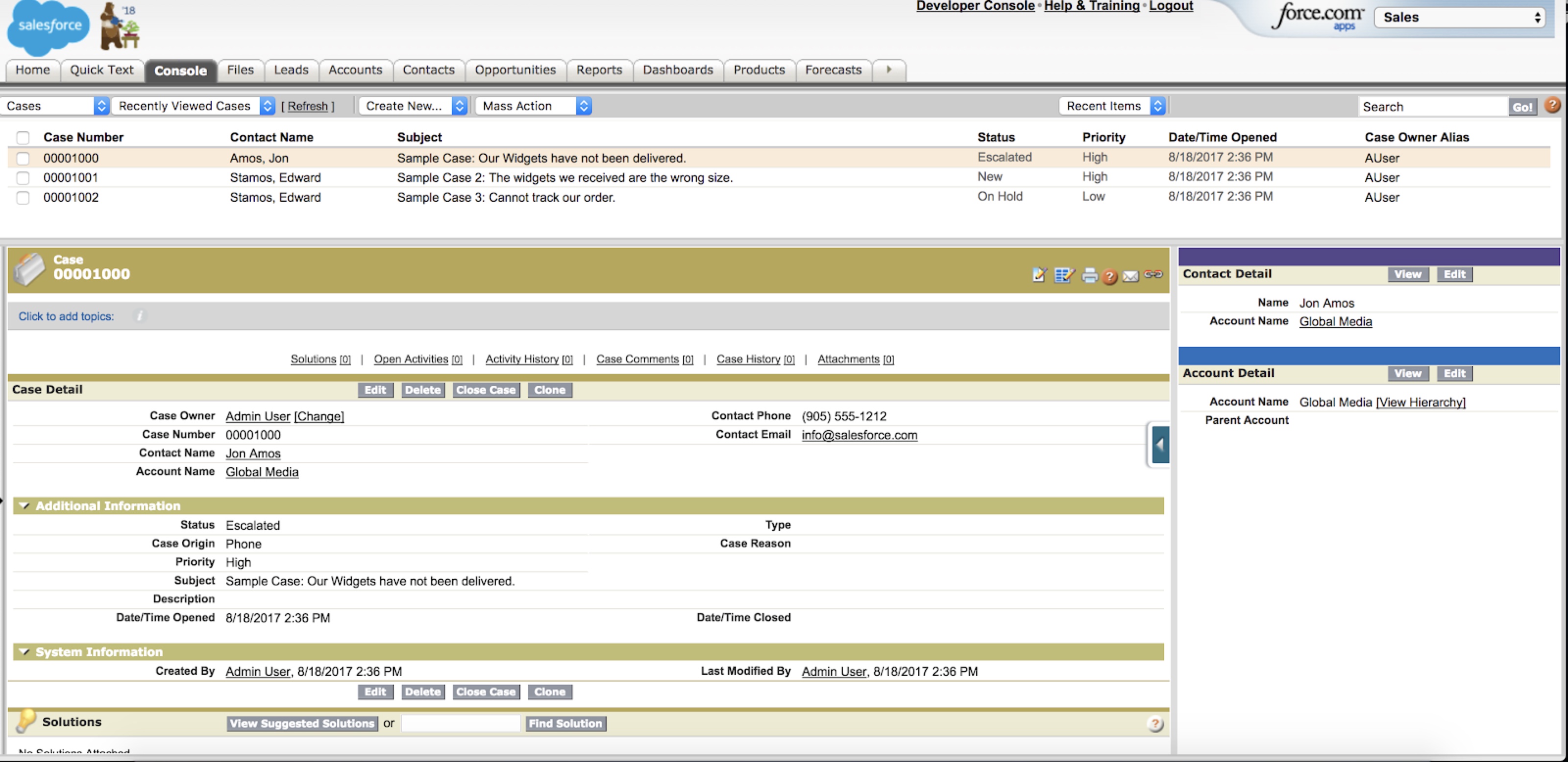
The Agent Console is simply a tab labeled ‘Console’, available in the standard app in classic mode to Salesforce customers who signed up before Spring ‘15. The Agent Console or Console tab makes it easier to find related information with less switching between pages. You can set up the Agent Console to display the information most important to your work according to your business needs. What you click in the Agent console determines which frame a record displays.
Classic Service Console / Classic Sales Console - NO CHANGE
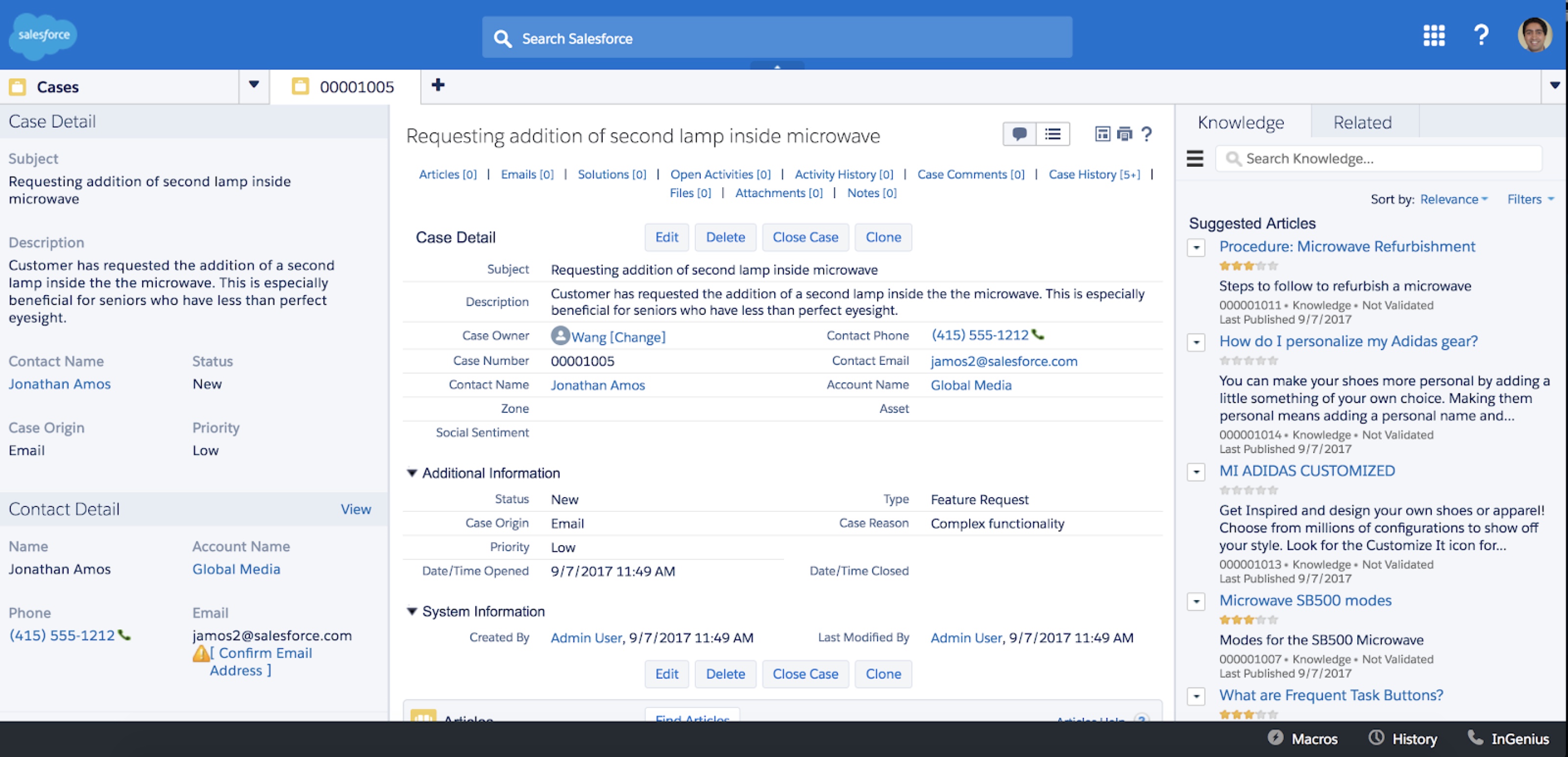
Classic Console apps are tab-based workspaces suited for fast-paced work environments. Manage multiple records on a single screen and reduce time spent clicking and scrolling to quickly find, update, and create records.
Lightning Console - NO CHANGE
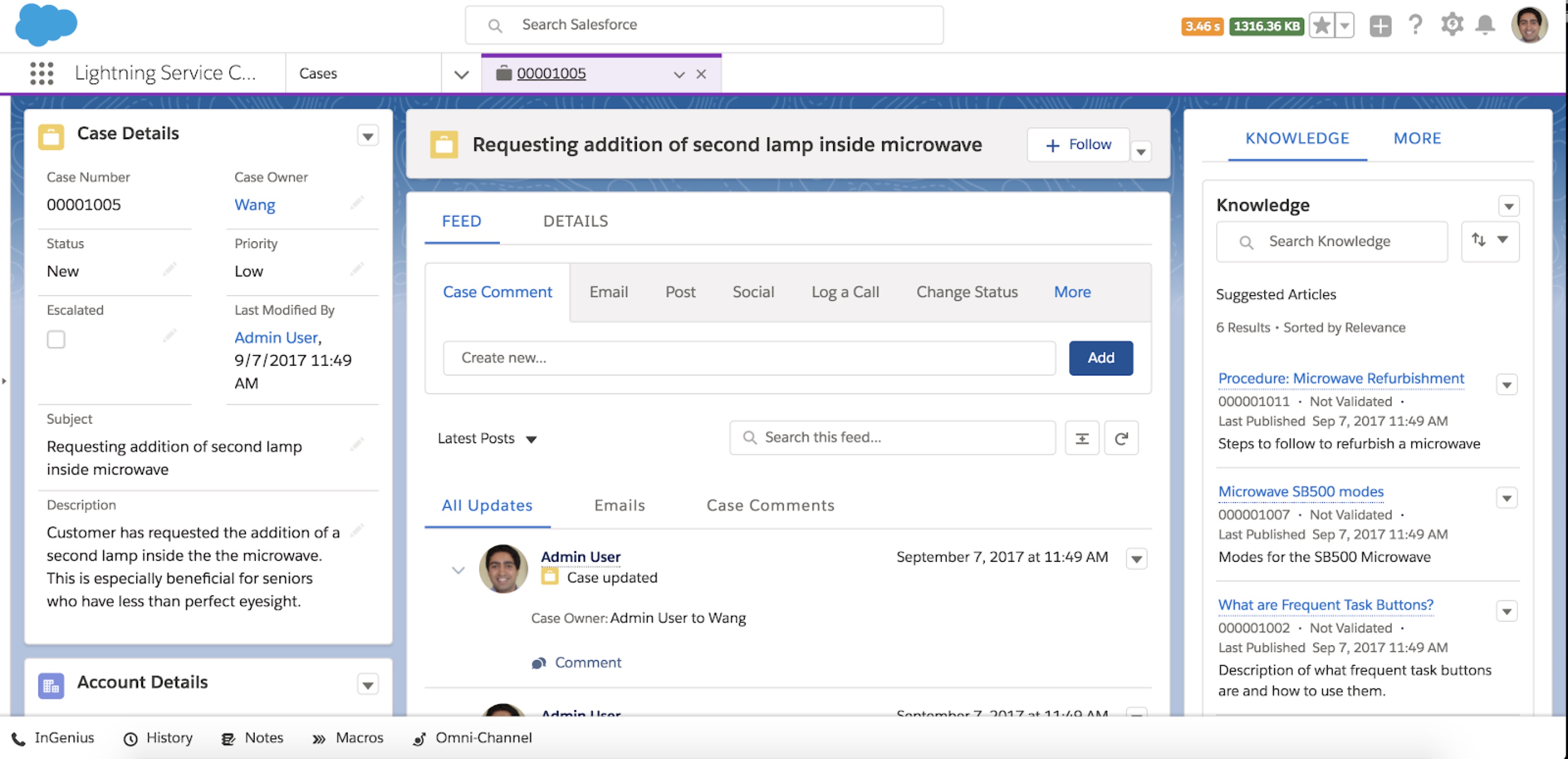
Lightning Console Apps lets users edit and reference multiple records at once. When a user chooses a record from a related list, it opens as a tab in the console. When a user opens a related record, it opens as a subtab. Console apps remember tabs so that when a user navigates away from the page, they don’t lose time reopening tabs when they come back.
Notable Differences between Agent Console, Classic Service Console, and Lightning Console.
Feature |
Agent Console (Console Tab) |
Classic Console |
Lightning Console |
|
360 degree view of all customer details. |
The Agent console in the console tab uses frames to combine a list view and related records into one screen so you can access more information at a glance and with fewer clicks. |
The console’s dashboard-like interface reduces clicking and scrolling so that you can quickly find, update, or create records. |
Reduces handling time by seeing all customer details and interactions on a single screen. |
|
Agent Productivity |
First-generation customer service console with basic feature support. |
Empowered with a ton of tools to enhance agent productivity like macros, quick actions, knowledge, etc. |
Empowered with a ton of tools to enhance agent productivity like macros, quick actions, knowledge, etc. |
|
User Interface |
Legacy UI |
Panel based UI built on extJS |
Built-in best practices and an intuitive design offer the quickest path to their most frequently used actions. |
|
Ease of Setup |
Multi-steps to setup & no customization is possible. |
Easier to setup and allows for customization & branding to meet customer needs. |
Lets you drag and drop to customize and put the information your agents need front and center. |
If you have more questions, open a case with support via Salesforce Help or contact your Salesforce account team. To view all current and past retirements, see Salesforce Product & Feature Retirements.
For more information about Salesforce’s approach to retiring products and features, read our Product & Feature Retirement Philosophy.
Knowledge-artikkelin numero
000384346
Ratkaisiko tämä artikkeli ongelmasi?
Anna palautetta, jotta voimme kehittyä!
