選擇組織
Learn how to attach a file to an email template
發佈日期: Aug 30, 2024
描述
To attach a file to an email template within Salesforce, follow the steps below.
解決方案
Attach a file to a Salesforce email template
In Salesforce Classic
- Go to Setup.
- Under Administer, click Communication Templates | Classic Email Templates or Administer, click Communication Templates | Email Templates
- Click the name of the email template that you would like to attach a file to.
- Click the Attach File button.
- Complete the three steps and click the Done button.
In Lightning Experience
- Go to any object that has an Email publisher available.
- Go to the Email tab.
- Select the Email template that you wish to add an attachment to by clicking the Insert, create or update Template button.
- Select Insert Template.
- Click the Attach file button and select the file you wish to attach to the template.
- If you would like to save this template with the attachment for future use, click Insert, create, or update Template and select Save Template.
At this point, the file will be attached to the email template, and can be used the next time you wish to send an email with that attachment. To learn more, please review Email Templates in Salesforce Classic.
To automatically attach a file to Lightning email templates upon inserting the template:
- Go to Email Templates (accessible via App Launcher).
- Open any Email Template record.
- Go to Related list.
- Under Files, click Add Files to attach files to the email template.
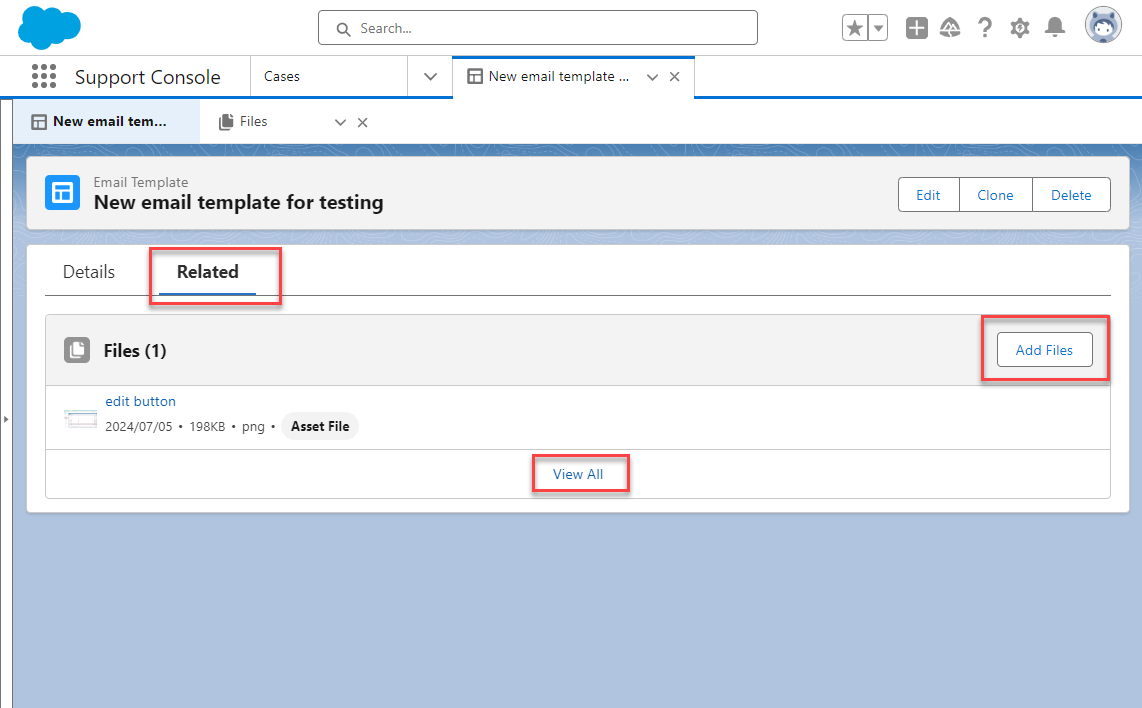
This allows you to attach files already uploaded to your Salesforce organization. Click Upload Files if there is a need to upload the attachments.
Please note the following restrictions when using attachments on email templates:
- If you were sending an email to a single Contact, Lead or Case Contact, the file you attached to the template is sent with the email.
- If you are sending a mass email or list email, the attachment is sent as a link attached to the message and embedded in the body of the email. To view the file, click the link and this opens the file on your computer.
You are still able to attach files from your computer directly to individual emails sent from Salesforce using the 'attach file' button on the email form.
See also
File Size and Sharing Limits
Salesforce Email attachments sent as HTML file links
其他資源
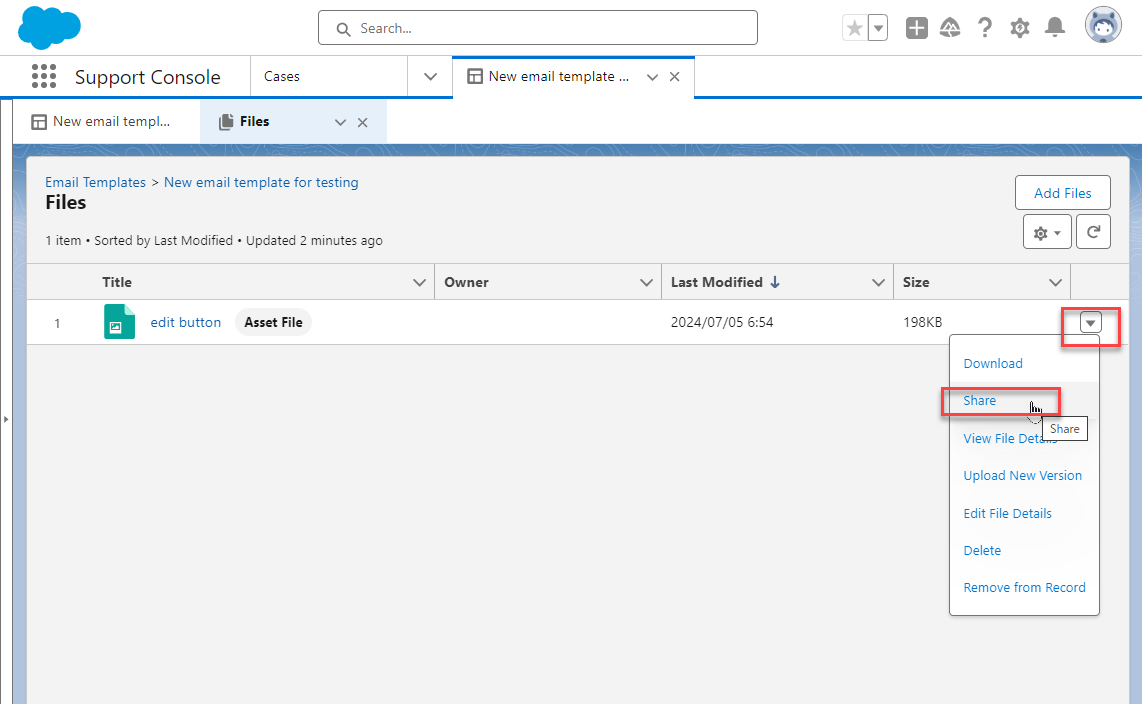
You can share the attachment file used for the email template with other people from Share menu.
知識文章編號
000385326
此文章是否解決您的問題?
請讓我們知道,以便我們改進!
