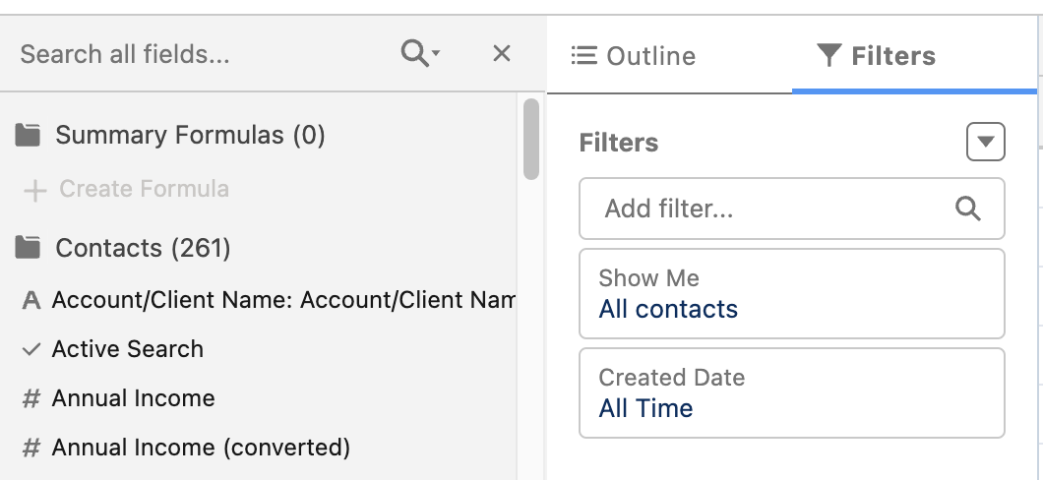
取引先責任者には標準のレポートタイプがないため、カスタムレポートを作成して組織の取引先責任者を表示し、エクスポートを使用して保存できます。
まず、「取引先責任者」を主オブジェクトとする新しいカスタムレポートタイプを作成します。このプロセスを初めて行う場合は、「カスタムレポートタイプを作成する」手順を参照してください。
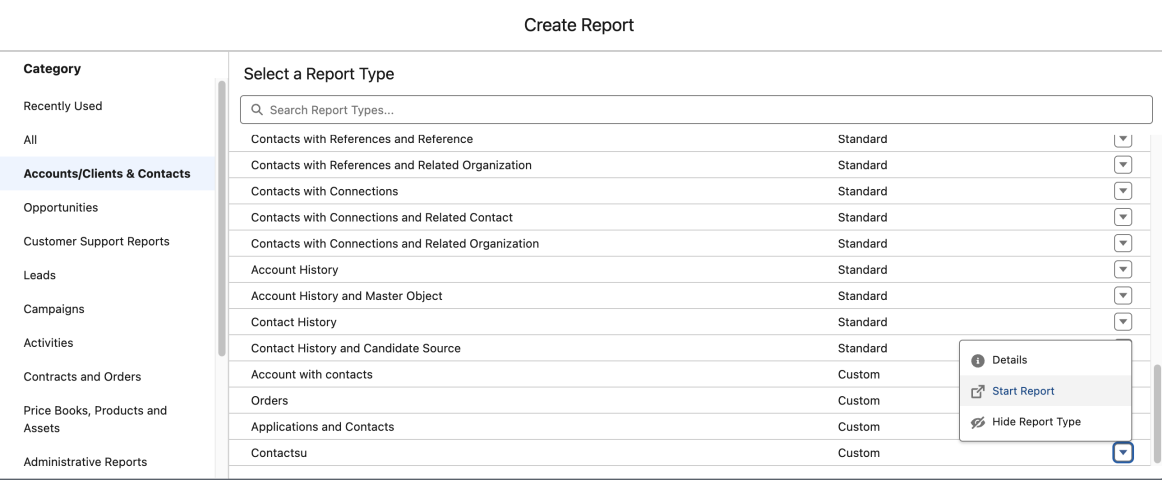
「取引先責任者」の新しいカスタムレポートタイプを作成したら、次の手順に従ってレポートを作成し、詳細をエクスポートします。
1.[レポート] タブ、[新規レポート] の順にクリックします。
2.新しいレポートタイプを保存したフォルダーを選択してから、新しいレポートタイプを選択します。
3.[レポートを開始] をクリックします。
4.[表示] 項目で [すべての取引先責任者] を選択します。
5.[項目] セクションから含める項目をドラッグアンドドロップします (名、姓、メールなど)。
6.[レポート実行] をクリックします。
7. [詳細のエクスポート] をクリックします。
8.エクスポート形式を選択してから、[エクスポート] をクリックします。
注意: このレポートには、最大 2,000 件の取引先責任者のみ表示されます。2,000 件を超える取引先責任者レコードがある場合、それらはエクスポートされたドキュメントに表示されます。すべての取引先責任者を表示するには、「すべてのデータの参照」権限も必要です。
関連情報:
Lightning Experience でのレポートの作成
レポートのエクスポート
レポートの実行
000387892

We use three kinds of cookies on our websites: required, functional, and advertising. You can choose whether functional and advertising cookies apply. Click on the different cookie categories to find out more about each category and to change the default settings.
Privacy Statement
Required cookies are necessary for basic website functionality. Some examples include: session cookies needed to transmit the website, authentication cookies, and security cookies.
Functional cookies enhance functions, performance, and services on the website. Some examples include: cookies used to analyze site traffic, cookies used for market research, and cookies used to display advertising that is not directed to a particular individual.
Advertising cookies track activity across websites in order to understand a viewer’s interests, and direct them specific marketing. Some examples include: cookies used for remarketing, or interest-based advertising.