조직 선택
연락처 및 세부정보 내보내기
게시 일자: Aug 18, 2026
상세 설명
연락처에 대한 표준 보고서 유형은 존재하지 않으므로 조직의 연락처를 나타내기 위한 사용자 정의 보고서를 생성해 내보내기를 통해 저장할 수 있습니다.
솔루션
먼저 'Contacts(연락처)'를 기본 개체로 사용하는 사용자 정의 보고서 유형을 새로 만들어야 합니다. 해당 프로세스를 확인하려면 레거시 사용자 정의 보고서 유형 빌더에서 사용자 정의 보고서 유형 만들기에서 설명하는 단계를 살펴보세요.
'Contacts(연락처)'에 대한 새로운 사용자 정의 보고서 유형이 생성되면 다음 단계를 따라 보고서를 생성해 세부 내용을 내보냅니다.
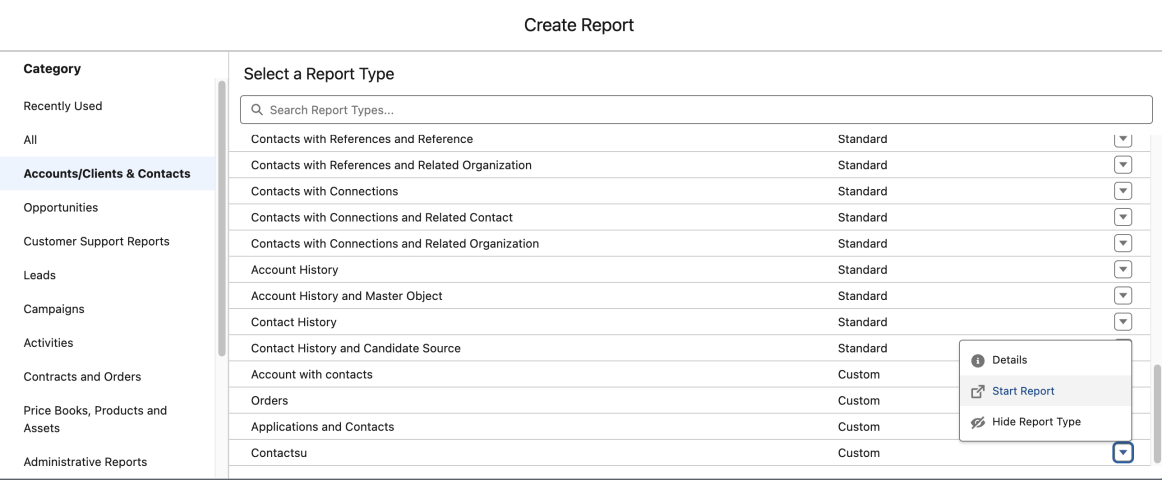
1. Reports(보고서) 탭을 클릭한 다음 New Report(새 보고서)를 클릭합니다.
2. 새 보고서를 작성할 보고서 유형을 선택합니다.
3. Start Report(보고서 시작)을 클릭합니다.
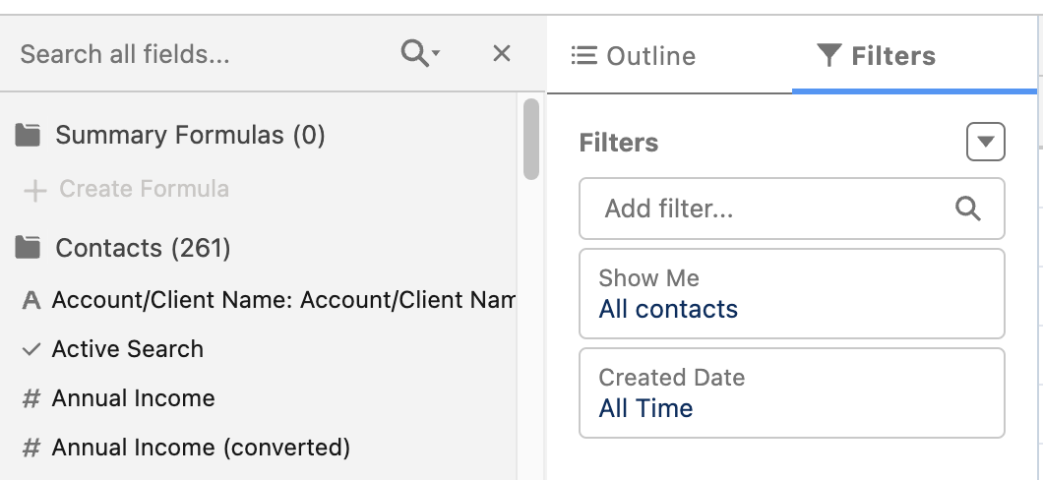
4. 'Show(표시)' 필드에서 All Contacts(모든 연락처)를 선택합니다.
5. 포함하려는 모든 필드를 'Field(필드)' 섹션에 드래그 앤 드롭합니다(First Name(이름), Last Name(성), Email(이메일) 등).
6. Run Report(보고서 실행)를 클릭합니다.
7. Export Details(세부 사항 내보내기)를 클릭합니다.
8. 내보내기 형식을 선택한 다음 Export(내보내기)를 클릭합니다.
참고: 해당 보고서는 최대 2,000개의 연락처를 표시합니다. 연락처 레코드가 2,000개가 넘는 경우 내보낸 문서에서 확인할 수 있습니다. 또한 'View All Data(모든 데이터 보기)' 권한이 있어야 모든 연락처를 살펴볼 수 있습니다.
참고 자료:
Lightning Experience에서 보고서 작성
보고서 내보내기
보고서 실행
Knowledge 기사 번호
000387892
이 기사를 통해 문제를 해결했습니까?
개선을 위한 의견을 보내주세요.
