Select An Org
Marketing Cloud - Chrome Blocking Mixed Content
Publish Date: Dec 16, 2022
Description
Content served over HTTPS is becoming a stronger browser requirement. Mixed content occurs when an HTTPS (secure) page fetches and loads HTTP (insecure) content inside it. Many browsers, currently warn users when it detects mixed content. Google Chrome is introducing two changes to how it treats mixed content.
- Starting in September 2020, Google Chrome will block mixed content rendering by default.
- Starting in January 2021, Google Chrome will block mixed content downloads by default.
You can read more about the changes here: https://blog.chromium.org/2020/02/protecting-users-from-insecure.html
You might be impacted if you have SAP and your pages, click, view, image, or cloud page domains are served over HTTP (insecure). We recommend that you fully secure your domains to not be impacted by the changes. Contact your Marketing Cloud sales representative to purchase the required SSL certificates .
Note - Image rendering continues to work in major email clients. We have tested directly within GSUITE, OUTLOOK.COM, and YAHOO WEBMAIL contexts. Blocking behavior would surface upon the subscriber clicking on a View as a Web Page link within the email.
Who is impacted?
- Customers who use Private domains (SAP) without SSL certificates.
- Customers who are leveraging external HTTP content.
How do I determine if my content domain SAP has SSL?
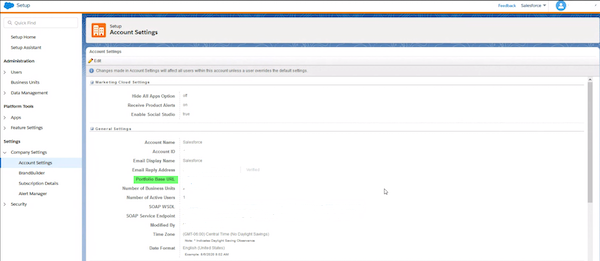
It can be determined whether or not the Private image domain (image endpoint) has SSL by navigating to Setup → Company Settings → Account Settings.
- If an account HAS SSL the Portfolio Base URL will start with HTTPS.
- If an account DOES NOT have SSL the Portfolio Base URL will start with HTTP.
What is the impact to Publisher?
Within the Marketing Cloud UI, publishers will see the following flows impacted:
- Email and Message Creation Flows (Content Builder, Email Studio, Campaigns, Journey Builder)
- Web Tools Scenarios (CloudPages and Email Studio Classic Content Microsites and Landing Pages)
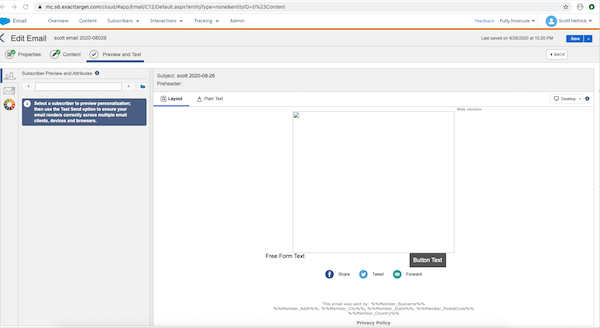
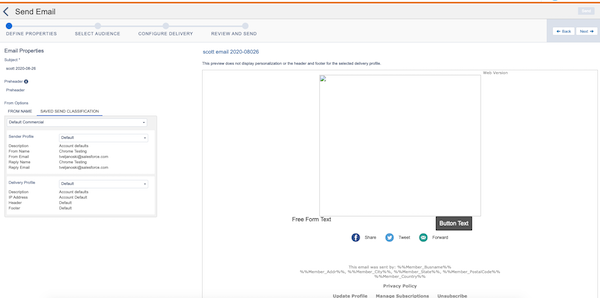
During creation and preview workflows, images fetched from an HTTP (insecure) domain will not render. This will impact the following areas:
- Images
- Thumbnails in the grid view of Content Builder, CloudPages Overview, and Email Studio overview page
- Asset selector thumbnails
- Preview and subscriber preview in the editor
Email Properties
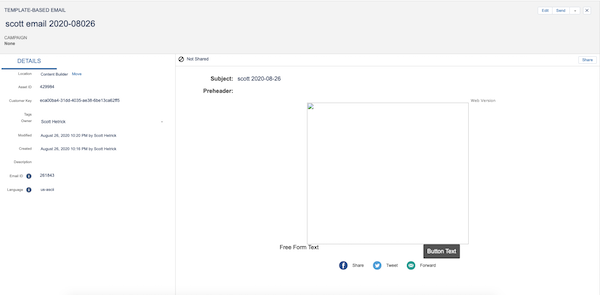
Email Preview and Subscriber Preview
Email Send Flow
What is the impact to Subscribers?
Note - Most commonly used email clients do not block image rendering inside of emails. However, please review email clients by your subscribers to validate.
- On an HTTPS page, Chrome will attempt to load the HTTP content over HTTPS. Chrome will block content by default if they fail to load over HTTPS.
- On an HTTPS page or in an email, Chrome will block users from downloading attachments served over HTTP.
Resolution
What action can a Publisher take?
We recommend that you fully secure your affected domains. Contact your Marketing Cloud sales representative to purchase the required SSL certificates.
- Hardcoded URLs within email/template/content block contexts or other assets will not be updated from HTTP to HTTPS automatically. Chrome automatically attempts to load the HTTP content over HTTPS and renders the image if SSL has been applied to the SAP/Private Domain. You can find more information on the Chrome Auto Upgrade Feature here: https://www.chromestatus.com/feature/4926989725073408
- As of August 2021, Secured Domains can be found under Security > Settings > Security > Domain SSL Certificates.
What action can a Subscriber take?
Currently their is only one known workaround.
- You can use an alternate browser that allows mixed content. At some point in the future most other browsers will eventually follow this standard.
Knowledge Article Number
000389286
Did this article solve your issue?
Let us know so we can improve!
