Velg en organisasjon
Everything You Need to Know About Multi-Factor Authentication for Salesforce Orgs
Publiseringsdato: Mar 27, 2024
Beskrivelse
| Salesforce requires all customers to use multi-factor authentication (MFA) when accessing Salesforce products. MFA is one of the easiest, most effective tools for enhancing login security, and safeguarding your business and data against security threats. If you have products built on the Salesforce Platform, learn how Salesforce is helping customers satisfy this requirement in their production orgs. |  |
Løsning
Contents:
-
Multi-Factor Authentication (MFA) Is Required for Logins to Salesforce Orgs
-
What to Expect When Salesforce Enables MFA for Your Production Org
Tip: Having trouble logging in after Salesforce enabled MFA for your Salesforce org? See this article for help with getting access to your account.
Multi-Factor Authentication (MFA) Is Required for Logins to Salesforce Orgs
|
On February 1, 2022, Salesforce implemented a contractual requirement for customers to use multi-factor authentication (MFA) when accessing Salesforce products. This requirement applies to all internal users who log in to a Salesforce user interface, either directly with a username and password or through single sign-on (SSO). | 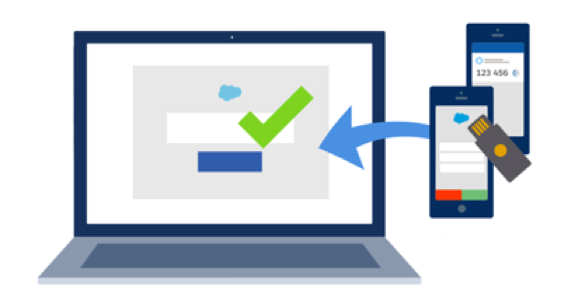 |
If you have products built on the Salesforce Platform, here’s how we’re helping customers satisfy this requirement.
-
For production orgs that are created on or after April 8, 2024, MFA is a default part of the standard direct login process.
-
For most production orgs that existed before April 8, Salesforce automatically enabled MFA for you. This action occurred in phases, starting with the Spring ‘23 release and finishing with Spring ‘24.
-
Some production orgs created before April 8 weren’t included in the MFA auto-enablement phases. For these orgs, MFA is integrated into the direct login process on April 8, 2024.
See the What to Expect When Salesforce Enables MFA for Your Production Org section for more details.
What About Other Types of Orgs?
-
Salesforce doesn't enable MFA in sandbox environments.
-
Salesforce doesn't enable MFA for trial orgs until they're converted to a subscription. Trial orgs have a grace period before the MFA requirement applies. If a trial period exceeds 45 days, customers must self-enable MFA for all users by the 45th day. See Enable MFA for Your Entire Org in Salesforce Help.
What About MFA for SSO Access?
If you use SSO for access to your production org, Salesforce won’t take action to enable MFA for your SSO implementation. But MFA is contractually required for anyone who authenticates via SSO so ensure it’s enabled for your identity provider. You can use either your SSO provider’s MFA service or the free MFA functionality provided in Salesforce. For the latter, see Use Salesforce MFA for SSO Logins in Salesforce Help for guidance.
Meanwhile, you can rest assured that any users who bypass SSO and log in directly, such as Salesforce admins, are automatically getting the enhanced protection provided by MFA. The org-level MFA setting that Salesforce turns on in your production org has no effect on your SSO implementation or users who log in through SSO.
What to Expect When Salesforce Enables MFA for Your Production Org
MFA is enabled for your production org by the Require multi-factor authentication (MFA) for all direct UI logins to your Salesforce org setting.

 |
This setting makes the direct login process more secure by adding an extra step. After users enter their Salesforce username and password, they’re prompted to verify their identity with an additional verification method. Verification method options include mobile and desktop authenticator apps, security keys, and built-in authenticators. See Verification Methods for Multi-Factor Authentication in Salesforce Help for more details. |
Here's what to expect when MFA is enabled:
-
The first time each user logs in directly with their username and password, they’re prompted to select and register a verification method. On-screen prompts guide the user through the registration steps.
-
Each subsequent direct login requires users to satisfy an MFA challenge with their verification method after entering their username and password.
-
Production orgs that are created on April 8, 2024 or later have a 30-day grace period where users can log in without MFA if they’re not ready for it. This grace period is also available for existing customers if MFA is automatically enabled for their production org(s) on April 8.
-
The clock for the grace period starts when the first user logs in to the org, rather than on the day the org is created.
-
The same grace period applies to all users in the org. For example, if a user logs in 20 days after the grace period started, that user has 10 days left to skip MFA.
-
Important: Some user types are exempt from needing to use MFA. Most of these cases are automatically excluded when MFA is turned on. However, several exempt user types must be manually excluded from MFA by a Salesforce admin. See Exclude Exempt Users from MFA in Salesforce Help for details.
If necessary, Salesforce admins can temporarily turn off MFA by deselecting the Require multi-factor authentication (MFA) for all direct UI logins to your Salesforce org setting on the Identity Verification page in Setup. But keep in mind that doing so puts the org out of compliance with the contractual requirement to use MFA. All admins for the org receive periodic in-app warnings until MFA is re-enabled (starting with Summer ‘24).
Related MFA Resources |
|
Knowledge-artikkelnummer
000389361
Hjalp denne artikkelen med å løse problemet ditt?
La oss få vite det slik at vi kan forbedre!
