Välj en organisation
Collecting NetSuite Request and NetSuite Response Logs During Issues With NetSuite Connector
Publiceringsdatum: Oct 13, 2022
Beskrivning
- You have a created a MuleSoft Composer flow using NetSuite Connector and on testing/running the flow you facing issues.
- You have received an unexpected error from NetSuite and you need to debug the cause.
- In general debugging/analysing NetSuite related errors.
Lösning
- Login to your NetSuite instance
- Navigate to Setup -> Integrations -> SOAP Web Services Usage Log
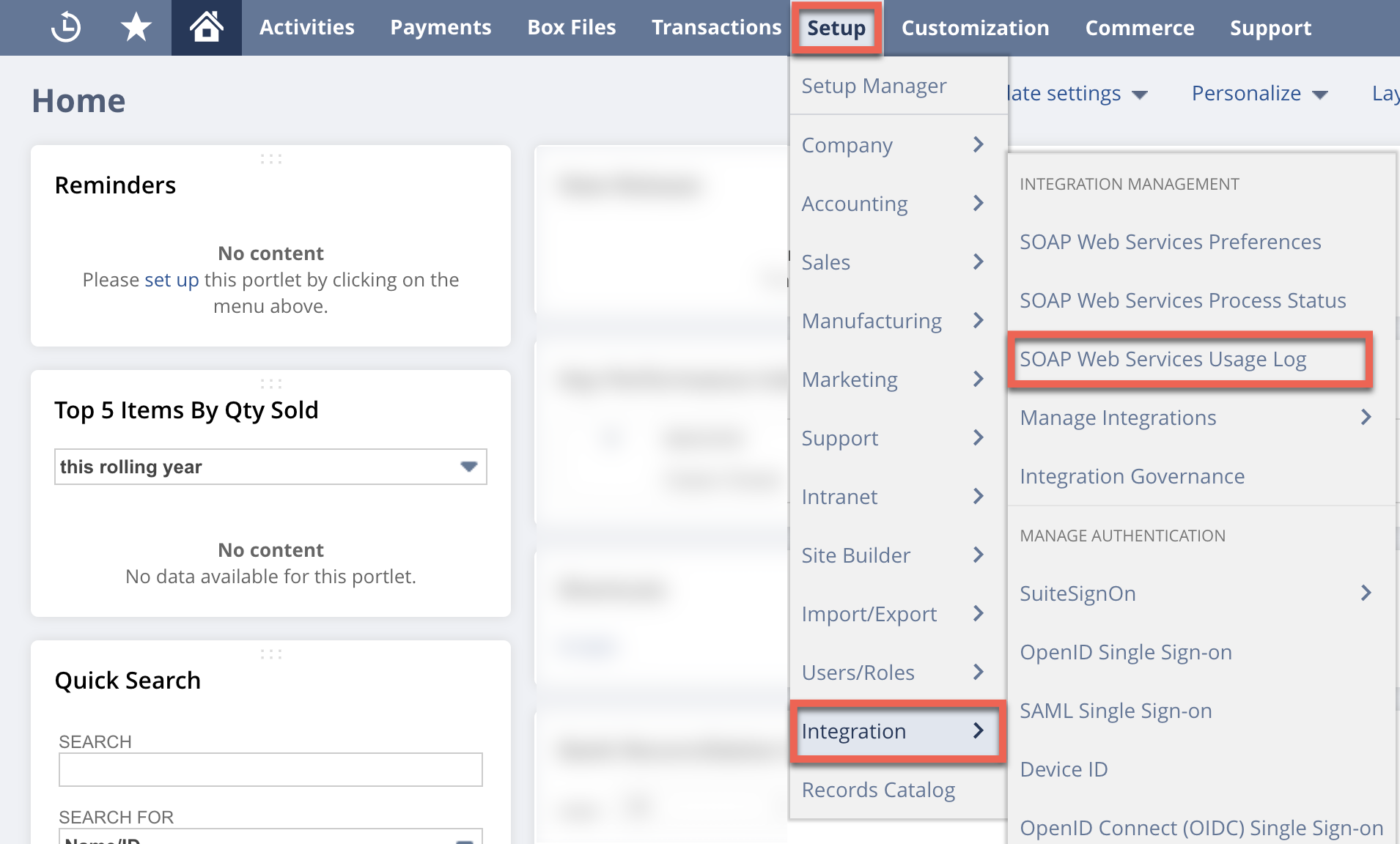
- SOAP Web Services Usage Log - Complete list of all the calls are seen.
- To get your specific call, in that page you can filter the requests by date, kind of request (Eg. search, inventory item etc.), kind of object (Eg. contact, accounts etc)
- On the extreme right column you have Request and Response, click on the view to download

- Analyse and attach the Request result and Response result in the case.
Knowledge-artikelnummer
000389375
Löste denna artikel ditt problem?
Berätta för oss vad vi kan förbättra!
