Välj en organisation
Conditional Formatting in Quip Spreadsheets
Publiceringsdatum: Sep 19, 2025
Beskrivning
Quip has a Conditional Formatting feature you can use to highlight cells that meet certain conditions or match specific values.
To use the Conditional Formatting feature in a Quip Spreadsheet:
- Highlight the cells you to which you would like to apply the conditional formatting
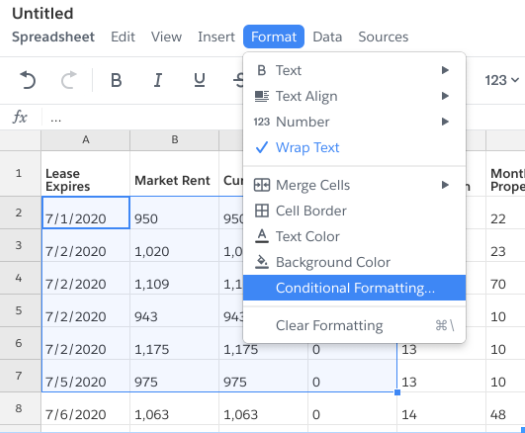
- Click on the Format button (The formatting rules/conditions cannot be customized).
- Choose the Conditional Formatting option
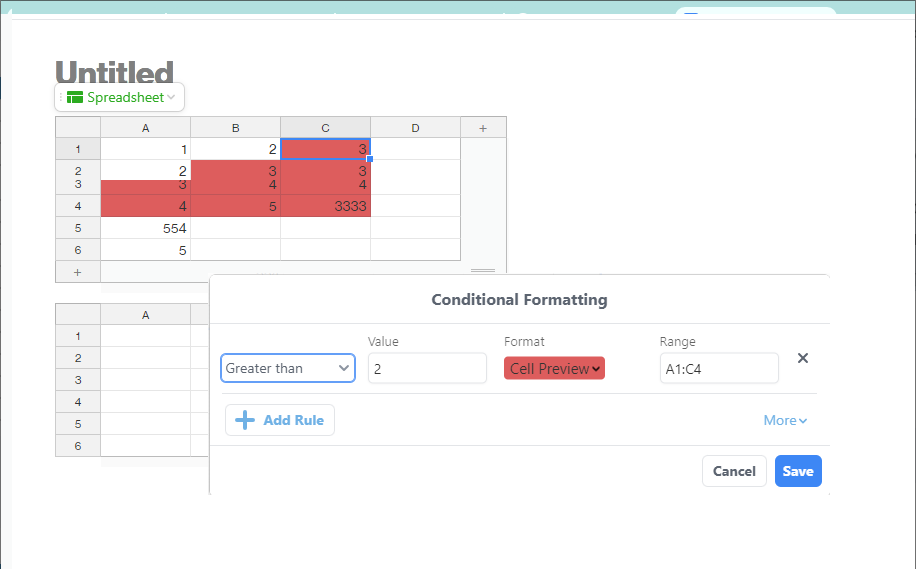
- Adjust the conditions "Less than", "Greater than", "Equals", or "Text contains", using the dropdown menu on the far left
- Add the Value (numbers or texts) for your condition
- Choose the highlighting color from the Format menu
- Choose the Range e.g. A1:C4 where the condition should be applied.
- Click Save
Example 1: Formatting/Coloring the cells with values greater than 2
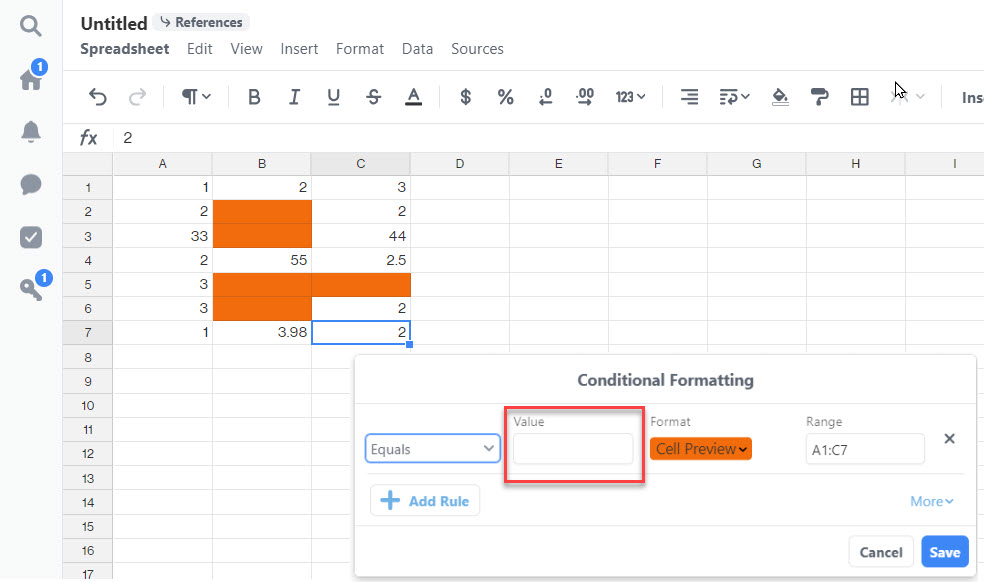
Example 2: Formatting/Coloring the empty cells
Leave the value field empty and specify the range.
Decided that you want to remove this option?
-
-
- Simply click the X beside the condition
- Click Save
-
Above is an example of using conditional formatting functions in Quip. This is a function for formatting/coloring rather than making calculations. Below are limitations and functions which are out of scope.
Notes:
- You can not reference other cells or sheets as the Value.
- You can specify a value in the condition to identify the fields that have duplicate/identical values in the spreadsheet, but there is no function in Quip to identify or remove existing duplicates without specifying the value/condition. This is by design.
- Formula or functions are available and can be used in a cell in the spreadsheet, but not in the Conditional Formatting feature described in this article. See the Formulas and Functions in Quip article for more information.
Lösning
For any features that are not implemented in the product, you can visit Salesforce Ideas site to submit it and join the discussion.
Ytterligare resurser
Visit the Trailblazer Community to get your specific questions answered, share experiences, and see additional resources for Quip.
Knowledge-artikelnummer
000389440
Löste denna artikel ditt problem?
Berätta för oss vad vi kan förbättra!
