Sélectionner une organisation
Email a Route in Salesforce Maps
Date de publication: Aug 19, 2026
Description
Résolution
Email a Route
Follow these steps to email an existing route from Salesforce Maps, useful when you need directions available outside the app, such as in an area with poor cell reception.
- Select the Routes Tab in your main navigation bar.
- Find your desired route and select it.
- From the route screen, click the Email icon in the bottom right corner.
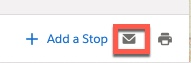
Note: The route will open in a new window.
- Click on Email Directions in the top right corner.
- Fill in the To, Subject, and Message fields and click Send.
Ressources supplémentaires
For more help with Maps content, search in Help for Salesforce Maps!
Numéro d’article de la base de connaissances
000389447
Cet article a-t-il résolu votre problème ?
Dites-nous ce que nous pouvons améliorer !
