조직 선택
Email a Route in Salesforce Maps
게시 일자: Aug 19, 2026
상세 설명
솔루션
Email a Route
Follow these steps to email an existing route from Salesforce Maps, useful when you need directions available outside the app, such as in an area with poor cell reception.
- Select the Routes Tab in your main navigation bar.
- Find your desired route and select it.
- From the route screen, click the Email icon in the bottom right corner.
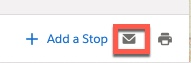
Note: The route will open in a new window.
- Click on Email Directions in the top right corner.
- Fill in the To, Subject, and Message fields and click Send.
추가 자원
For more help with Maps content, search in Help for Salesforce Maps!
Knowledge 기사 번호
000389447
이 기사를 통해 문제를 해결했습니까?
개선을 위한 의견을 보내주세요.
