Organisation auswählen
Salesforce Article View Report Not Showing View Count
Veröffentlichungsdatum: Jan 15, 2026
Beschreibung
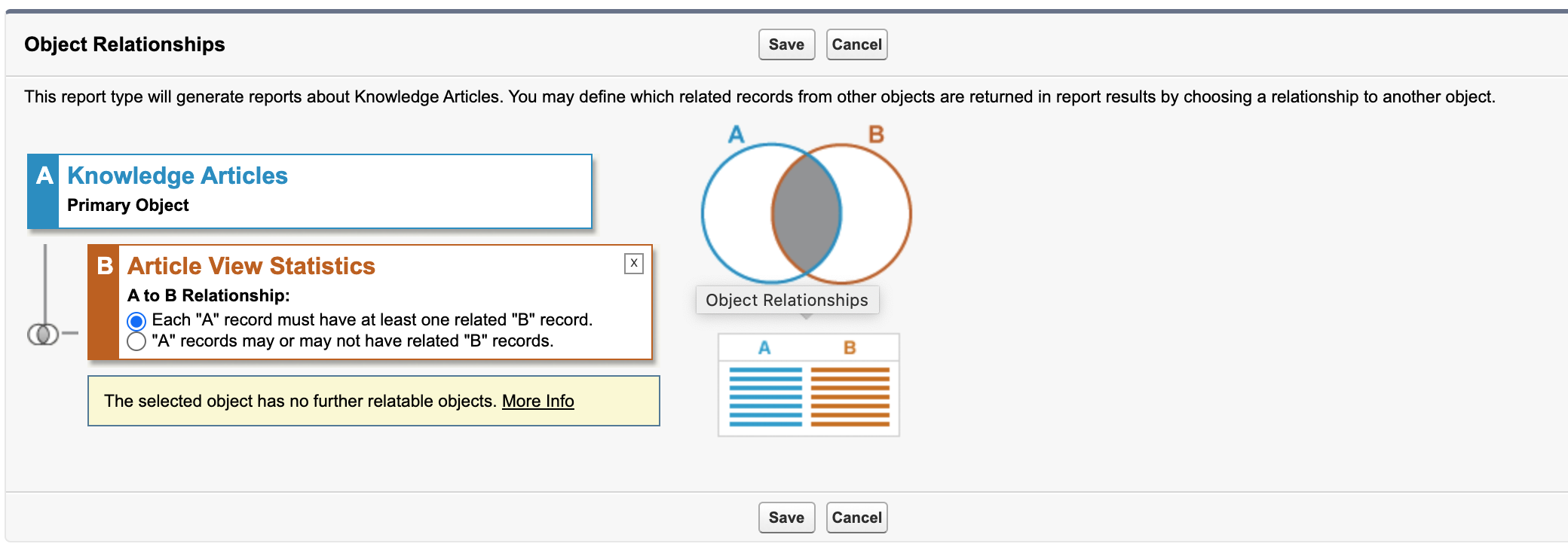
When creating a new Salesforce Report Type for Knowledge Article View Count, the custom report type should always have the Article View Statistics object as one of the related objects for the report type.
Lösung
While establishing the relation between the report types, always select the option "Each "A" record must have at least one related "B" record."
Furthermore, after creating the Salesforce report type, one must filter the report with filter: “Channel=All“
The way article view reports work is that when a report type with Salesforce Knowledge Articles and Article View Statistics is used, it generates, for each article in the org, the number of rows equal to the number of knowledge channels + 1. This means, the article view count is calculated for each channel separately, and one row gives the summation for All channels.
NOTE: Please Select ”ALL“ and not ”ALL CHANNELS“ as the filter option.
Nummer des Knowledge-Artikels
000389650
Konnten Sie Ihr Problem mithilfe dieses Artikels lösen?
Geben Sie uns Feedback, damit wir uns verbessern können.
