Vælg en organisation
Enable the Labor Laws Banner in Salesforce Maps
Udgivelsesdato: Sep 14, 2023
Løsning
Steps for enabling the Labor Laws Banner
- Enter "Installed Packages" in the Quick Find Search Box. Select Installed Packages.
- Select Configure for the Salesforce Maps package.
- Select Advanced tab.
- Select Show Labor Laws Notification.
- Select Save Settings.
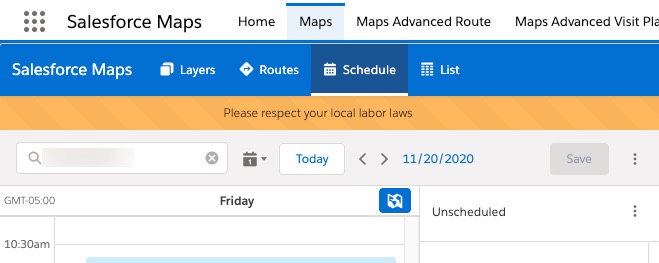
- Salesforce Maps should now show the labor laws banner. To verify, open Maps tab and click on Schedule.
Vidensartikelnummer
000389820
Løste denne artikel dit problem?
Giv os besked, så vi kan forbedre os!
