Organisation auswählen
Enable the Labor Laws Banner in Salesforce Maps
Veröffentlichungsdatum: Sep 14, 2023
Lösung
Steps for enabling the Labor Laws Banner
- Enter "Installed Packages" in the Quick Find Search Box. Select Installed Packages.
- Select Configure for the Salesforce Maps package.
- Select Advanced tab.
- Select Show Labor Laws Notification.
- Select Save Settings.
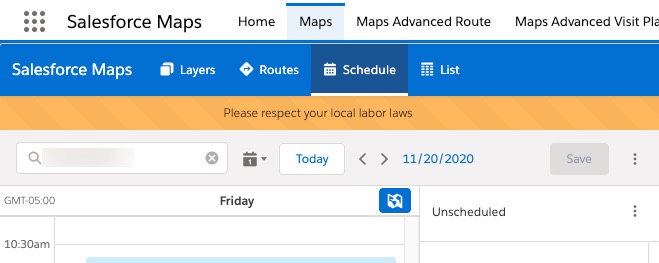
- Salesforce Maps should now show the labor laws banner. To verify, open Maps tab and click on Schedule.
Nummer des Knowledge-Artikels
000389820
Konnten Sie Ihr Problem mithilfe dieses Artikels lösen?
Geben Sie uns Feedback, damit wir uns verbessern können.
