Enter "Installed Packages" in the Quick Find Search Box. Select Installed Packages.
Select Configure for the Salesforce Maps package.
Select Advanced tab.
Select Show Labor Laws Notification.
Select Save Settings.
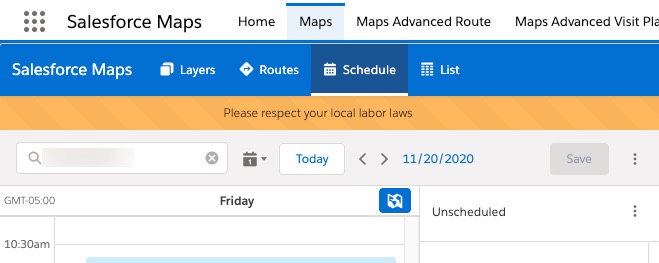
Salesforce Maps should now show the labor laws banner. To verify, open Maps tab and click on Schedule.
Knowledge 기사 번호
000389820
이 기사를 통해 문제를 해결했습니까?
개선을 위한 의견을 보내주세요.
로드 중
Salesforce Help | Article
Cookie Consent Manager
General Information
Required Cookies
Functional Cookies
Advertising Cookies
General Information
We use three kinds of cookies on our websites: required, functional, and advertising. You can choose whether functional and advertising cookies apply. Click on the different cookie categories to find out more about each category and to change the default settings.
Privacy Statement
Required Cookies
Always Active
Required cookies are necessary for basic website functionality. Some examples include: session cookies needed to transmit the website, authentication cookies, and security cookies.
Functional Cookies
Functional cookies enhance functions, performance, and services on the website. Some examples include: cookies used to analyze site traffic, cookies used for market research, and cookies used to display advertising that is not directed to a particular individual.
Advertising Cookies
Advertising cookies track activity across websites in order to understand a viewer’s interests, and direct them specific marketing. Some examples include: cookies used for remarketing, or interest-based advertising.