Выбрать организацию
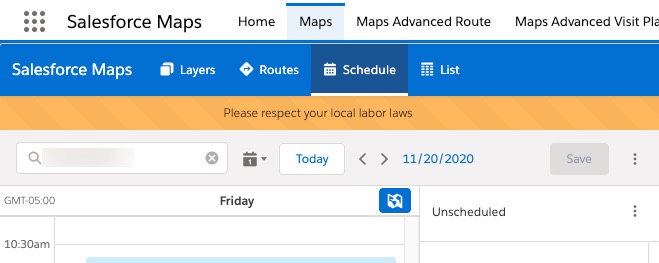
Enable the Labor Laws Banner in Salesforce Maps
Дата публикации: Sep 14, 2023
Решение
Steps for enabling the Labor Laws Banner
- Enter "Installed Packages" in the Quick Find Search Box. Select Installed Packages.
- Select Configure for the Salesforce Maps package.
- Select Advanced tab.
- Select Show Labor Laws Notification.
- Select Save Settings.
- Salesforce Maps should now show the labor laws banner. To verify, open Maps tab and click on Schedule.
Номер статьи базы знаний
000389820
Эта статья решила вашу проблему?
Оставьте свой отзыв, чтобы мы могли стать лучше!
