Seleccionar una organización
Log A Call in Salesforce from Quip
Fecha de publicación: Sep 23, 2025
Solución
Have you ever wished that you could log a call in Salesforce without leaving your Quip document? With Quip’s Log a Activity Button, you can log your important Salesforce calls from the convenience of a doc! Logged calls will sync to Salesforce and ensure that all records are up to date.
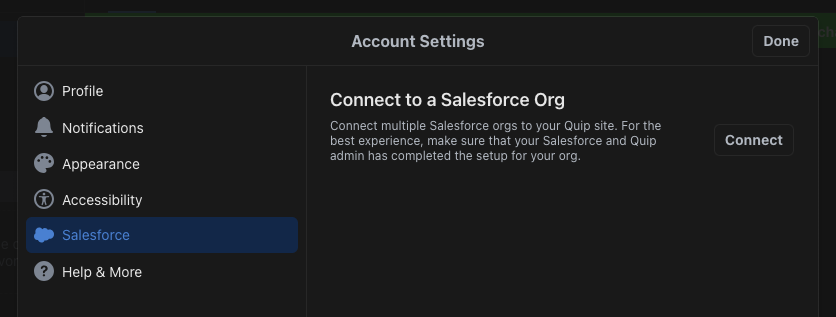
Before you can log a call, make sure Quip is connected to Salesforce. Click your profile icon in the lower left-hand corner of your screen. Select Manage Salesforce Orgs. From there, simply log into Salesforce to get started.
Try it out!
Accessing the Log a Activity button is incredibly easy! The button is conveniently located in the toolbar at the top of your document.
- Start by clicking the Blue Cloud icon to access the Log an Activity functionality!
- Select a record and Click Log a Call to continue.
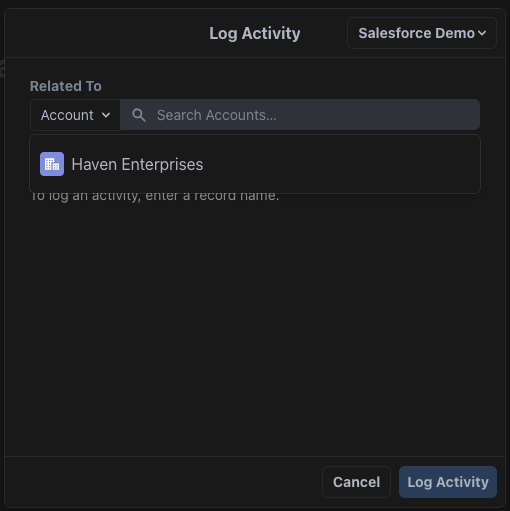
- After selecting the Account, you now have the opportunity to add in a Subject, Comments and identify the specific Contact or Lead.
- Under Subject, you have the ability to select from a few options or select Other to enter your own.
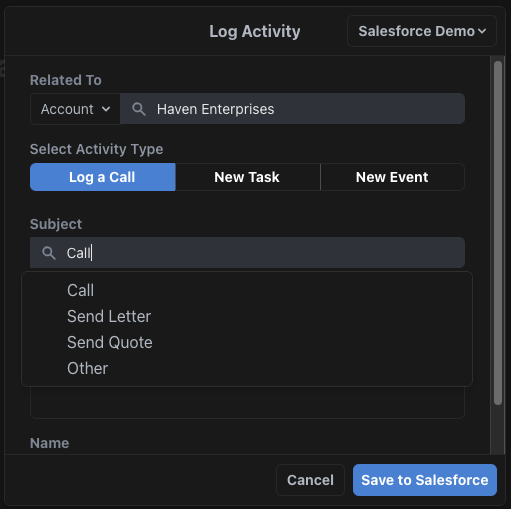
- Next, add in some comments. This is where you can include important call notes.
- Select the Contact that you called. This is to ensure that the call is logged on the Account record and the Contact record.
- When done, click Save to Salesforce.
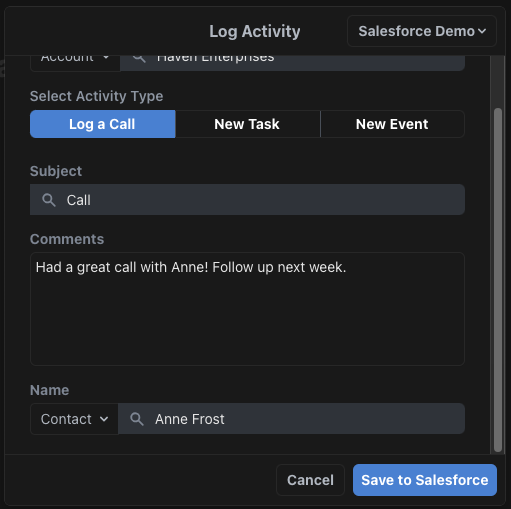
Congratulations! You’ve successfully logged a call in Salesforce from Quip!
Now let’s take a look at our activity in Salesforce to verify that this activity was successfully logged.
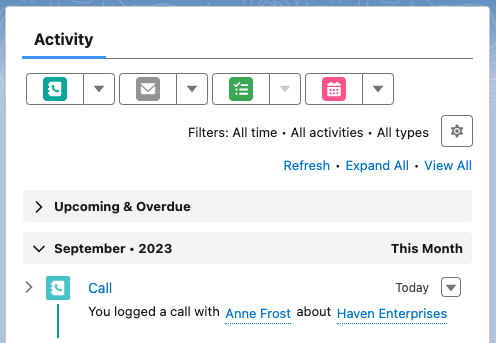
- Navigate to the Account record. As you can see below, the call is visible under the Activity section.
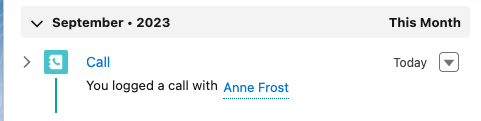
- Next, navigate to the Contact record. There you can see the logged call under Activity as well.
Número del artículo de conocimiento
000389939
¿Resolvió este artículo su problema?
¡Háganos saber cómo podemos mejorar!
