Seleccionar una organización
500 or 502 Server Internal Error Due to CSP Trusted Sites’ Effect on HTTP Header Size
Fecha de publicación: Feb 20, 2026
Descripción
Customers using the CSP Trusted Sites feature may receive a 500 or 502 server internal error if the HTTP header size exceeds the limit of 8 KB.
Solución
There are remediation steps that you can take to reduce the HTTP header size.
Deselect Resource Loading Options
Since Spring ’20, you can control which resources a Lightning component can load from a CSP trusted site using the checkboxes on the Edit page. In Winter '24, the Setup page for the previous CSP Trusted Sites feature renamed to Trusted URLs.For example, you can allow the Lightning component to load images, style sheets, and fonts, but not audio or video from the site. Because each directive adds to the size of the HTTP header, it’s best practice to select only the resources that must be loaded from the site.
For trusted URLs created before Spring ’20, all resource loading options are selected by default. We recommend that you review your trusted URLs and deselect directives that aren’t relevant for the site.
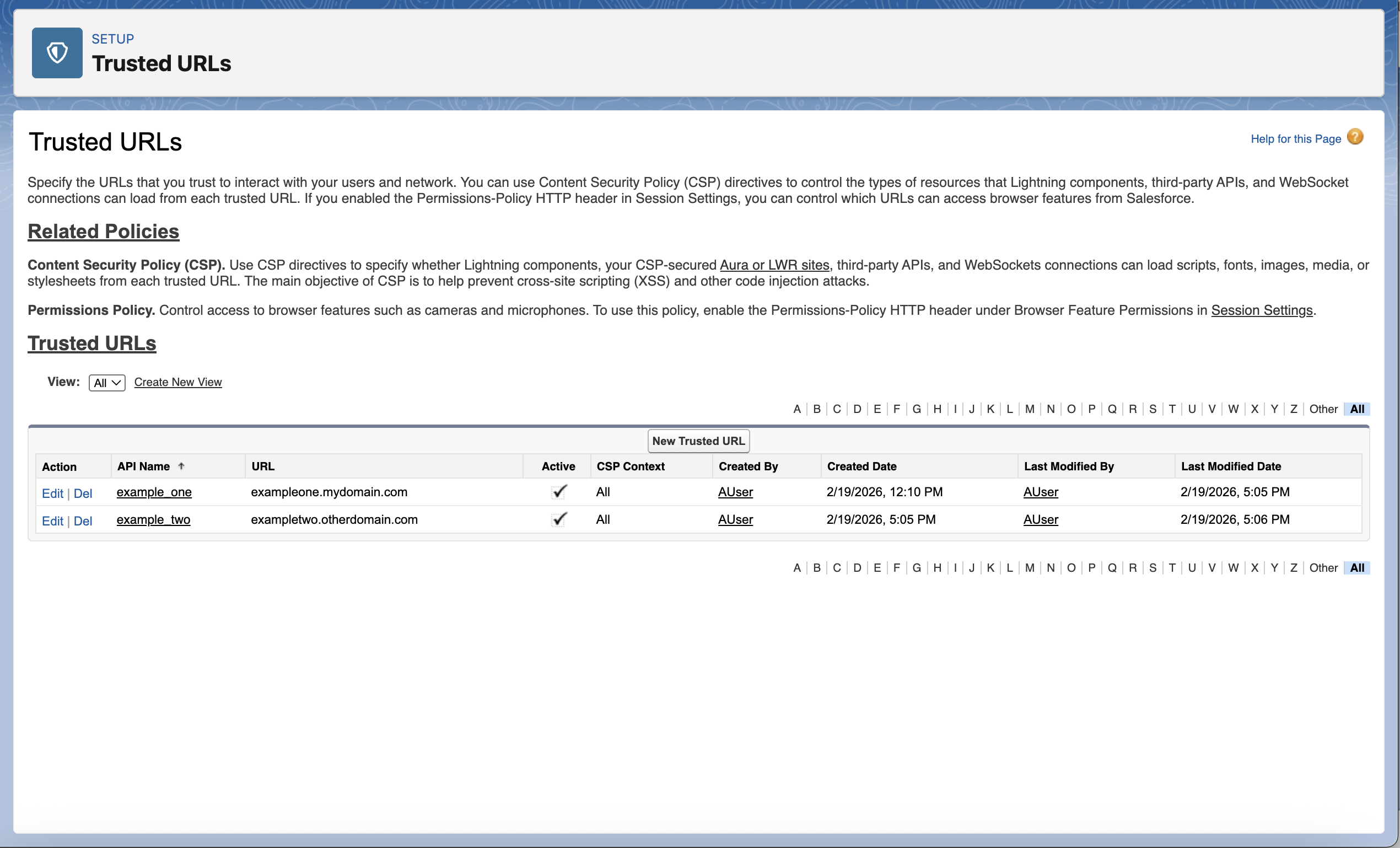
For example, this Salesforce org has two trusted URLs.
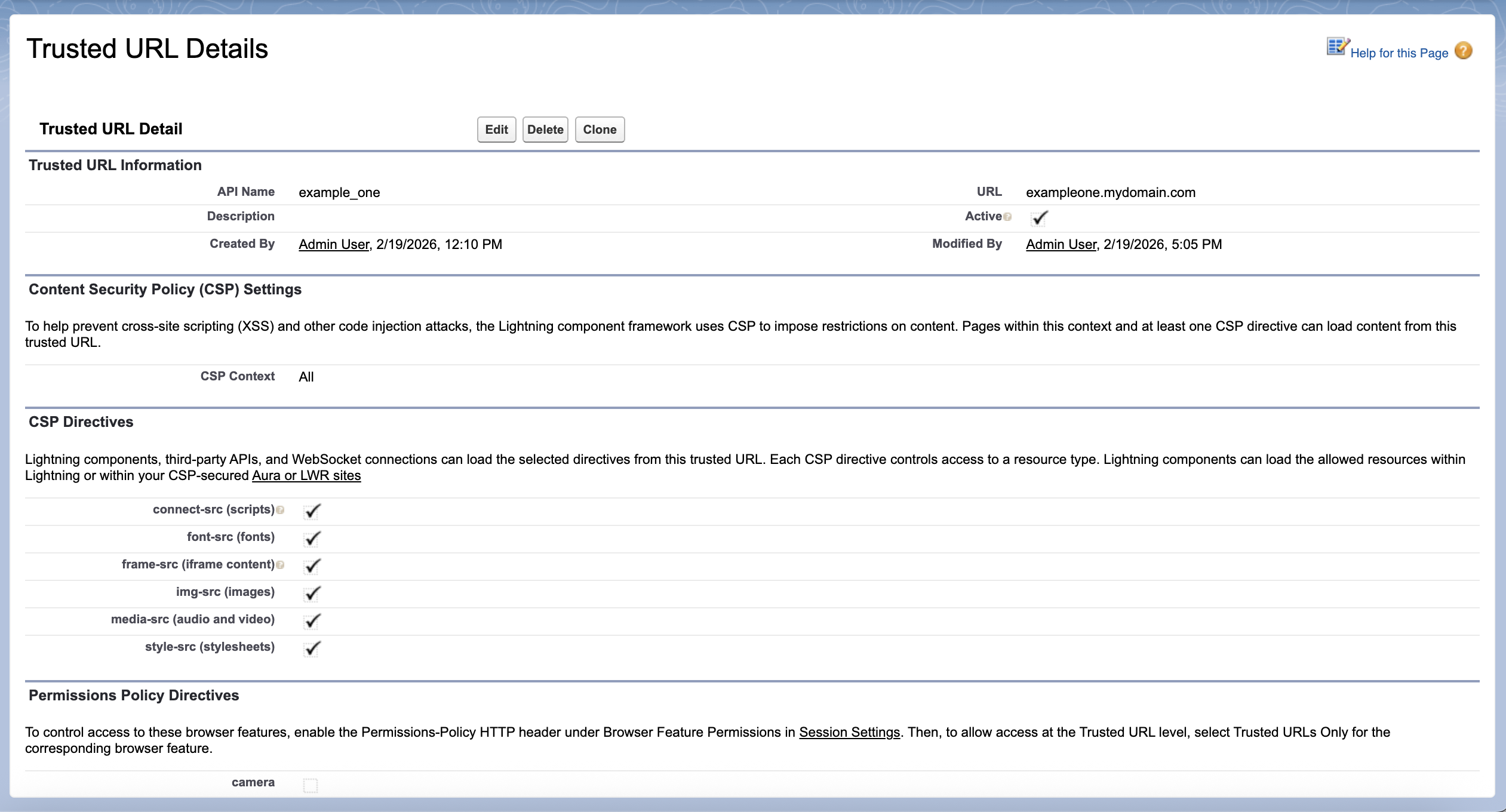
This trusted URL initially has all resource loading options selected.
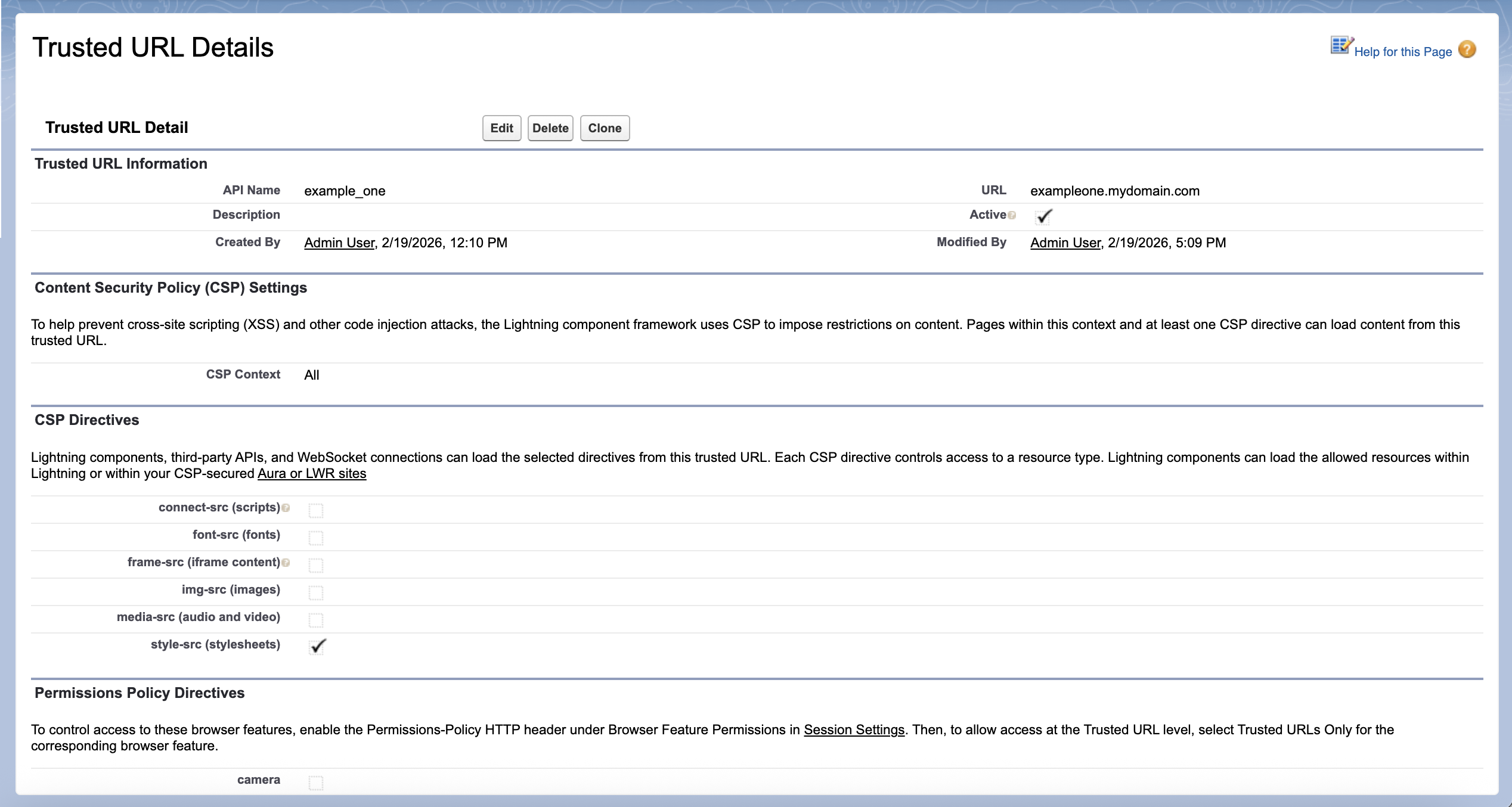
By deselecting the resources that aren’t needed for this domain, we reduced the total character count for these two trusted URLs in the HTTP header from 294 to 49, or 17% of the original size.
This sample header demonstrates the size reduction resulting from these changes:
Multiple resource loading options
style-src ‘self’ blob: exampleone.mydomain.com exampletwo.otherdomain.com; img-src ‘self’ https: data: blob: exampleone.mydomain.com exampletwo.otherdomain.com; media-src ‘self’ exampleone.mydomain.com exampletwo.otherdomain.com blob:; frame-ancestors ‘self’; frame-src https: mailto: exampleone.mydomain.com exampletwo.otherdomain.com; font-src ‘self’ https: data: exampleone.mydomain.com exampletwo.otherdomain.com; connect-src ‘self’ exampleone.mydomain.com exampletwo.otherdomain.com blob:
Reduced resource loading options
style-src ‘self’ blob: exampleone.mydomain.com; img-src ‘self’ https: data: blob:; media-src ‘self’ blob:; frame-ancestors ‘self’; frame-src https: mailto:; font-src ‘self’ https: data:; connect-src ‘self’ exampletwo.otherdomain.com blob:
How Do I View the HTTP Headers?
CSP Trusted Sites are rendered in the Content-Security-Policy section of HTTP headers. You can use Chrome’s Inspect developer tool to view the HTTP response header set by the server.

You can select all the response headers, and use any tool to get the total length.
Keep in mind that pages have variable headers such as “set-cookie” that may impact the total header size.
Other Remediation Steps
If your header size still exceeds the limit after deselecting directives:
- Use the wildcard character (*) when appropriate to reduce repetition.
- Consider deleting trusted URLs that aren’t in use.
Resources:
- Salesforce Help: Manage Trusted URLs
Número del artículo de conocimiento
000390166
¿Resolvió este artículo su problema?
¡Háganos saber cómo podemos mejorar!
