We use three kinds of cookies on our websites: required, functional, and advertising. You can choose whether functional and advertising cookies apply. Click on the different cookie categories to find out more about each category and to change the default settings.
Privacy Statement
Required cookies are necessary for basic website functionality. Some examples include: session cookies needed to transmit the website, authentication cookies, and security cookies.
Functional cookies enhance functions, performance, and services on the website. Some examples include: cookies used to analyze site traffic, cookies used for market research, and cookies used to display advertising that is not directed to a particular individual.
Advertising cookies track activity across websites in order to understand a viewer’s interests, and direct them specific marketing. Some examples include: cookies used for remarketing, or interest-based advertising.
Customers using the CSP Trusted Sites feature may receive a 500 or 502 server internal error if the HTTP header size exceeds the limit of 8 KB.
There are remediation steps that you can take to reduce the HTTP header size.
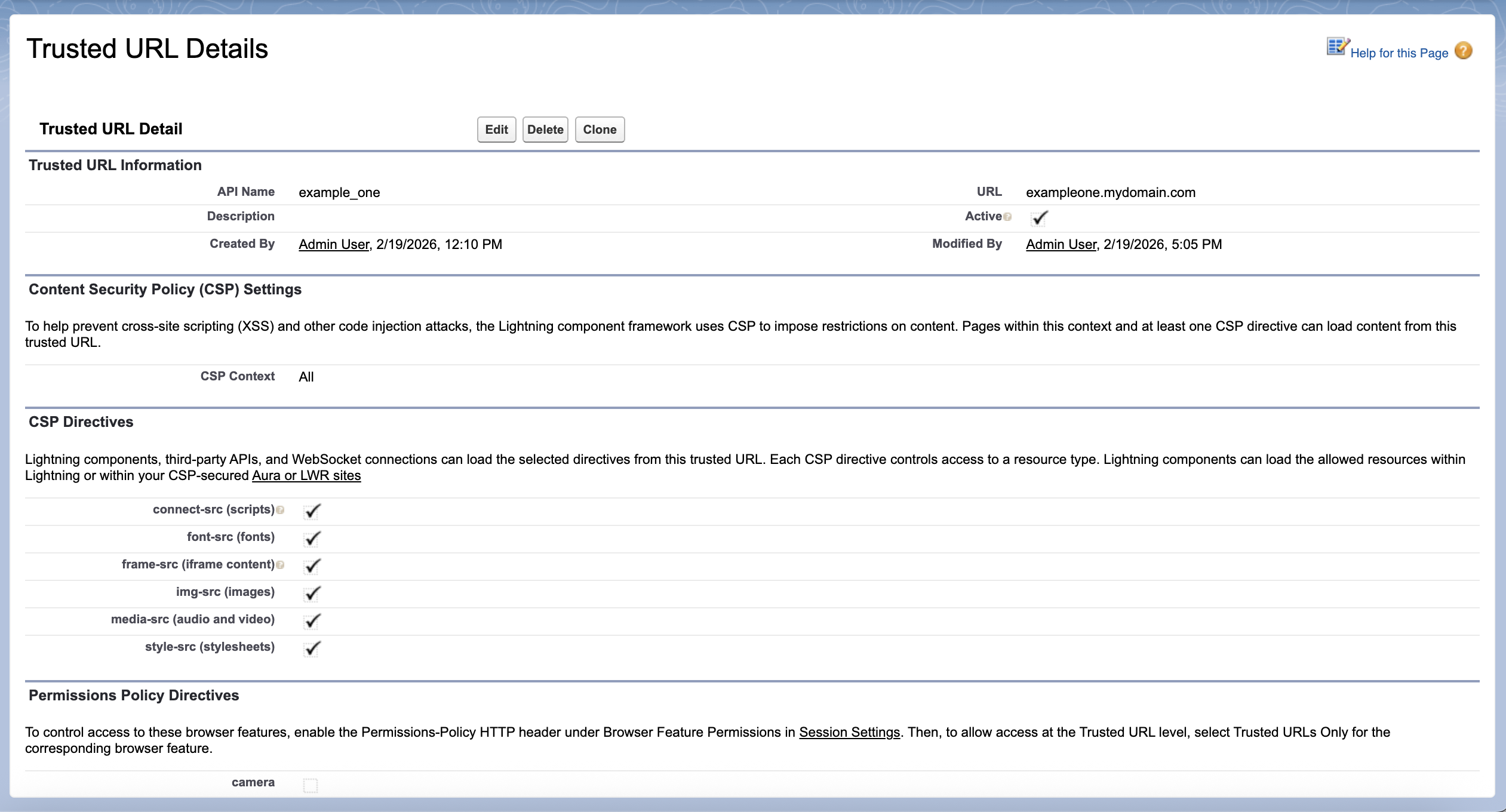
Since Spring ’20, you can control which resources a Lightning component can load from a CSP trusted site using the checkboxes on the Edit page. In Winter '24, the Setup page for the previous CSP Trusted Sites feature renamed to Trusted URLs.For example, you can allow the Lightning component to load images, style sheets, and fonts, but not audio or video from the site. Because each directive adds to the size of the HTTP header, it’s best practice to select only the resources that must be loaded from the site.
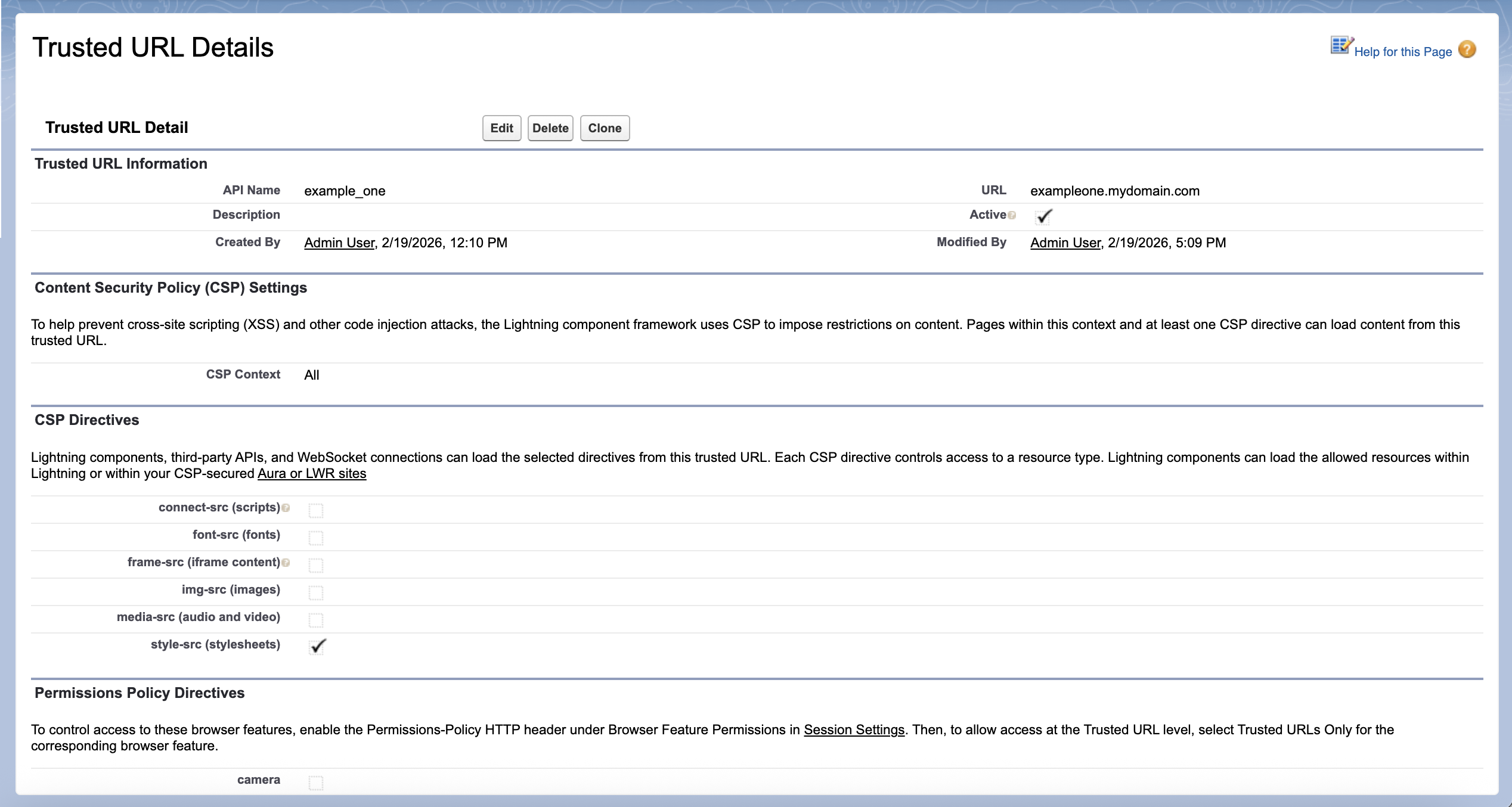
For trusted URLs created before Spring ’20, all resource loading options are selected by default. We recommend that you review your trusted URLs and deselect directives that aren’t relevant for the site.
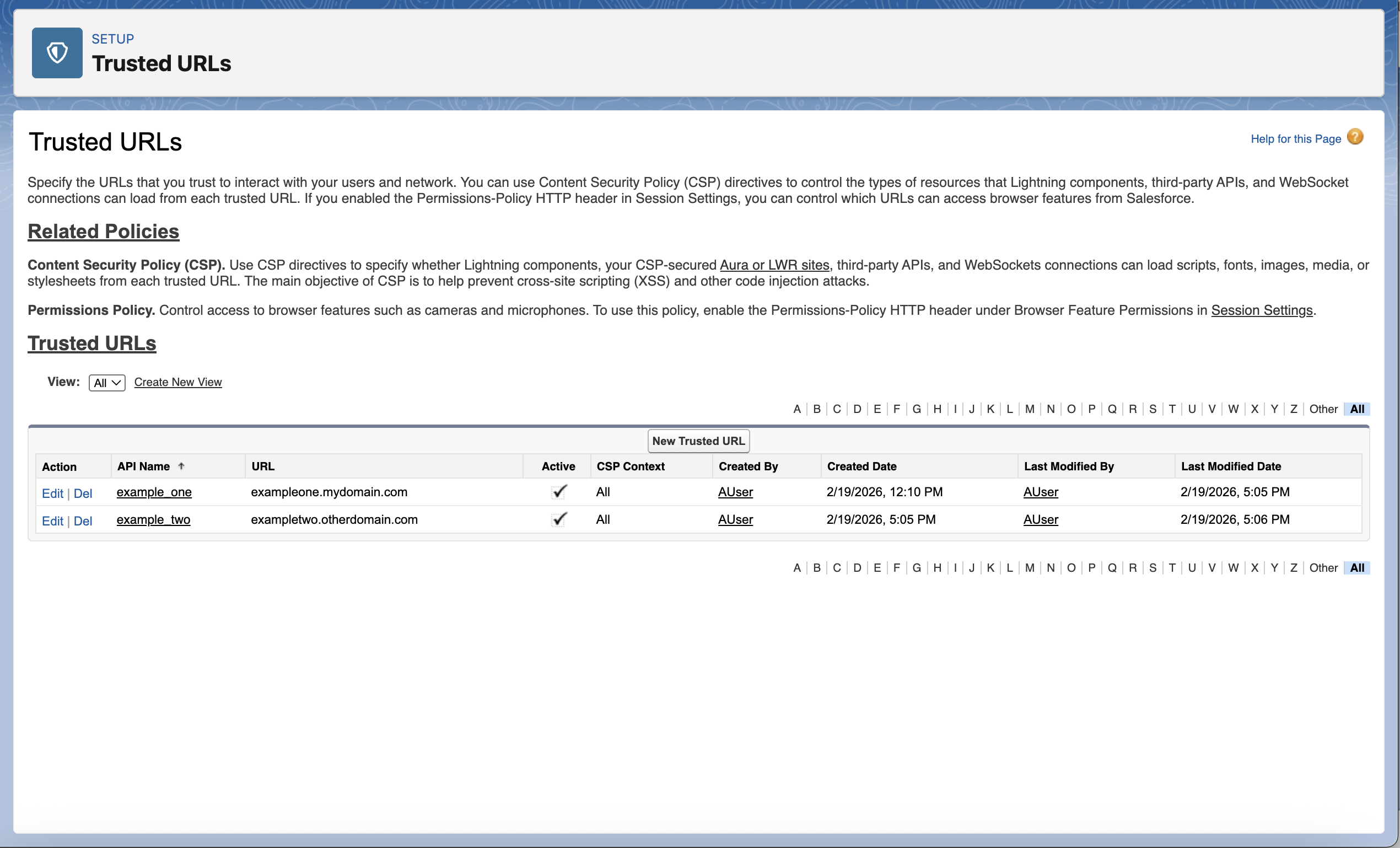
For example, this Salesforce org has two trusted URLs.
This trusted URL initially has all resource loading options selected.
By deselecting the resources that aren’t needed for this domain, we reduced the total character count for these two trusted URLs in the HTTP header from 294 to 49, or 17% of the original size.
This sample header demonstrates the size reduction resulting from these changes:
Multiple resource loading options
style-src ‘self’ blob: exampleone.mydomain.com exampletwo.otherdomain.com; img-src ‘self’ https: data: blob: exampleone.mydomain.com exampletwo.otherdomain.com; media-src ‘self’ exampleone.mydomain.com exampletwo.otherdomain.com blob:; frame-ancestors ‘self’; frame-src https: mailto: exampleone.mydomain.com exampletwo.otherdomain.com; font-src ‘self’ https: data: exampleone.mydomain.com exampletwo.otherdomain.com; connect-src ‘self’ exampleone.mydomain.com exampletwo.otherdomain.com blob:
Reduced resource loading options
style-src ‘self’ blob: exampleone.mydomain.com; img-src ‘self’ https: data: blob:; media-src ‘self’ blob:; frame-ancestors ‘self’; frame-src https: mailto:; font-src ‘self’ https: data:; connect-src ‘self’ exampletwo.otherdomain.com blob:
CSP Trusted Sites are rendered in the Content-Security-Policy section of HTTP headers. You can use Chrome’s Inspect developer tool to view the HTTP response header set by the server.
You can select all the response headers, and use any tool to get the total length.
Keep in mind that pages have variable headers such as “set-cookie” that may impact the total header size.
If your header size still exceeds the limit after deselecting directives:
Resources:
000390166