Sélectionner une organisation
Enabling Tenant-Specific OAuth Endpoints for Marketing Cloud Connect
Date de publication: Aug 4, 2026
Description
When experiencing issues with Marketing Cloud Connect, such as tracking-related, expired Marketing Cloud API token, sending performance, etc., enabling Tenant-Specific OAuth Endpoints is recommended to assist in resolving this and making the MCC connection improved and more stable.
To properly enable Tenant-Specific OAuth Endpoints, please see the resolution below:
Résolution
*Enabling Tenant-Specific OAuth Endpoints will clear your configuration. Prior to enabling Tenant-Specific OAuth Endpoints, we recommend taking a screenshot of the Marketing Cloud Configuration Settings page, so that you can reference this when setting your configuration settings up again*
1. Log in to your Salesforce CRM instance.
2. Navigate to the Marketing Cloud tab.
3. Click “Configure Marketing Cloud Connector”.
4. Scroll to the bottom of the page to the "Advanced" section and click the small arrow to expand.
5. Toggle “Tenant-Specific OAuth Endpoints” on to enable.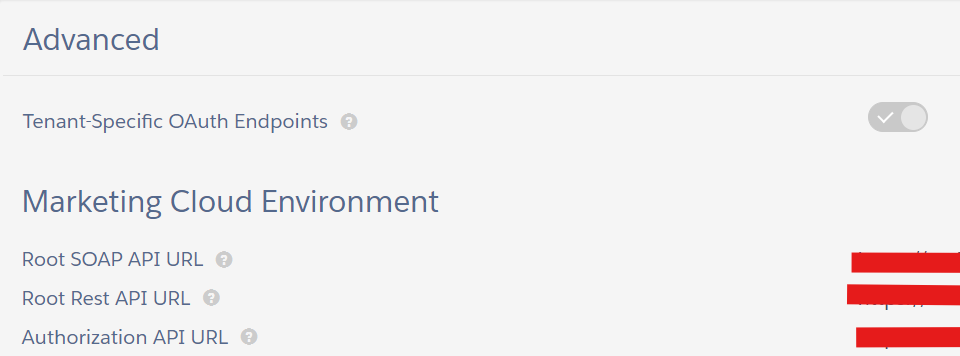
6. This will clear the configuration. You might be prompted to verify a new Remote Site Setting. If you are prompted to do so, please verify.
7. Next, you'll be prompted to reset the Marketing Cloud Configuration. Click the “Automatic Setup Wizard” and go through the steps to complete the new configuration.
8. Reconnect the Marketing Cloud API User by clicking “Connect to Marketing Cloud”.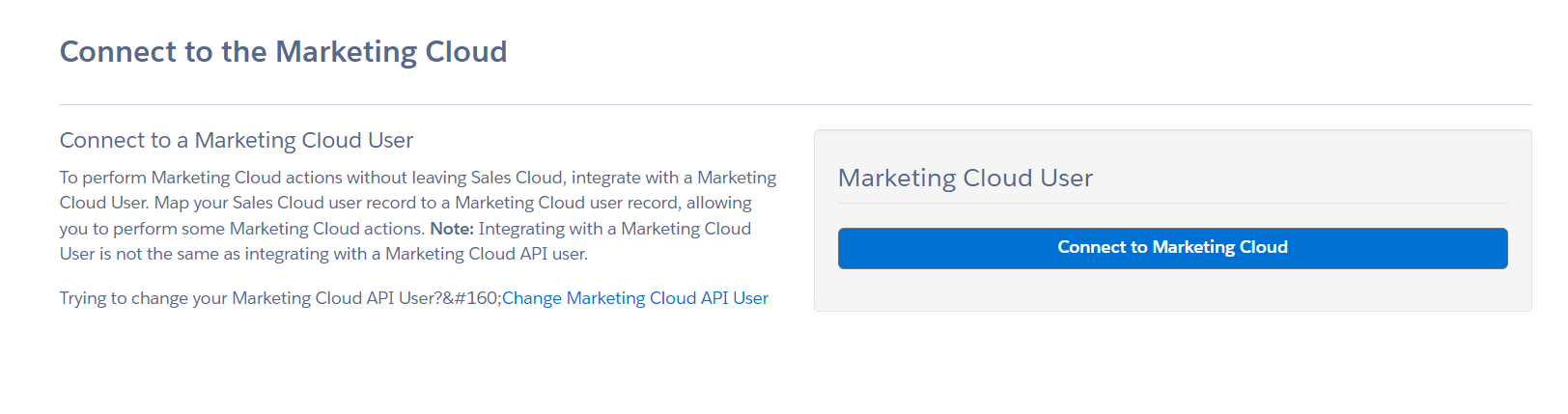
9. You'll be redirected to the Marketing Cloud Connector Settings page where you'll re-setup based on the screenshot of your previous settings.
For more information on the Tenant-Specific OAuth Endpoints feature, please see the Tenant-Specific OAuth Endpoints with JSON Web Token Authentication section of the October 2019 Release Notes.
Numéro d’article de la base de connaissances
000390168
Cet article a-t-il résolu votre problème ?
Dites-nous ce que nous pouvons améliorer !
