Organisation auswählen
Edit as draft action visibility issue in knowledge layout
Veröffentlichungsdatum: Oct 13, 2022
Beschreibung
Steps to reproduce the issue:
1. Go to setup-> Knowledge Settings -> Enable Salesforce Knowledge
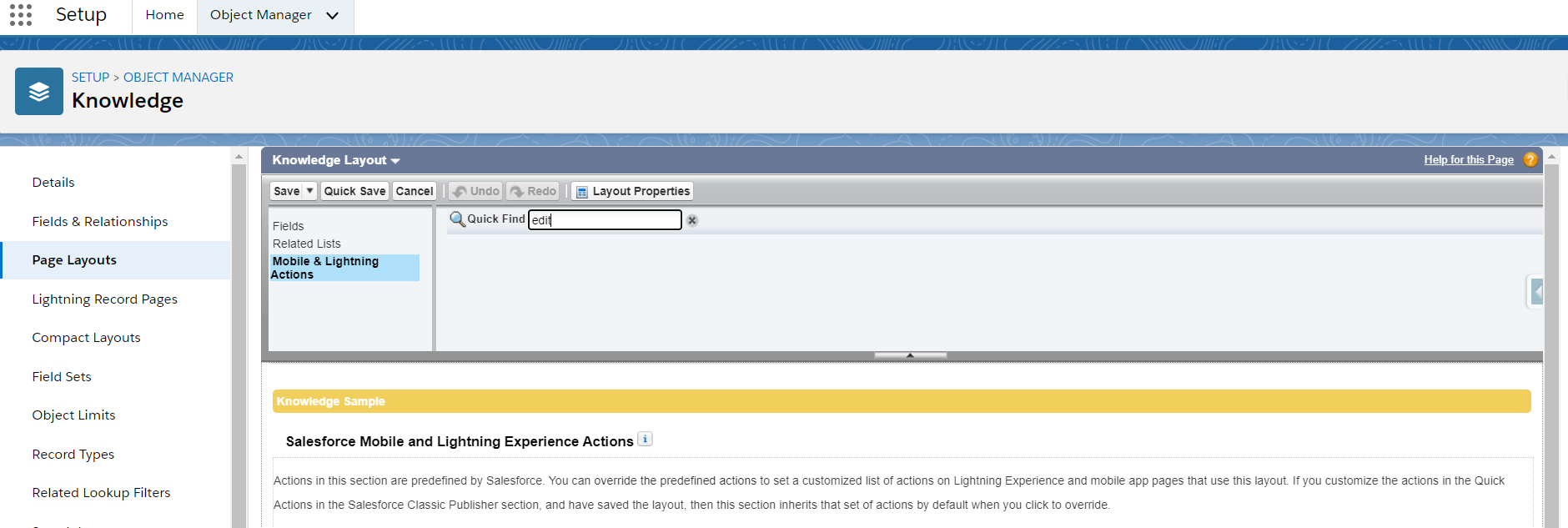
2. Now go to knowledge object layout, Object Manager -> Knowledge -> Knowledge Layout
3. Search for Edit As Draft action in layout from Mobile & Lightning Actions
4. You will not see the Edit As Draft action
Lösung
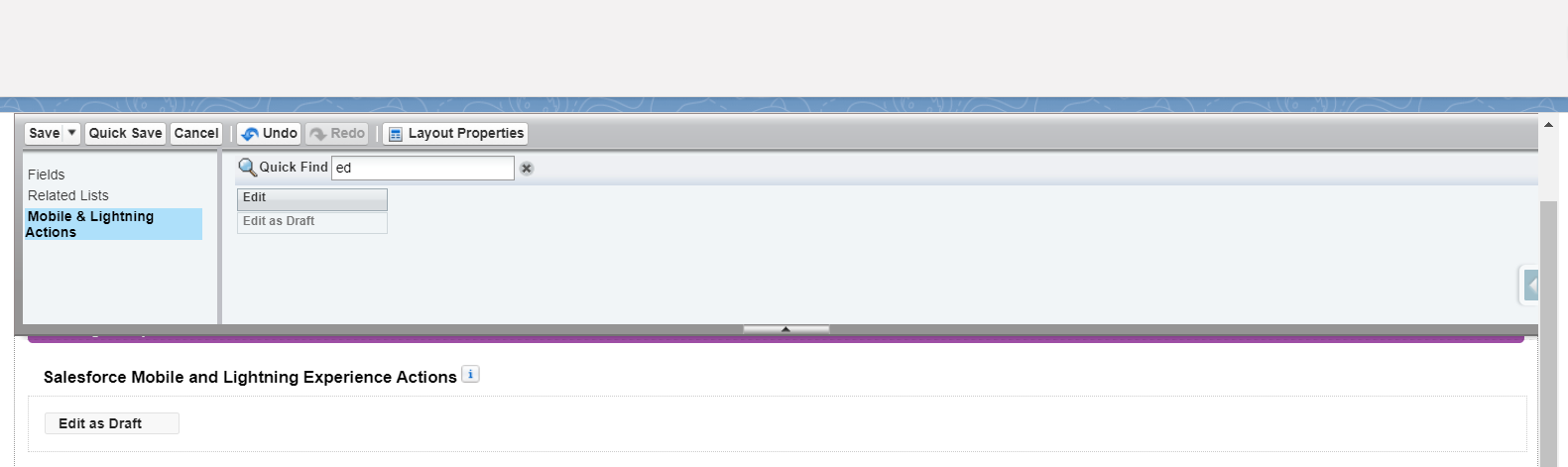
Setup-> Knowledge Settings -> Enable Lightning Knowledge

Now the Edit As Draft button would be visible in both classic and lightning experience Knowledge Layout
Nummer des Knowledge-Artikels
000390483
Konnten Sie Ihr Problem mithilfe dieses Artikels lösen?
Geben Sie uns Feedback, damit wir uns verbessern können.
