組織を選択
Edit as draft action visibility issue in knowledge layout
公開日: Oct 13, 2022
説明
Steps to reproduce the issue:
1. Go to setup-> Knowledge Settings -> Enable Salesforce Knowledge
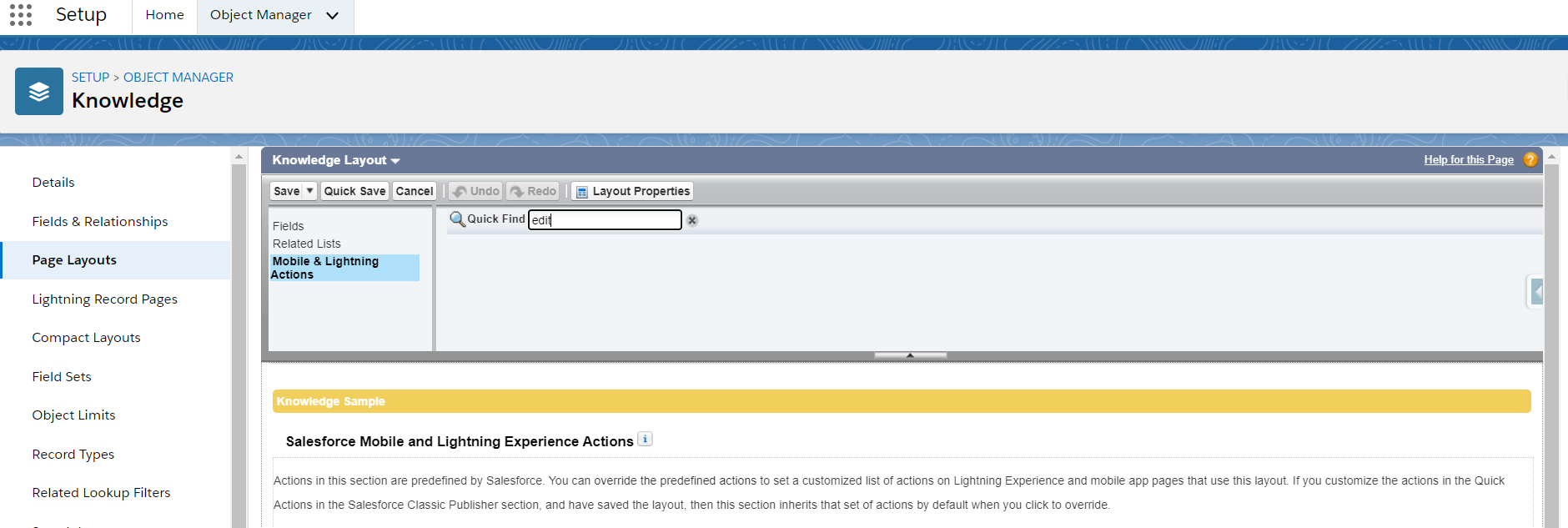
2. Now go to knowledge object layout, Object Manager -> Knowledge -> Knowledge Layout
3. Search for Edit As Draft action in layout from Mobile & Lightning Actions
4. You will not see the Edit As Draft action
解決策
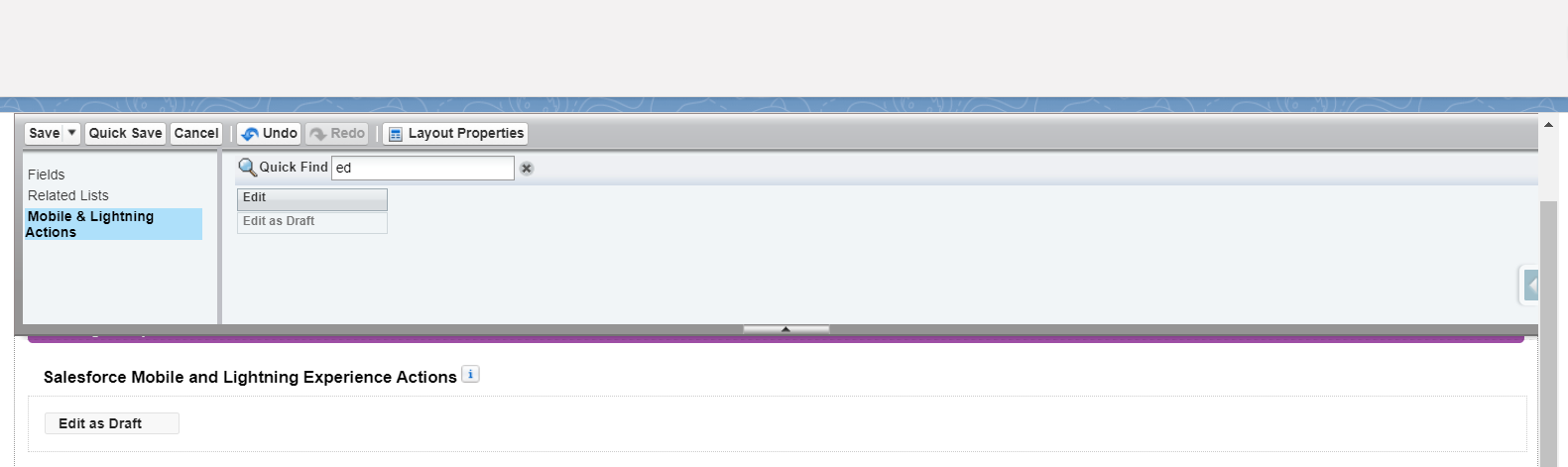
Setup-> Knowledge Settings -> Enable Lightning Knowledge

Now the Edit As Draft button would be visible in both classic and lightning experience Knowledge Layout
ナレッジ記事番号
000390483
この記事で問題は解決されましたか?
ご意見をお待ちしております。
