Valitse organisaatio
Enable Flexcard Designer
Julkaisupäivä: Feb 18, 2025
Kuvaus
In many cases, you'll have Flexcard (Omni UI card) Designer available in your org, but when you click the Flexcard it will not load the Flexcard Designer but account page.
Ratkaisu
To enable the Flexcard Designer, perform the following steps:
1. Go to Setup in the top right corner.
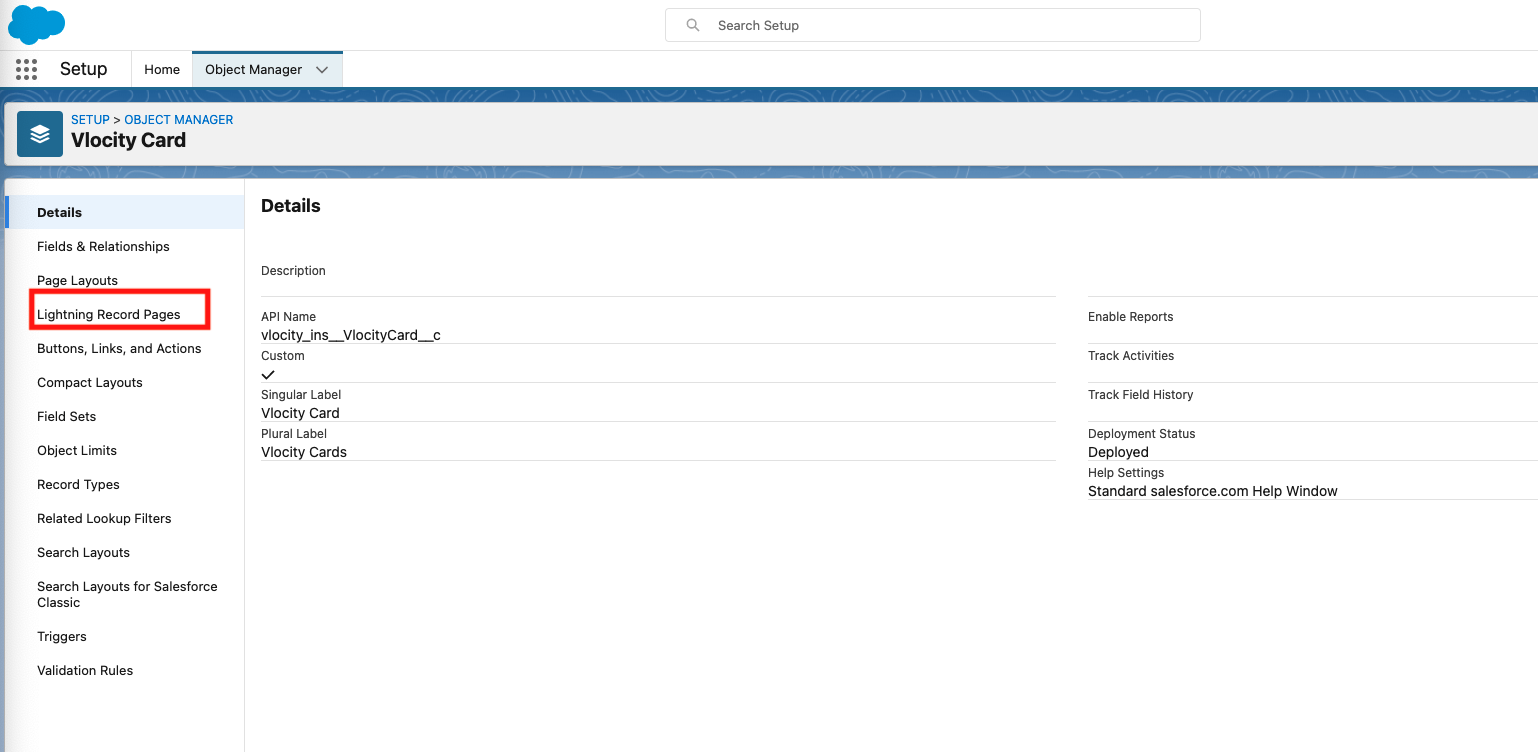
2. Next, go to Object Manager, search for Vlocity Card, and select Lightning Record Pages.

3. Click on Vlocity Card Designer and View.
4. Next, in the top right-hand corner, click on Activation and select "Assign as Org Default". Once done, it will look like the following:
5. Finally go back to your Omniscript Flexcard and you'll be able to see your Flexcard Designer.

Knowledge-artikkelin numero
000390893
Ratkaisiko tämä artikkeli ongelmasi?
Anna palautetta, jotta voimme kehittyä!
