組織を選択
Enable Flexcard Designer
公開日: Feb 18, 2025
説明
In many cases, you'll have Flexcard (Omni UI card) Designer available in your org, but when you click the Flexcard it will not load the Flexcard Designer but account page.
解決策
To enable the Flexcard Designer, perform the following steps:
1. Go to Setup in the top right corner.
2. Next, go to Object Manager, search for Vlocity Card, and select Lightning Record Pages.

3. Click on Vlocity Card Designer and View.
4. Next, in the top right-hand corner, click on Activation and select "Assign as Org Default". Once done, it will look like the following:
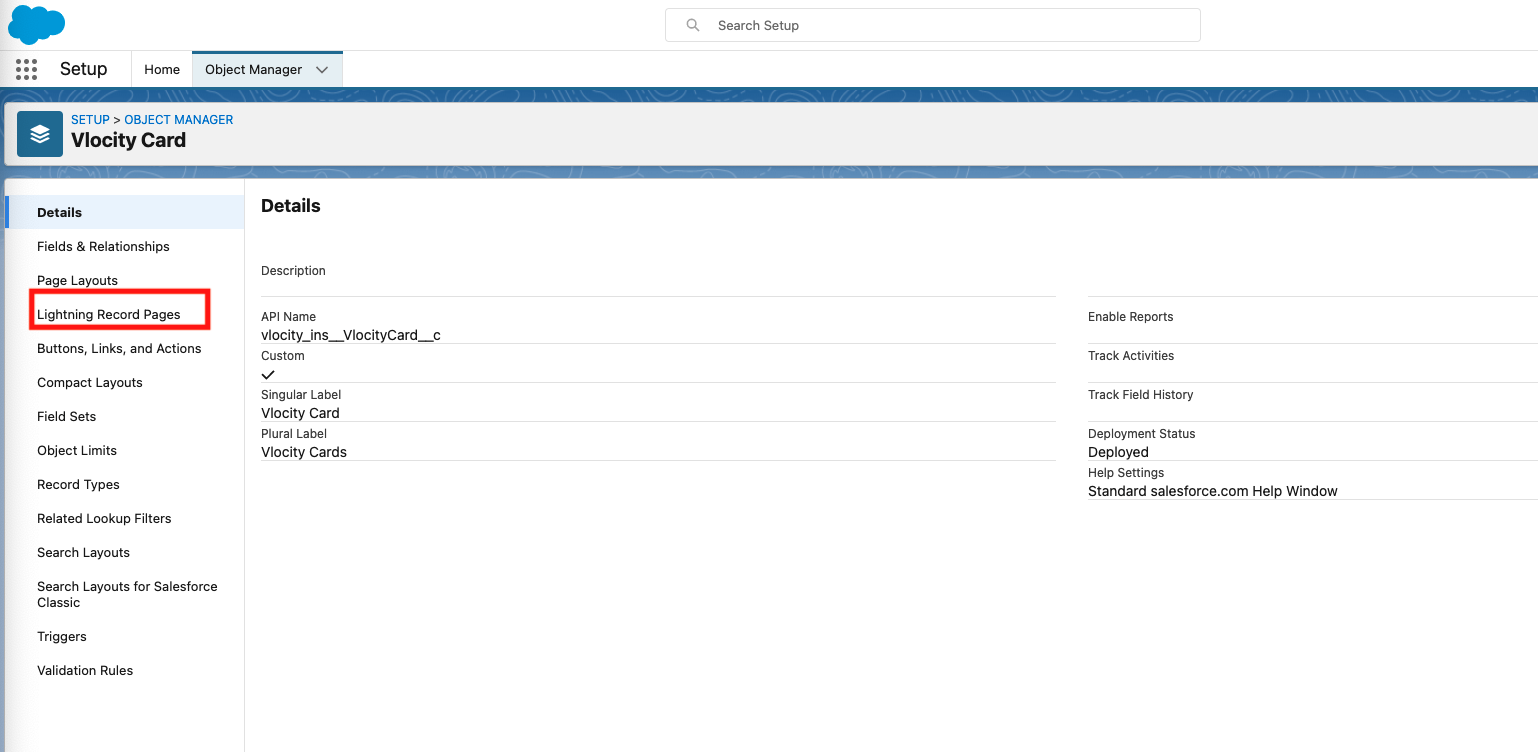
5. Finally go back to your Omniscript Flexcard and you'll be able to see your Flexcard Designer.

ナレッジ記事番号
000390893
この記事で問題は解決されましたか?
ご意見をお待ちしております。
