Vælg en organisation
Salesforce Guest User: How to Test & Update Sharing Settings
Udgivelsesdato: Jul 17, 2025
Beskrivelse
All Guest Users should have read access to the Vlocity components and to the related records.
Note:
This does not apply for standard OmniStudio and only applies to custom data model based Vlocity Orgs.
Løsning
A. Set up the Default Record Owner User:
Create a new user with minimum privileges/access. This user will be used as the Default Owner of new records created by guest users.
B. To view the guest user profile:
1. From Setup, enter Communities in the Quick Find box, and click All Communities.
2. Click Builder for the community you're testing.
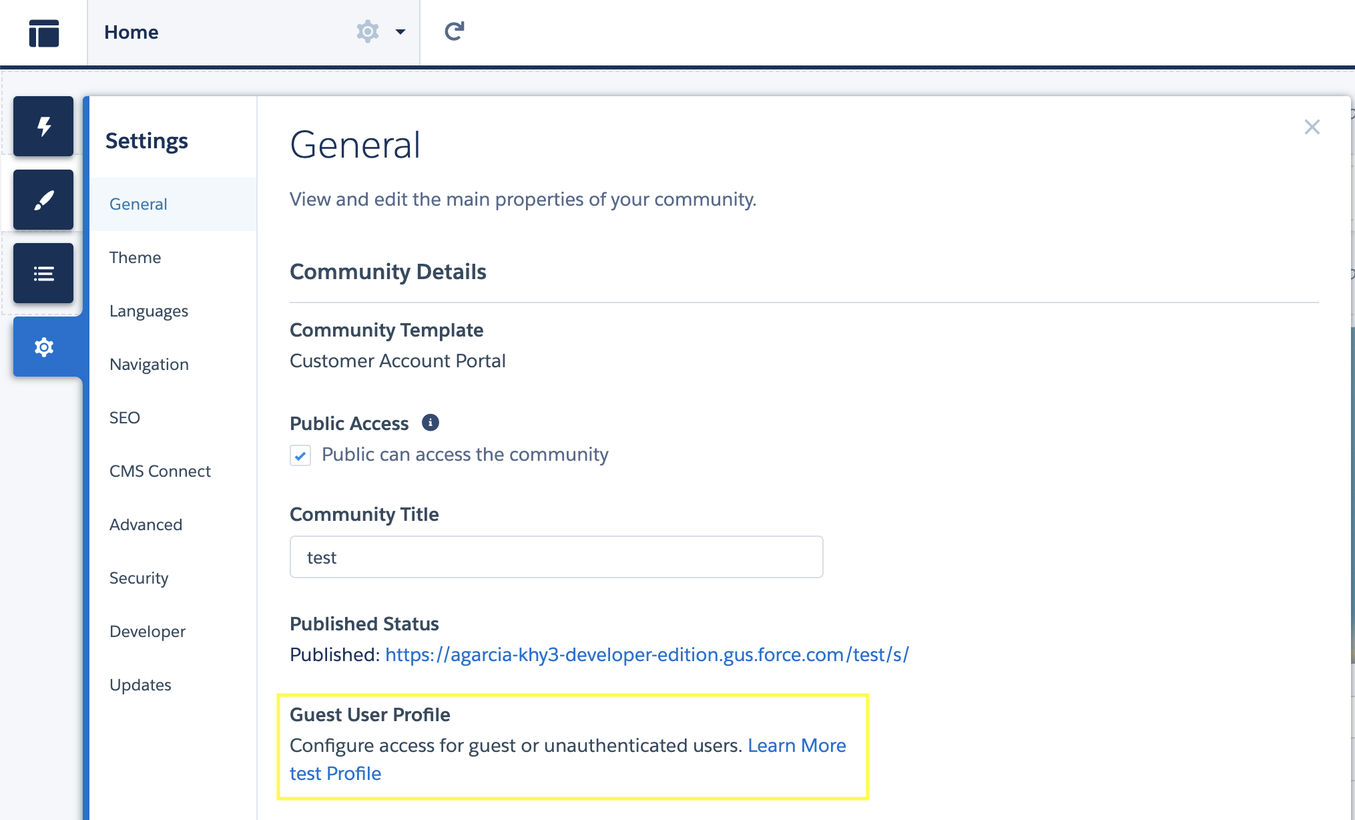
3. Click the Settings (Gear) icon on the left menu and go to the General tab.
4. In the Guest User Profile section, click the profile name to go to the profile details page.
C. Enable Secure Guest User Record Access:
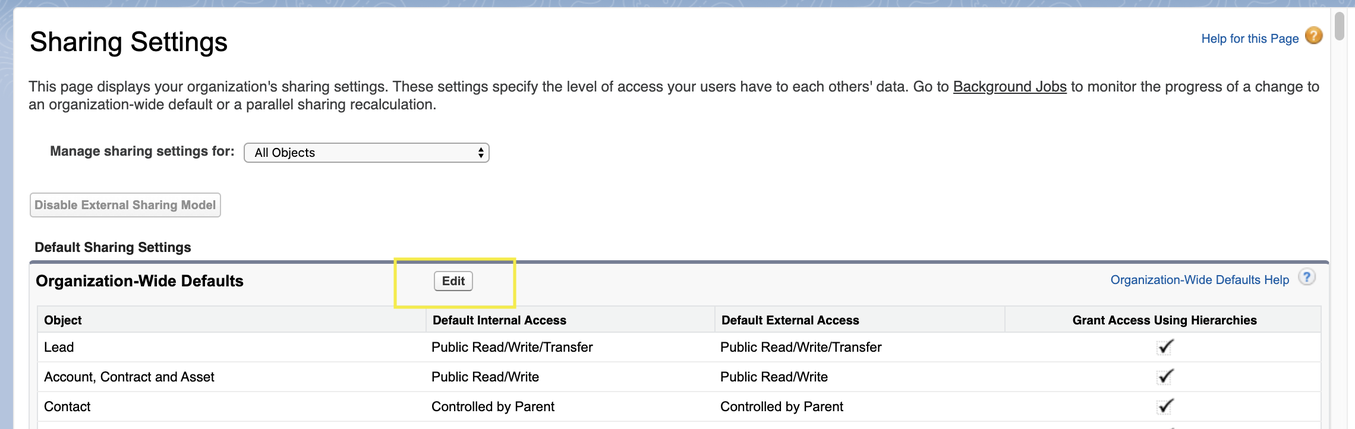
1. From Setup, enter Sharing Settings in the Quick Find box.
2. Click Sharing Settings.
3. Click Edit for Organization-Wide Defaults.
D. Enable the Reassign new records created by guest users to the Default Owner Option:
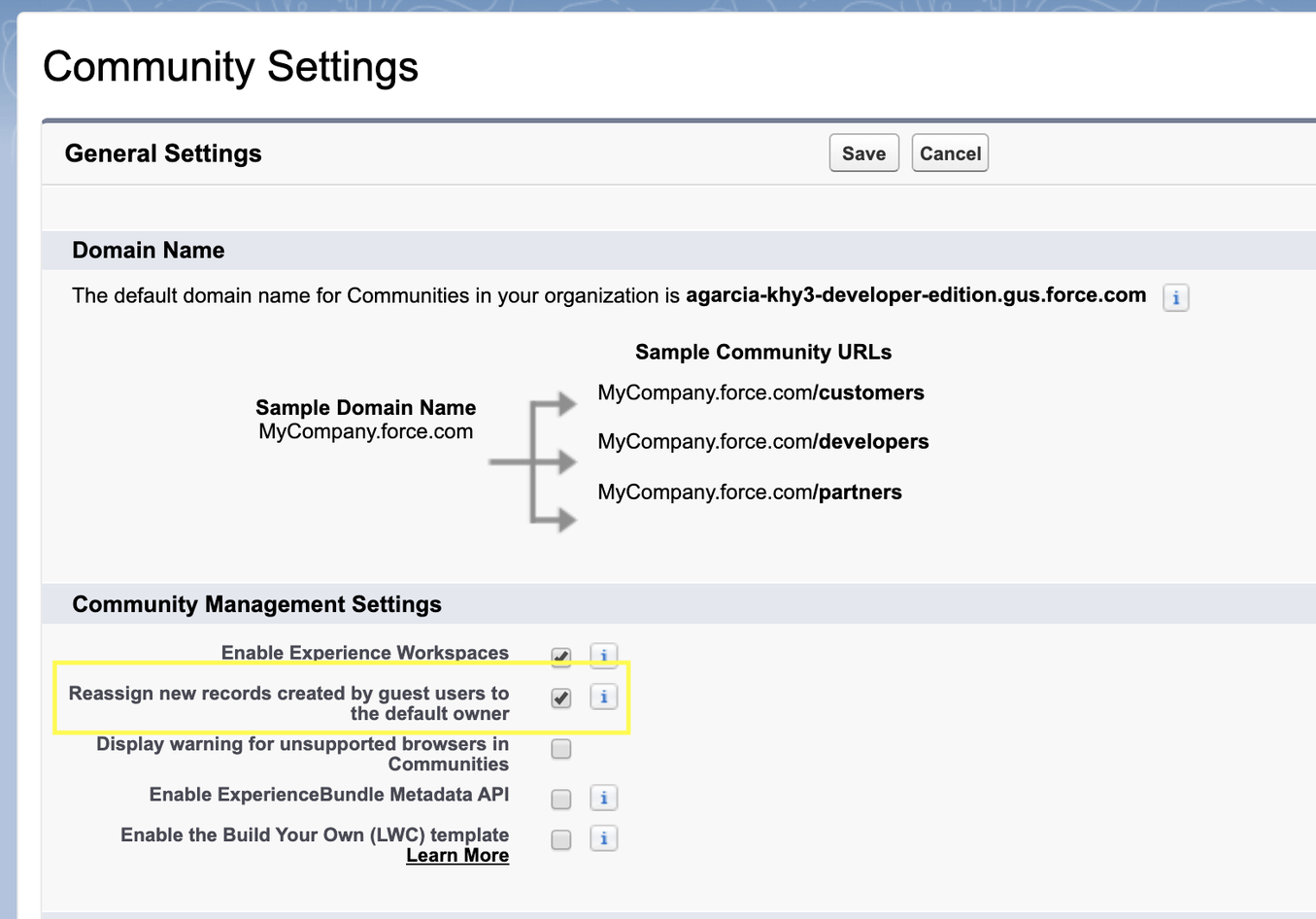
1. From Setup, enter Communities Settings in the Quick Find box, and click Communities Settings.
2. Click Edit, and enable the Reassign new records created by guest users to the default owner option.

E. Configure the Default Owner for your Community:
1. From Setup, enter Communities in the Quick Find box.
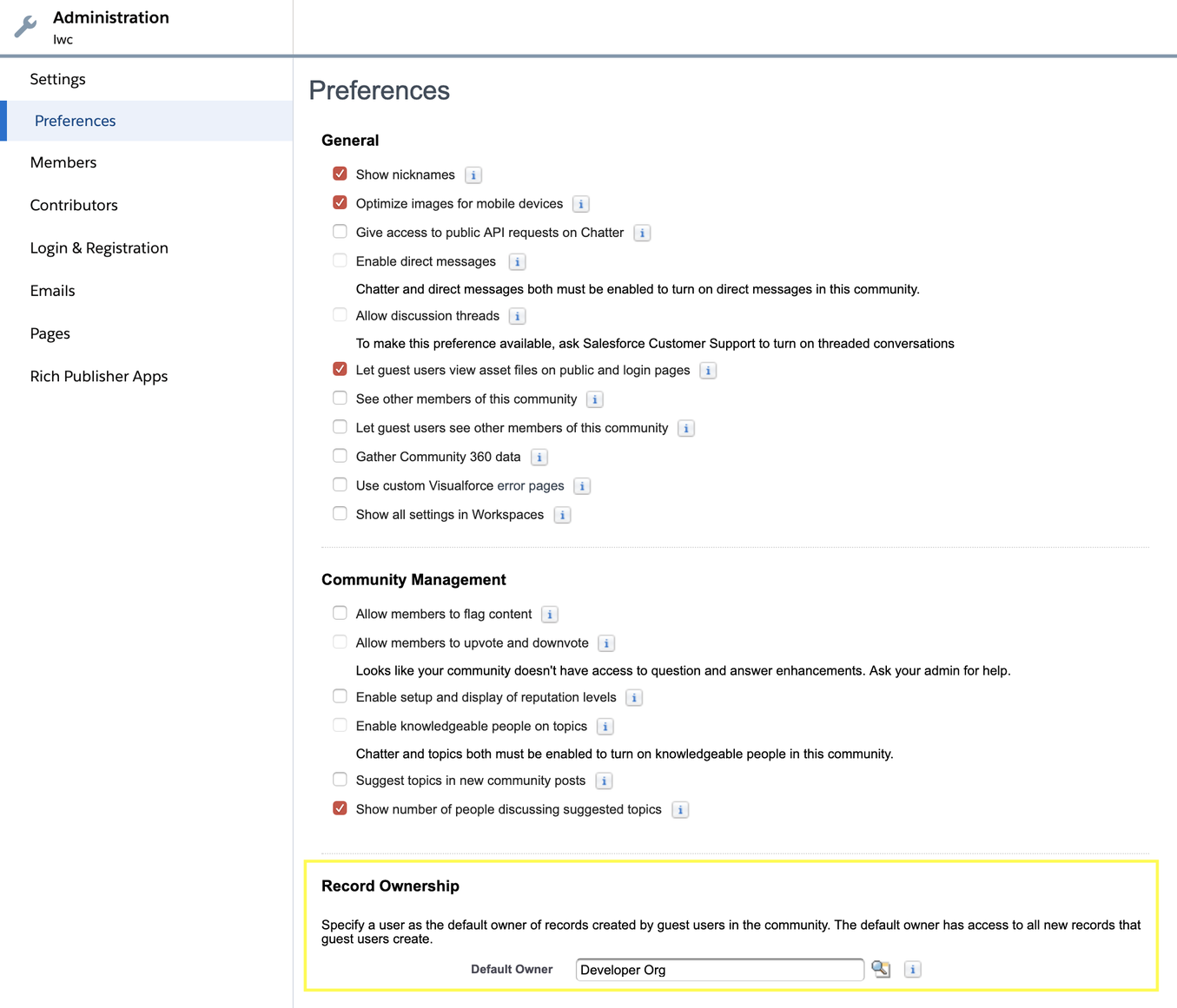
2. Click Workspaces of the community you want to set the Default Owner.
3. Click Administration > Preferences > In the Record Ownership section, choose the Default Owner user you created previously.
F. Find the Guest User Record ID:
- Click Preferences.
- In the Record Ownership section, choose the Default Owner user you created previously. Find the Guest User Record ID.
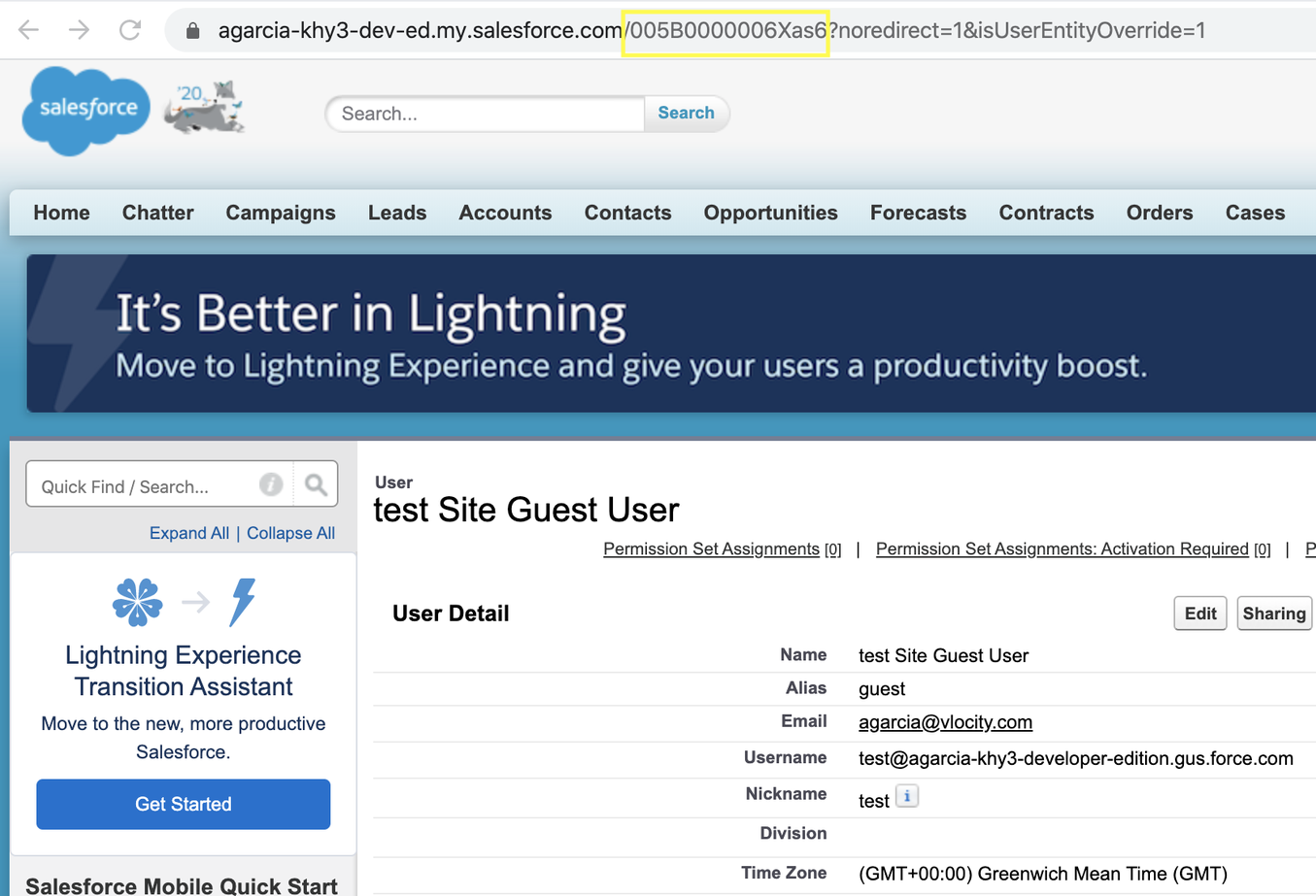
You'll need to set up sharing rules by using the record Id for the guest user record.
To find this ID: - From Setup, enter Communities in the Quick Find box, and click All Communities > Click Builder for your community.
- Click the Settings (gear) icon on the left menu and go to the General tab.
- Click the profile name for Guest User Profile.
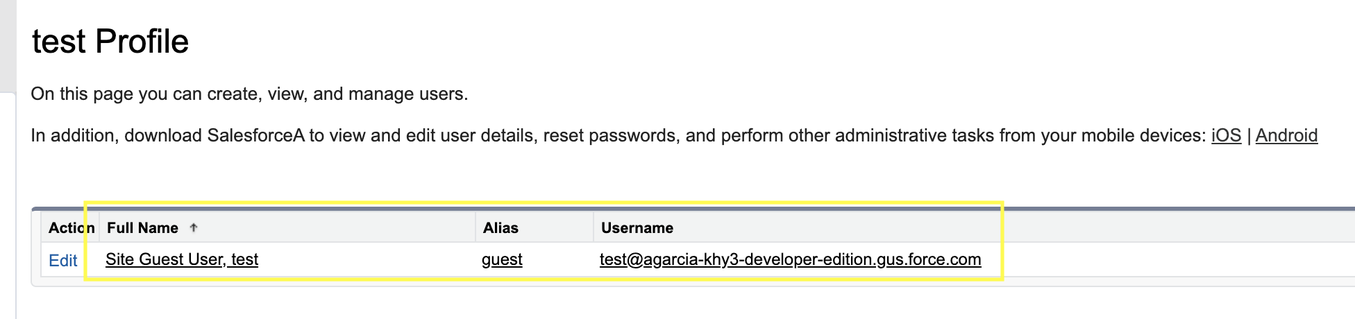
- Click the Username, Full Name or Alias link of the shown user.
- Copy the ID of the user from the page URL. Save this value in a text file or other convenient place. You'll be referencing it multiple times later.
G. Set up Sharing Rules for Guest User Access:
You'll need to set up sharing rules for Vlocity metadata objects (for example, OmniScripts, DataRaptor Bundles, etc.) and any other records not owned by the guest user that they'll need access to.
You'll also need to set up a sharing rule for the guest user to access the User record of the Default Owner. This sharing rule will be on the User object. This is necessary for the re-assignment of records to the Default Owner to be successful.
i. To set up Sharing Rules:
- From Setup, enter Sharing in the Quick Find box, and click Sharing Settings.
- Scroll to the object you need to grant access to the guest user and click New to create a new sharing rule.

- Configure the sharing rule for the object.
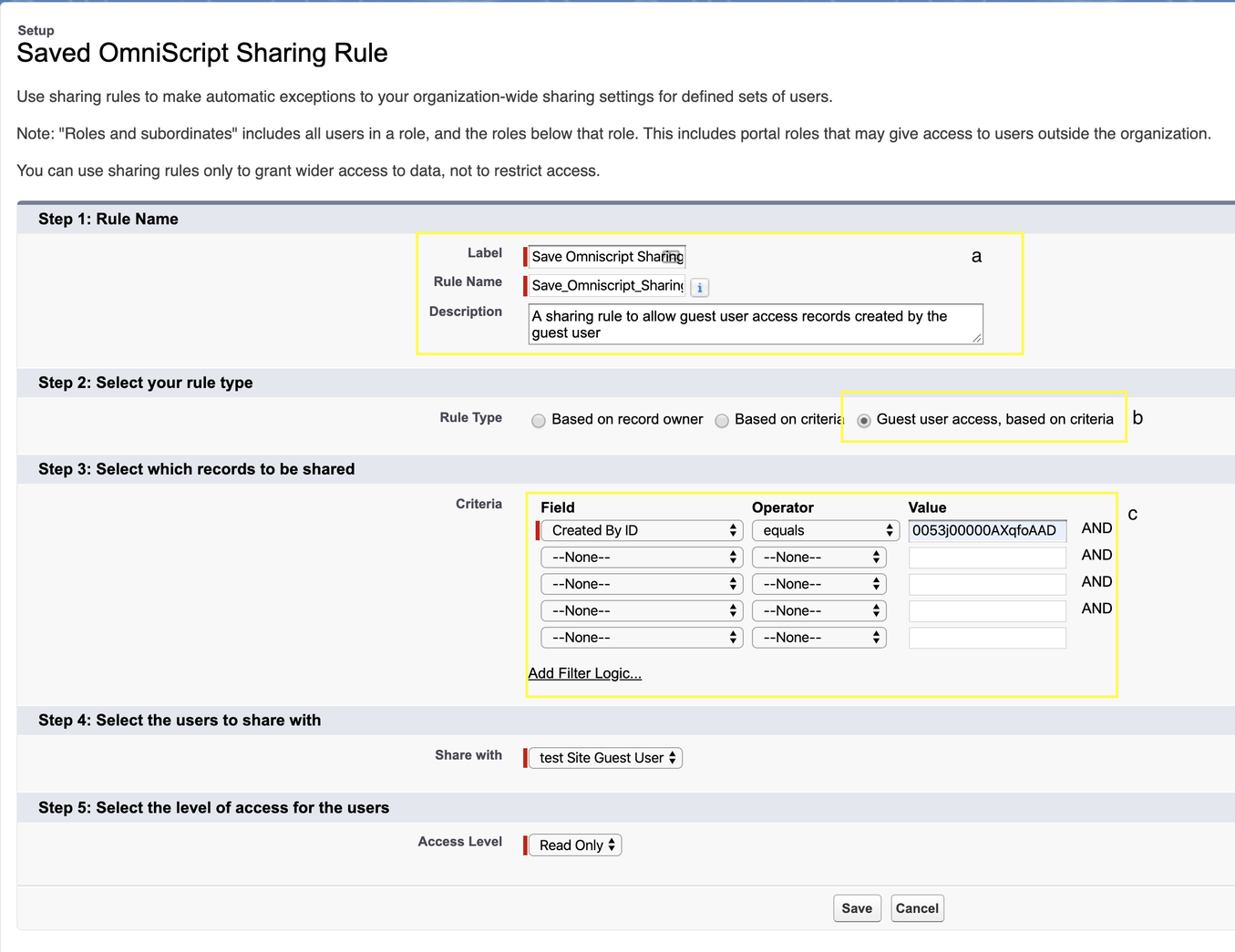
- Add a label and description for the sharing rule.
- For Rule Type, select “Guest user access, based on criteria”.
- Configure the criteria for the sharing rules (See Configuring Sharing Rule Criteria below)
- For Share with, select the Guest User record for the portal.
- For Access Level, select Read Only. (This may be the only option.)
- Repeat steps 2 and 3 for each object you need to grant access to.
ii. Configuring Sharing Rule Criteria
The sharing rules that you set up might be different between objects, communities, or orgs, depending on your business needs. You can determine exactly what access guest users will need, but Vlocity can provide a few recommendations and sample criteria:
a. All Records
This criterion is valid if you want to make all records for an object publicly available. “005” is the object prefix for the User object, so it will affect any record created by a User, which is effectively the same as “any record”.
- Field = Created By
- Operator = Starts With
- Value = 005
b. Records Created By the Guest User
This criterion is valid for records that will be created by the Guest User. For example, Saved OmniScripts and DataRaptor Bulk Data are two objects that this sharing rule should be set up for.
- Field = Created By
- Operator = Equals
- Value = [the Guest User record ID fetched previously]
The specific objects you need to set up sharing rules for might vary depending on your implementation. Vlocity Support recommends starting with the following objects:
- Vlocity OmniScripts
- Vlocity DataRaptor Bulk Data
- Vlocity DataRaptor Bundle
- Vlocity DataRaptor Map Item
- Saved OmniScript
- Vlocity Action
- Vlocity UI Layout
- Vlocity Card
Additional Considerations for Sharing Rules
- If your OmniScripts contain TypeAhead elements that search for and display records, you'll need to set up sharing rules for these records also.
- Test your Flows in the Community:
-
- Run the OmniScripts identified at the start as a guest user. Be sure to test features such as Save for Later, Resuming a Saved OmniScript, and Completing an OmniScript.
- Also make sure to try resuming Saved OmniScripts that were created before the security features were enabled.
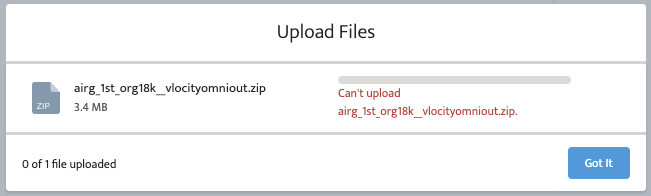
Sample Errors faced due to mis-configuration:
- No sharing rules for omniscript records, No records are returned/OmniScript shows as Inactive.
- When trying to Upload files using LWC and no sharing rules for default owner:

Vidensartikelnummer
000392010
Løste denne artikel dit problem?
Giv os besked, så vi kan forbedre os!
