Выбрать организацию
How to add equations to documents in Quip
Дата публикации: Mar 12, 2026
Решение
Sometimes working in Quip is an art, other times it’s a science. Well, what if you could have both?
Case in point: Quip supports inserting math equations and scientific formulas. Rather than depending on other equation and formula software or tools, you can write them and properly display them right inside your Quip document.
Equations are rendered using the KaTeX library which supports many LaTeX functions.
To add an equation into your document:
- Type @math to bring up the equation input field.
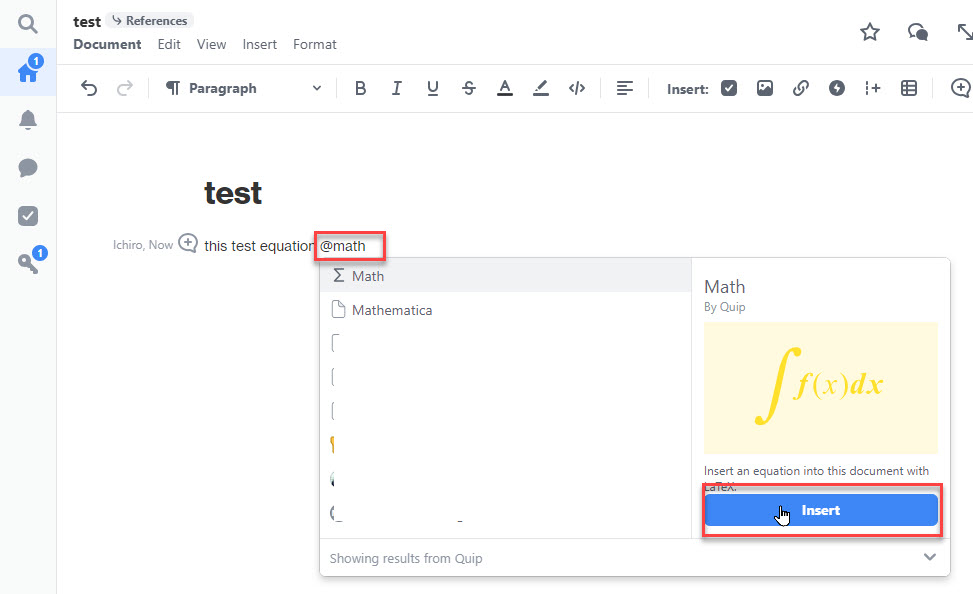
2. Write out your equation. For more complex expressions, use LaTeX syntax.
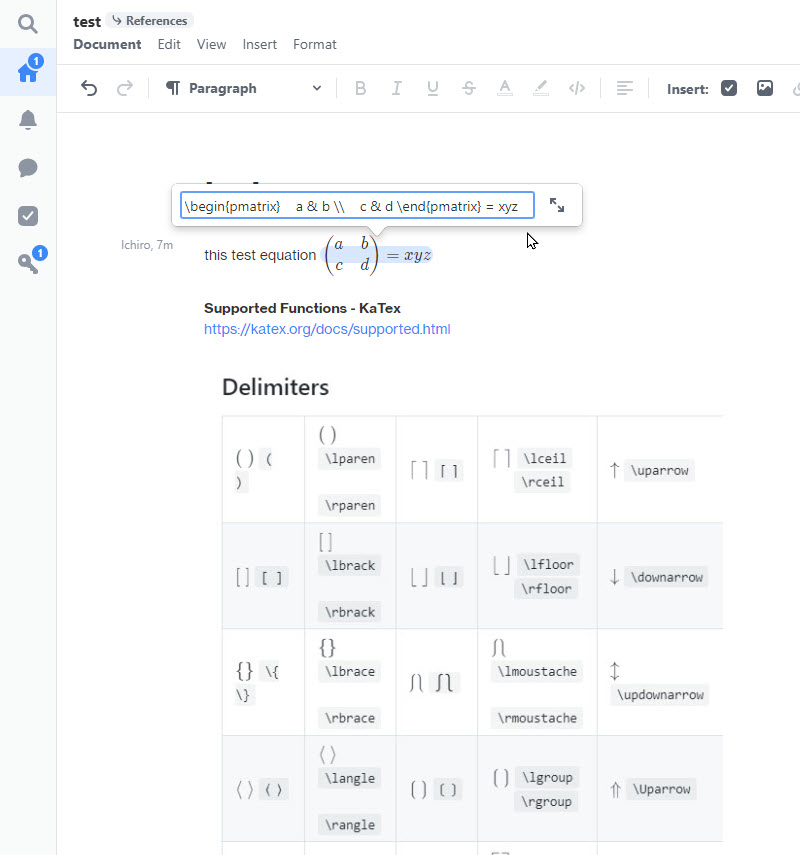
3. Content in the math control can be toggled between inline mode and displayed mode (full page width) by clicking the expand/collapse icon.
4. To edit the formula, simply click on it to bring up the editor field.
Дополнительные ресурсы
https://help.salesforce.com/s/articleView?id=000389291&type=1
Номер статьи базы знаний
000392631
Эта статья решила вашу проблему?
Оставьте свой отзыв, чтобы мы могли стать лучше!
