Seleziona un'organizzazione
Password Never Expires Permission Causes Legacy Change Password UI Without Security Question Reset Option
Data pubblicazione: Jun 29, 2026
Descrizione
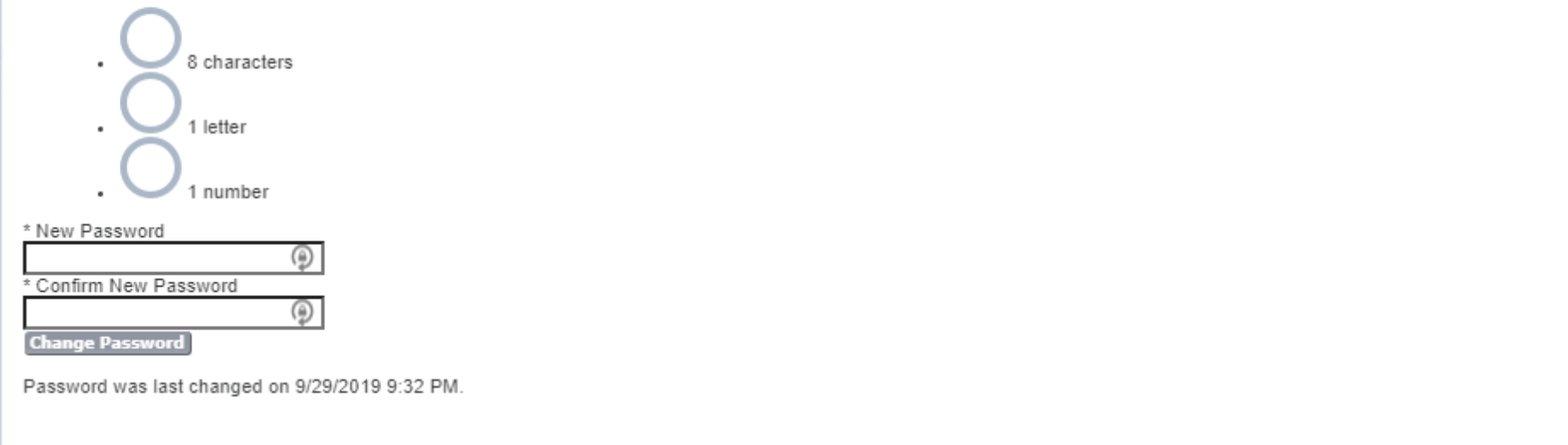
When the 'Password Never Expires' permission is enabled on a user's Profile (either directly or via a Permission Set), Salesforce routes the user to a legacy change-password interface that does not include the option to reset the security question. The legacy interface is triggered because the system uses a different authentication flow for profiles with non-expiring passwords.
The updated change-password UI — which includes the security question reset option — is only accessible when the 'Password Never Expires' permission is removed from the profile.
Note: The screenshot below shows the legacy change password UI that appears when 'Password Never Expires' is enabled. The UI displays a basic password field only, without the security question reset option.
Risoluzione
Root Cause
The 'Password Never Expires' permission, when active on a profile, forces Salesforce to use a legacy password change flow. This legacy flow does not support security question resets. The updated change password UI — which includes security question management — is only presented when the 'Password Never Expires' permission is inactive on the user's profile and all assigned Permission Sets.
Resolution Steps
To be redirected to the updated change password user interface, remove the 'Password Never Expires' permission from the user profile:
- Navigate to Setup > Users > Profiles and locate the relevant profile.
- Edit the profile and locate the Password Policies section.
- Uncheck or disable the Password Never Expires permission.
- If the user also has Permission Sets assigned, check each Permission Set for the 'Password Never Expires' permission and remove it as well.
- Save changes. The user is now able to access the updated change password UI, including the security question reset option.
Notes
- Password Never Expires can be set directly on the profile or via Permission Set. Both must be checked and the permission removed from all sources.
- When removing the Password Never Expires permission from a profile, a password reset is forced. If integrations are associated with the profile, update all integration passwords after making this change.
Risorse aggiuntive
View and Edit Password Policies in Profiles - https://help.salesforce.com/s/articleView?id=platform.users_profiles_password_policies.htm&type=5
Numero articolo Knowledge
000393254
Questo articolo ha risolto il problema?
Facci sapere, così possiamo migliorare!
