Vælg en organisation
Evergage Legacy Visual Editor Chrome Extension Retirement
Udgivelsesdato: Sep 27, 2025
Beskrivelse
Google has announced that beginning January 1, 2023, the Chrome Web Store will no longer run Manifest Version 2 (V2) extensions. Manifest functionality provides the browser information about the extension, including important files and the capabilities the extension might use. Manifest V3 has been introduced as the new required version for the Chrome extension ecosystem. The goal of Manifest V3 is to improve security, privacy and performance, however it does change the way our products interact with Chrome extensions.
How will customer functionality be impacted?
Manifest version 3 significantly reduces our abilities to execute certain APIs and tasks that we’ve been using with the existing Chrome extension. The API that allowed developers to intercept/block/redirect network requests will no longer work in V3, which is what our extension heavily relied on to block and launch the Visual Editor on any domain and take over the web page as if it were a full-feature UI.
How will the customer experience change?
The good news is that while customers will lose Chrome Extension functionality for the Visual Editor, there are alternative methods to continue that functionality. Legacy Interaction Studio users will be able to create and modify templates and campaigns within the app. The main difference is that you will no longer be able to view live changes on your site, as you would have by launching the Visual Editor extension. Beginning January 1, 2023, customers who try to launch the legacy Visual Editor will receive an error.
Løsning
Does this change impact customers on next-gen functionality?
For users onboarded to next-gen campaigns and templates, we are modifying our SDK launcher to be compliant with the Manifest V3 requirements, and no changes will be needed.
What actions can you take?
If you are using next-gen campaigns and templates with our SDK launcher, no action is required. If you are using the Legacy Visual Editor, functionality will shift to using the in-app template and campaign creator.
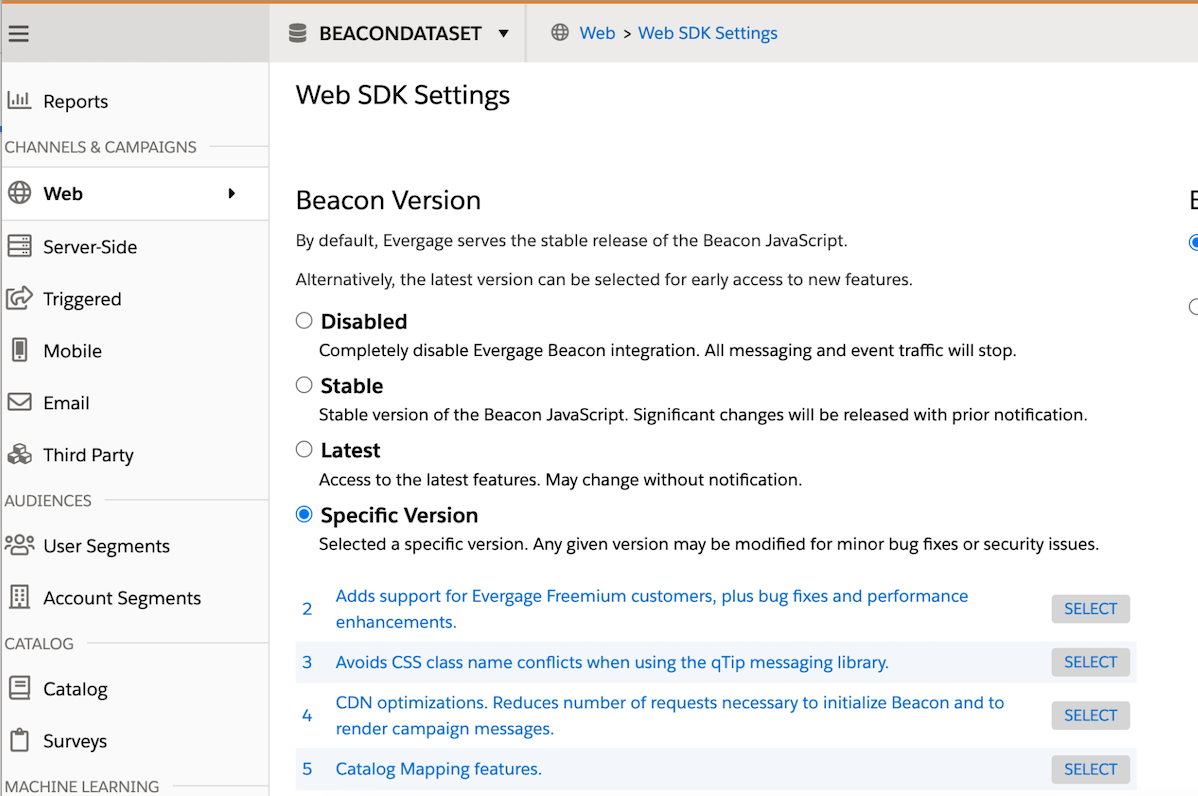
To verify if you are using the Legacy Visual Editor, request an account administrator log in, load your user details, and then navigate to Web > Web SDK Settings. If your account is on Beacon Version 15 or earlier, you are using the Legacy Visual Editor, and your administrator should see this screen:
*NOTE: Do NOT select version 16 if you see the screen above. Admins should only use this screen to verify if customers are using next-gen or legacy functionality.
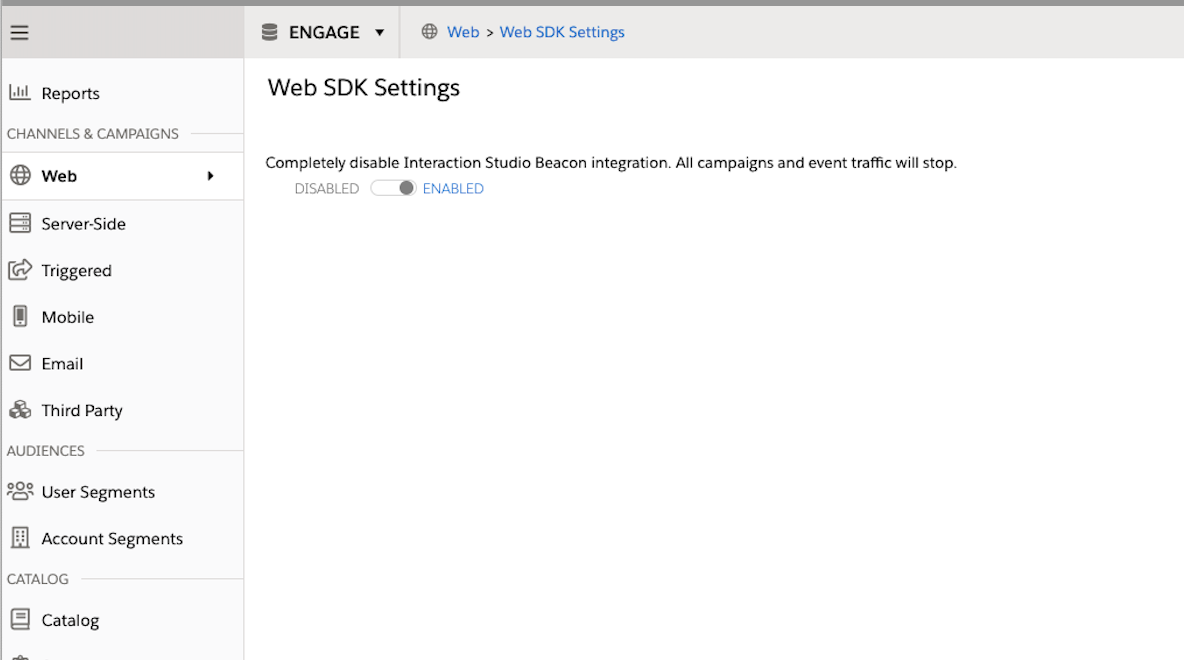
If you are on Beacon Version 16, your account is using next-gen functionality and your admin should only see this screen:
If your administrator confirms your account is using the Legacy Visual Editor, all legacy documentation can be found here.
Please note that there are a couple features that do NOT have in-app workarounds:
- Visual mapping of captured fields and tracked clicks within a page.
- There is not currently a way to manage this in the UI.
- The creation of new and management of existing campaigns with in-page edits.
- In-page edits are personalizations that can be created by point-and-click of elements within a page such as arbitrary text, headlines and images.
- Access to Evergage Tools
- URL Parameter Campaign Testing
Vidensartikelnummer
000393491
Løste denne artikel dit problem?
Giv os besked, så vi kan forbedre os!
