Organisation auswählen
Blank Decomposition Page and "Insufficient Permissions" Error in Industries Order Management
Veröffentlichungsdatum: Apr 9, 2026
Beschreibung
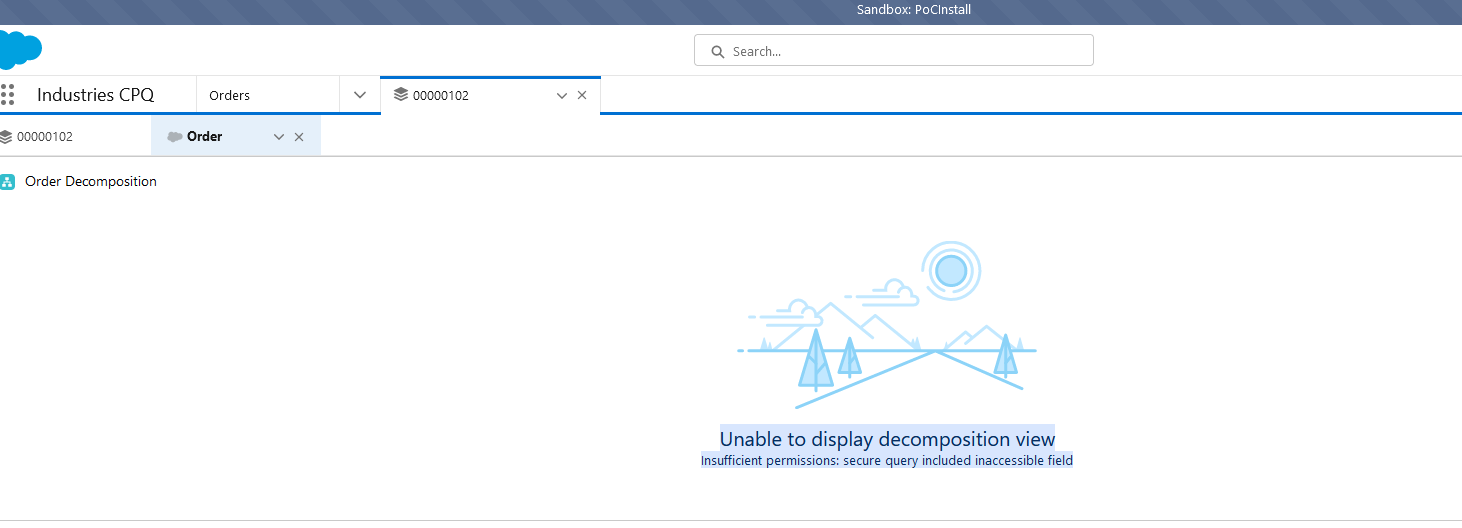
Users experience a blank screen or a UI failure when attempting to view the decomposition of a submitted order. The UI may surface the following error message:
"Unable to display decomposition view. Insufficient permissions: secure query included inaccessible field."
When debug logs are captured during the page load, a System.QueryException is recorded. The logs will display a failed SOQL query utilizing the WITH SECURITY_ENFORCED clause, followed by the exception.
SOQL_EXECUTE_BEGIN|[294]|Aggregations:0|SELECT FulfilmentStatus__c, OrderNumber, Name, Status, OrderStatus__c, JeopardyStatus__c, OrchestrationMethod__c FROM Order WHERE Id = :tmpVar1 WITH SECURITY_ENFORCEDEXCEPTION_THROWN|[294]|System.QueryException: Insufficient permissions: secure query included inaccessible fieldFATAL_ERROR|System.QueryException: Insufficient permissions: secure query included inaccessible field
The decomposition logic performs a secure SOQL query (WITH SECURITY_ENFORCED) to retrieve order data. If the user's Profile or assigned Permission Sets lack access to one or more fields referenced in the query (such as FulfilmentStatus__c or JeopardyStatus__c), the platform blocks the query and throws the exception, preventing the page from loading.
Lösung
To resolve this issue, identify the inaccessible fields and grant the appropriate Field-Level Security (FLS) permissions to the affected user.
Step-by-Step Troubleshooting and Fix:
-
Generate Debug Logs: Set up a user trace flag for the affected user in Salesforce Setup.
-
Reproduce the Issue: Have the user navigate to the Order and load the Decomposition page to capture the failure.
-
Identify Target Fields: Review the generated debug logs and locate the failed SOQL query immediately preceding the
System.QueryException. Note all the fields included in theSELECTstatement (e.g.,FulfilmentStatus__c,OrderStatus__c,OrchestrationMethod__c). -
Verify Field-Level Security (FLS): Navigate to Setup > Object Manager > Order > Fields & Relationships. Check the Field-Level Security for each field identified in the query against the affected user's Profile.
-
Grant Read Access: Ensure the user's profile has, at minimum, Read access to all queried fields.
-
Test the Configuration: Ask the user to refresh the Order Decomposition page. In most scenarios, granting Read access will resolve the exception and allow the page to render.
-
Grant Edit Access (If Necessary): If the page still fails or encounters a subsequent save error, verify if the specific orchestration flow requires data updates, and grant Edit access to the relevant fields.
Once the correct field permissions are applied, the order decomposition page will render successfully without any query exceptions.
Nummer des Knowledge-Artikels
000393688
Konnten Sie Ihr Problem mithilfe dieses Artikels lösen?
Geben Sie uns Feedback, damit wir uns verbessern können.
