조직 선택
Identify if the record is Previous Year To Date record using checkbox formula field
게시 일자: May 29, 2026
상세 설명
솔루션
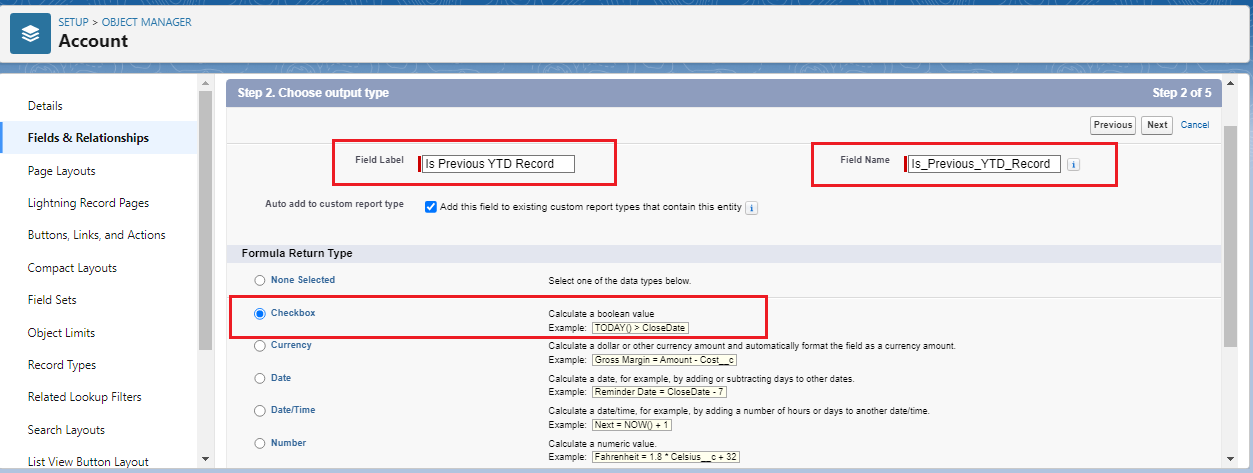
Step 1: Create a Custom Formula Field with the following details:
- Label: Is Previous YTD Record
- API Name: Is_Previous_YTD_Record__c
- Return Type: Checkbox
Step 2: Enter the below formula in the Formula Editor and click on the Check Syntax button to make sure the formula syntax is correct
IF(
AND(
YEAR(DATEVALUE(CreatedDate)) = (YEAR(TODAY())-1),
MONTH(DATEVALUE(CreatedDate)) = MONTH(TODAY()),
DAY(DATEVALUE(CreatedDate)) <= DAY(TODAY())
),
true,
false
)
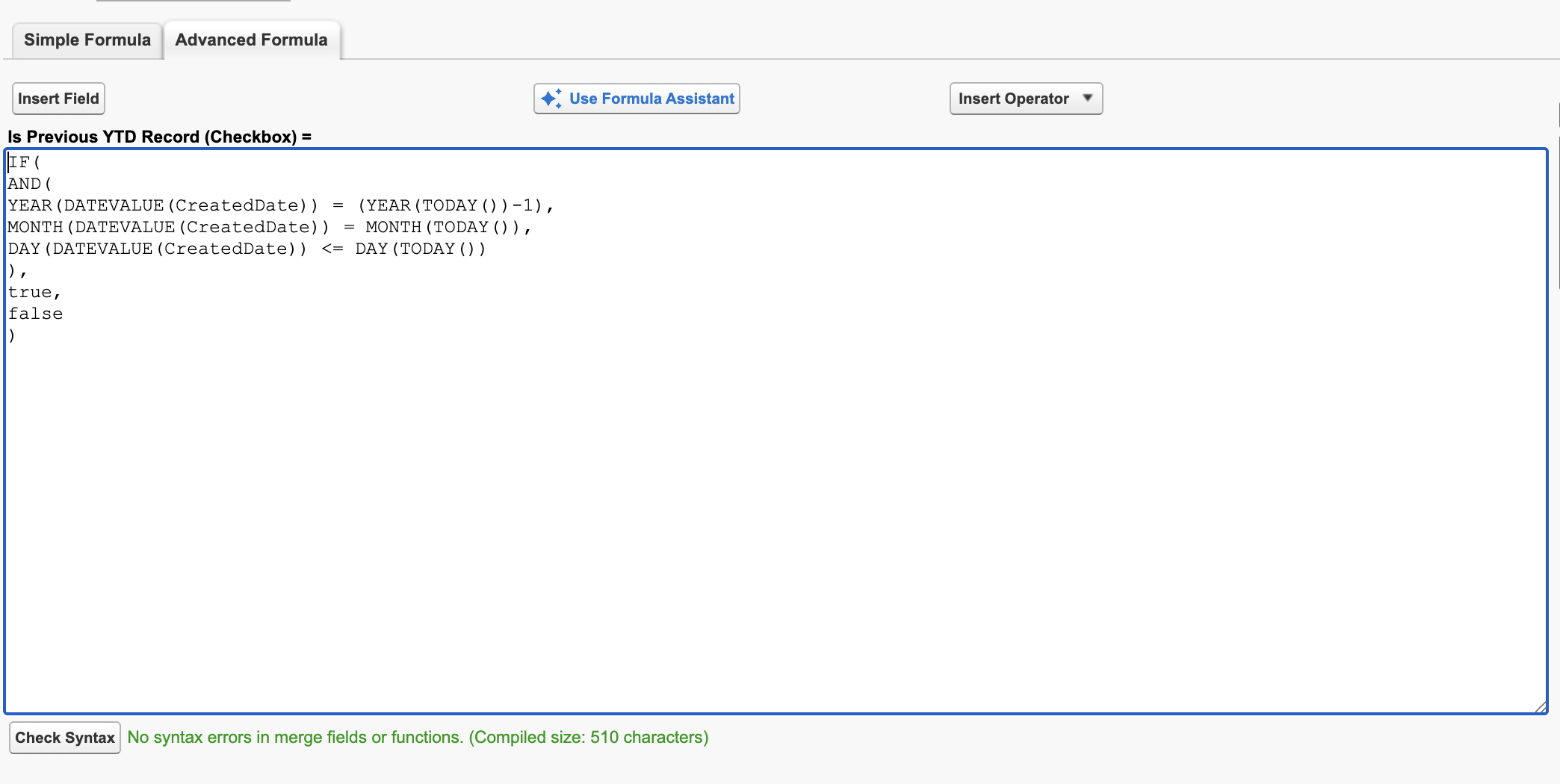
Tip: You can replace DATEVALUE(CreatedDate) with any other Date type field in the formula if you wish to track YTD based on that.
Step 3: Go to the Page Layouts section on the left and select the desired layout. For example: I want to display it on the Account Layout

Step 4: Locate the field using the Quick Find option
Step 5: Double Click + Hold on Is Previous YTD Record field to drag and drop onto the layout. Click on the Save button to save the changes.
Step 6: Voila! We are done and here's how it looks on the page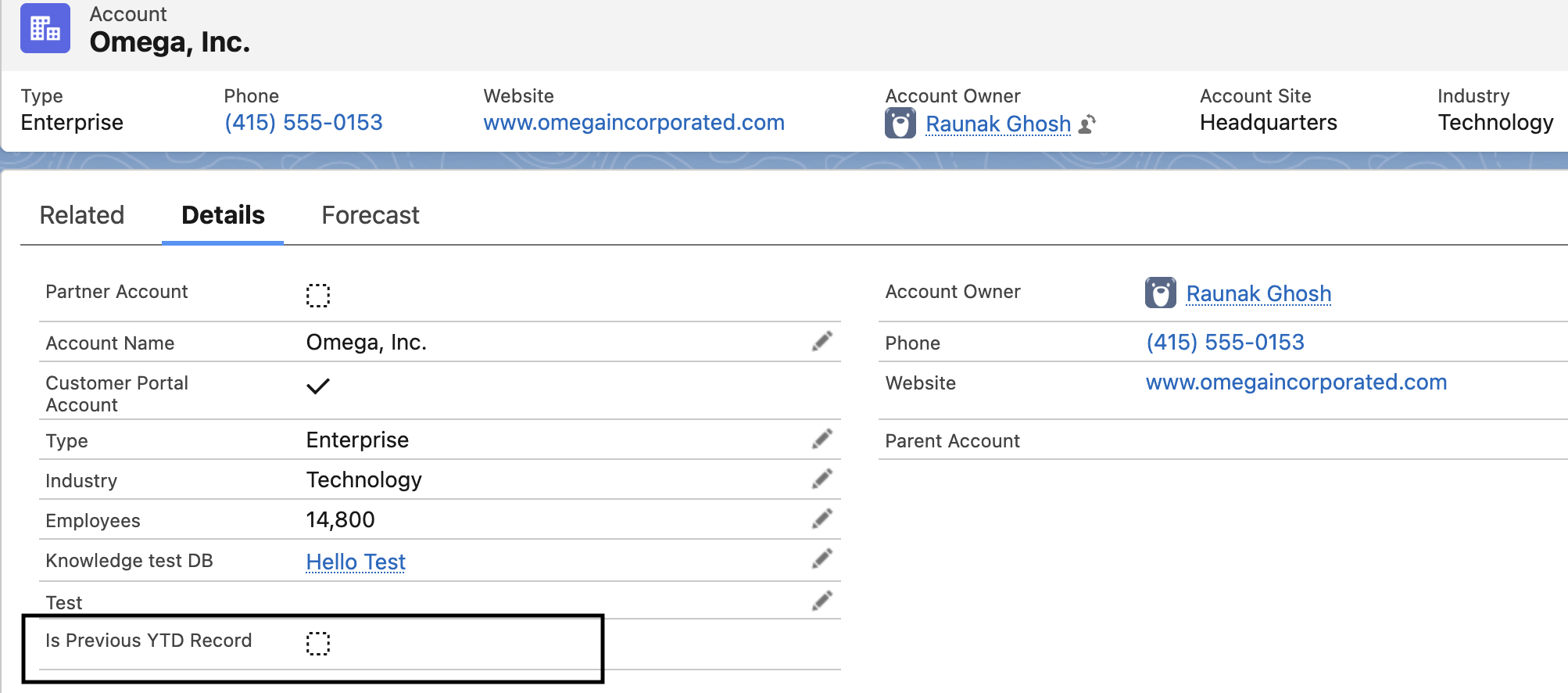
_______________________________________________
Written By: Ruchit Patel | Salesforce Answers Leader
Ruchit is a senior Salesforce Developer at Cognizant with 5x Salesforce Certified and has been working in the Salesforce ecosystem for the past 5 years. Working with Apex and Lightning is his core expertise and he loves to take on new challenges. He is a passionate learner who always strives for growth and believes in giving back to the Trailblazer Community by helping answer questions.
Submissions reflect only the opinions of the user who made available the Submission and not the opinions of Salesforce, regardless of whether the user is affiliated with Salesforce, and may contain or constitute products, services, information, data, content and other materials made available by or on behalf of third parties ("Third Party Materials). Salesforce neither controls nor endorses, nor is Salesforce responsible for, any Third Party Materials, including their accuracy, validity, timeliness, completeness, reliability, integrity, quality, legality, usefulness or safety, or any applicable intellectual property rights. Any Submissions made available through any message board or forum in response to posted questions, or that otherwise purports to answer any questions, including any questions about Salesforce or Programs, are made available for your general knowledge only and should never be relied upon as answers to your specific questions (even if an answer is marked as a “best” answer or with any similar qualifications). You should always contact Salesforce support for answers to your specific questions. Salesforce has no control over Submissions, and is not responsible for any use or misuse (including any distribution) by any third party of Submissions.
If you have questions, tap into the wisdom of our entire Trailblazer Community here: https://trailhead.salesforce.com/trailblazer- community/feed


Knowledge 기사 번호
000393771
이 기사를 통해 문제를 해결했습니까?
개선을 위한 의견을 보내주세요.
