조직 선택
OmniStudio: Getting an error trying to fetch templates from DocuSign
게시 일자: Nov 22, 2022
상세 설명
솔루션
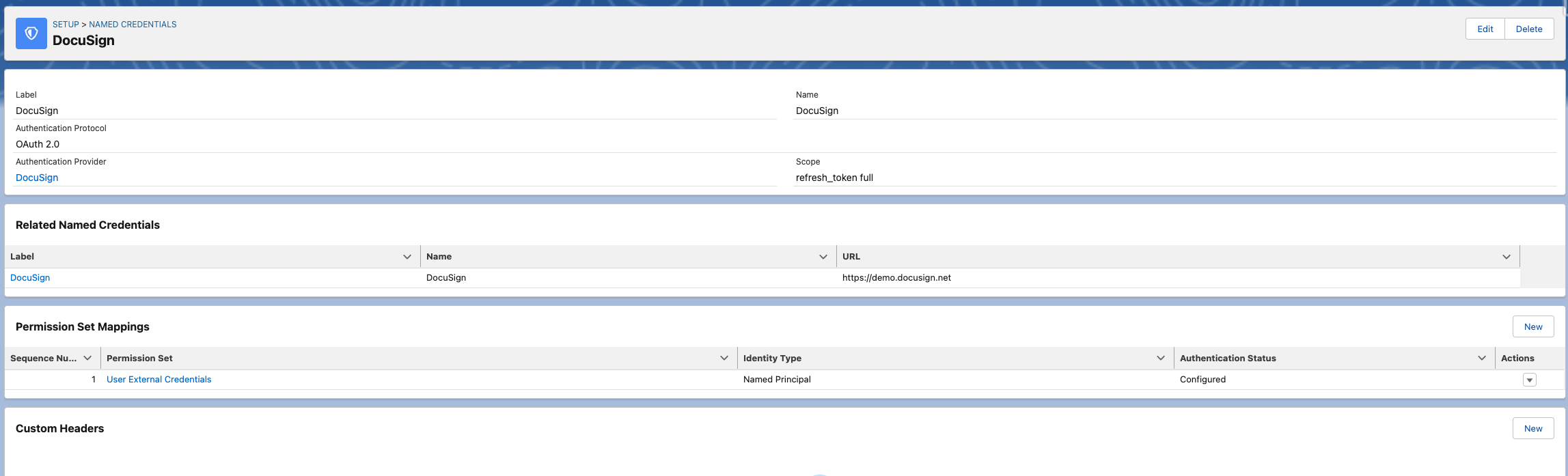
- Permission Set Mappings are properly set in the `External Credentials` of the `Named Credentials`.
- The Permission Set's `Authentication Status` needs to be `Configured`. If not, click on the `Actions` on the row and Authenticate.
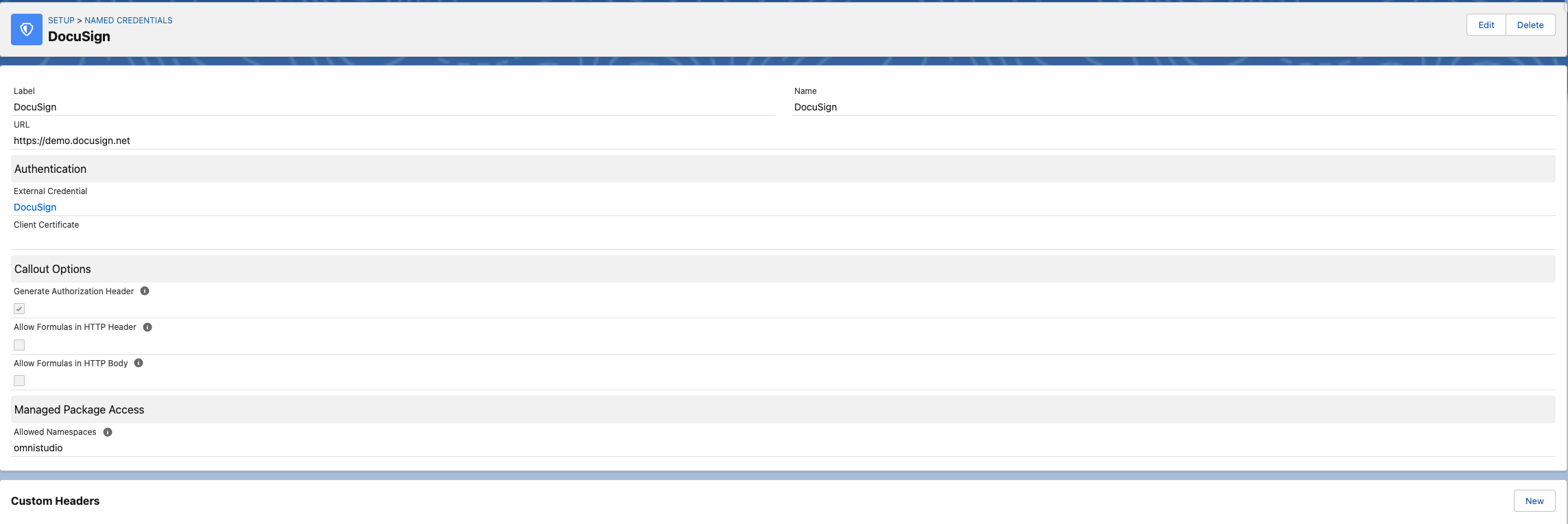
- `Allowed Namespaces` in the `Managed Package Access` has the namespace of the package that is being used. If OmniStudio core is being used, then the `Allowed Namespaces` value should be `omnistudio`. You can find the namespace in the "Installed Packages" section of the "Set Up".
Knowledge 기사 번호
000393828
이 기사를 통해 문제를 해결했습니까?
개선을 위한 의견을 보내주세요.
