Выбрать организацию
OmniStudio: Getting an error trying to fetch templates from DocuSign
Дата публикации: Nov 22, 2022
Описание
Решение
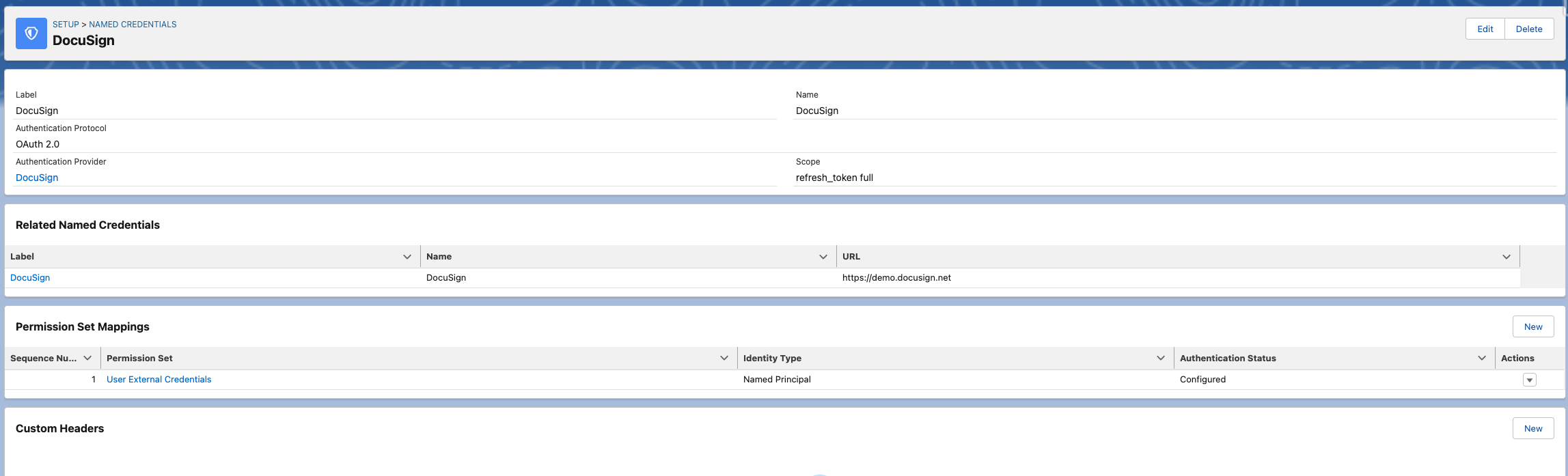
- Permission Set Mappings are properly set in the `External Credentials` of the `Named Credentials`.
- The Permission Set's `Authentication Status` needs to be `Configured`. If not, click on the `Actions` on the row and Authenticate.
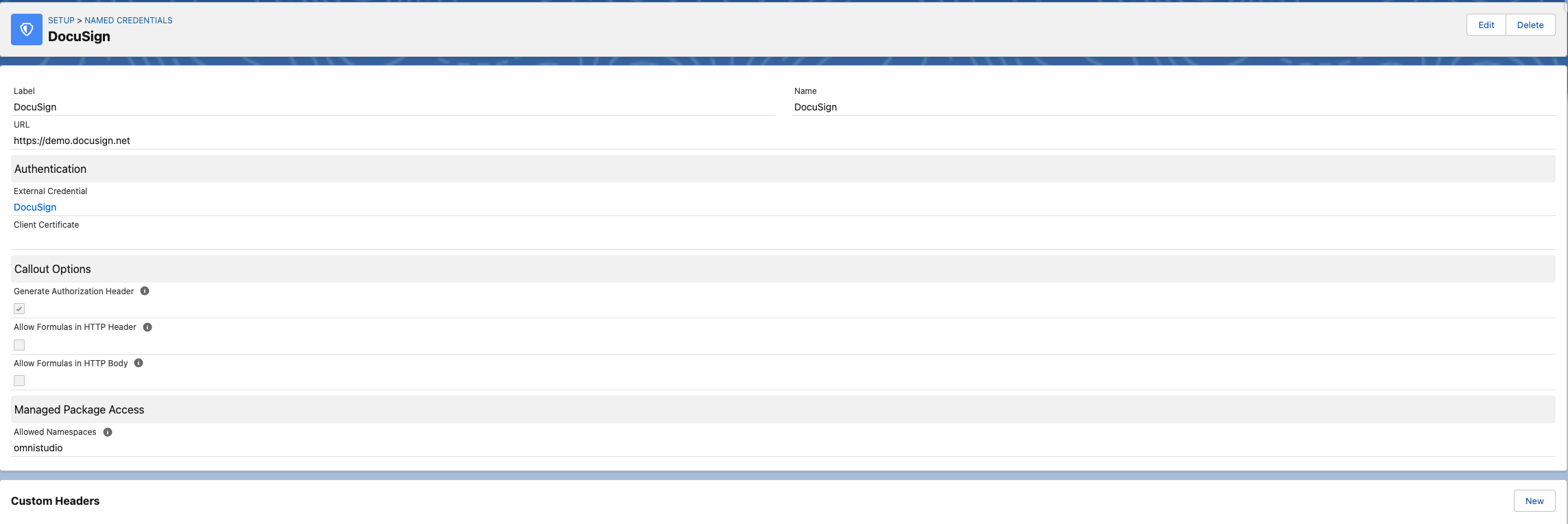
- `Allowed Namespaces` in the `Managed Package Access` has the namespace of the package that is being used. If OmniStudio core is being used, then the `Allowed Namespaces` value should be `omnistudio`. You can find the namespace in the "Installed Packages" section of the "Set Up".
Номер статьи базы знаний
000393828
Эта статья решила вашу проблему?
Оставьте свой отзыв, чтобы мы могли стать лучше!
