Valitse organisaatio
Replicated Sites Not Appearing in Drop-Down When Setting Up Replication Tasks in B2C Commerce
Julkaisupäivä: Oct 10, 2024
Kuvaus
Environment : Production Development
Probable Cause : Role/User permissions have not been granted for the new sites
Ratkaisu
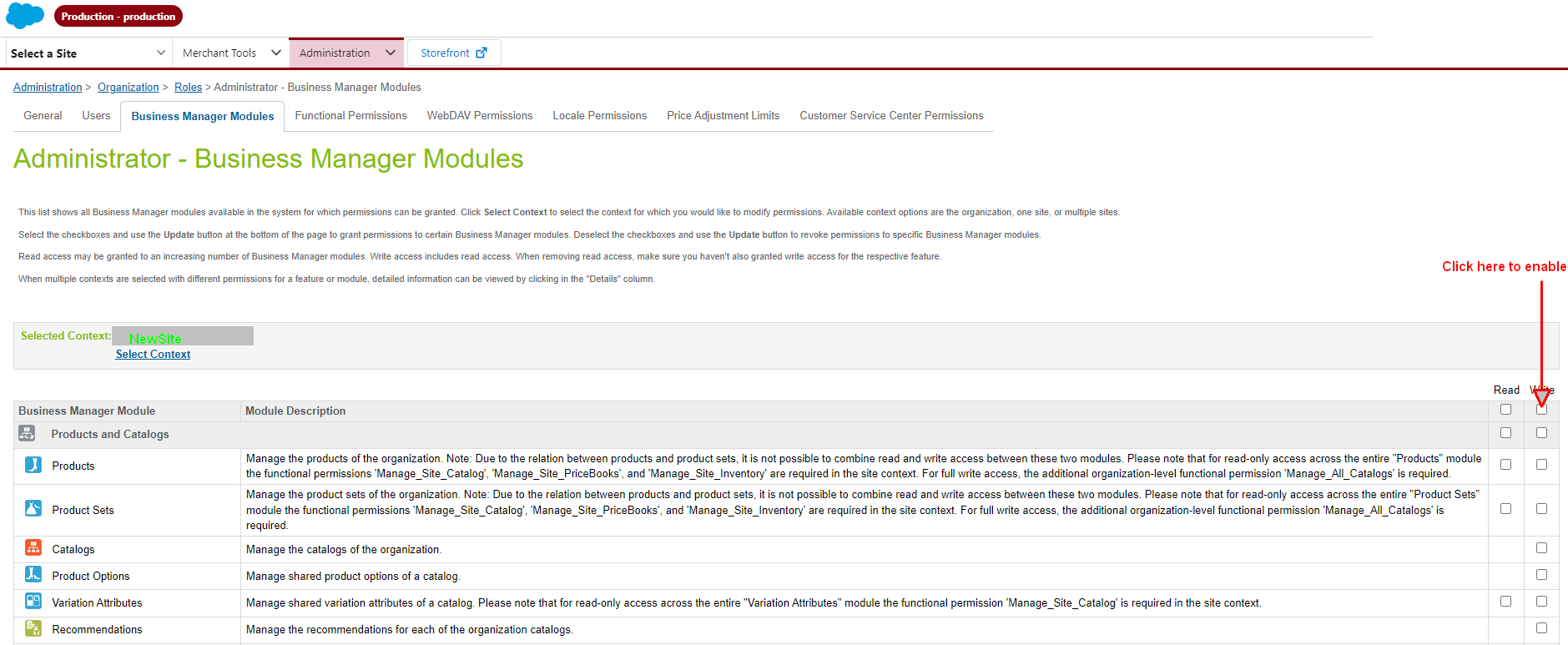
You need to add permission to Roles/Users in those newly replicated Sites in order to see them.
Administration > Organization > Roles > [Administrator] - Business Manager Modules in the dropdown select the new sites and add permissions - as you can see in the image no permissions have been added into the new sites.
Knowledge-artikkelin numero
000394074
Ratkaisiko tämä artikkeli ongelmasi?
Anna palautetta, jotta voimme kehittyä!
