Seleziona un'organizzazione
Rimozione della scheda "A magazzino" dall'app FSL Mobile
Data pubblicazione: May 12, 2026
Descrizione
Consultare il riferimento allegato di seguito,
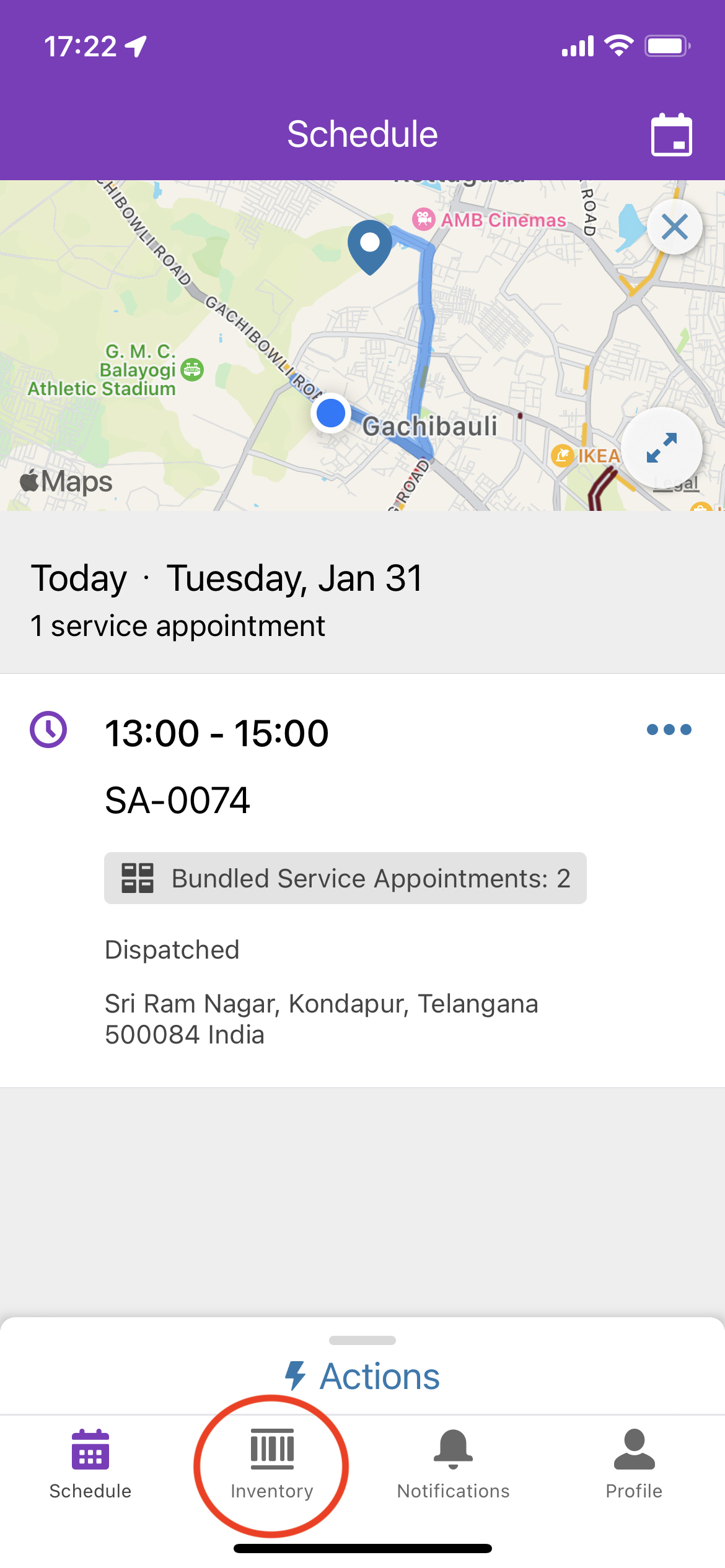
Risoluzione
Per rimuovere la scheda "A magazzino", seguire le istruzioni riportate di seguito.
Dispositivo desktop:
Fase 1:
- Accedere all'organizzazione Salesforce come amministratore di sistema
- Accedere a Imposta
- Accedere al Gestore oggetti
- Cercare "Risorsa di servizio"
- Accedere al layout di pagina assegnato al profilo utente risorse di servizio/tecnico
- Rimuovere il campo "Posizione" dal layout di pagina
- Fare clic su Salva
Fase 2:
- Accedere a Imposta
- Nella casella Ricerca veloce, immettere "Insiemi di autorizzazioni"
- Accedere all'insieme di autorizzazioni "Licenza Field Service Mobile"
- Accedere a "Impostazioni oggetti" e rimuovere l'accesso a "Trasferimento prodotto" e "Richieste prodotto"
Dispositivo mobile:
- nell'app Field Service Mobile,
eliminare i metadati salvati nella cache (Profilo > Impostazioni > Impostazioni avanzate > Clear Cached Metadata)
(OPPURE)
Chiudere la sessione e accedere nuovamente per salvare le modifiche ai metadati nell'app Field Service Mobile
Numero articolo Knowledge
000394661
Questo articolo ha risolto il problema?
Facci sapere, così possiamo migliorare!
