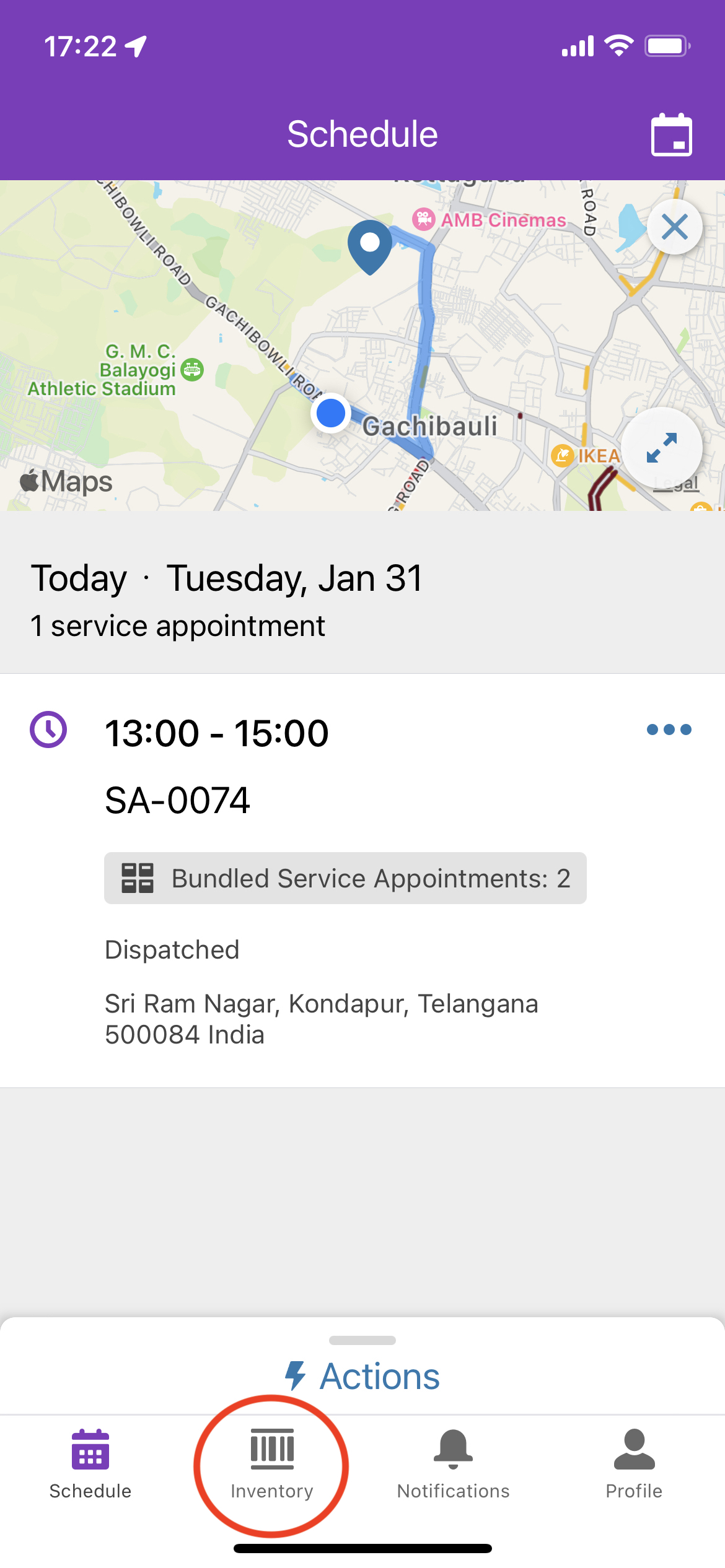
[在庫] タブを削除するには、以下の手順を実行します。
デスクトップ:
ステップ - 1:
- システム管理者として Salesforce 組織にログインします。
- [設定] に移動します。
- [オブジェクトマネージャー] に移動します。
- [サービスリソース] を検索します。
- サービスリソース/技術者ユーザープロファイルに割り当てられたページレイアウトにアクセスします。
- ページレイアウトから [ロケーション] フィールドを削除します。
- [保存] をクリックします。
ステップ - 2:
- [設定] に移動します。
- クイック検索で「権限セット」を検索します。
- [Field Service Mobile Licence (Field Service Mobile ライセンス)] 権限セットにアクセスします。
- [オブジェクト設定] に移動し、[商品移送] と [商品リクエスト] からアクセスを削除します。
モバイル:
- Field Service Mobile アプリケーションから
キャッシュされたメタデータを消去します ([プロファイル] > [設定] > [詳細設定] > [Clear Cached Metadata (キャッシュされたメタデータをクリア)])。
(または)
ログアウトしてその後ログインし、Field Service Mobile アプリケーションでメタデータの変更を反映します。
000394661

We use three kinds of cookies on our websites: required, functional, and advertising. You can choose whether functional and advertising cookies apply. Click on the different cookie categories to find out more about each category and to change the default settings.
Privacy Statement
Required cookies are necessary for basic website functionality. Some examples include: session cookies needed to transmit the website, authentication cookies, and security cookies.
Functional cookies enhance functions, performance, and services on the website. Some examples include: cookies used to analyze site traffic, cookies used for market research, and cookies used to display advertising that is not directed to a particular individual.
Advertising cookies track activity across websites in order to understand a viewer’s interests, and direct them specific marketing. Some examples include: cookies used for remarketing, or interest-based advertising.