Выбрать организацию
Unable to Generate Service Report in Salesforce Field Service Mobile App: "Unable to Parse Data" Error
Дата публикации: May 12, 2026
Описание
In the Salesforce Field Service mobile app, when a user tries to generate a service report by clicking Create Service Report on a record, the app throws the following error:
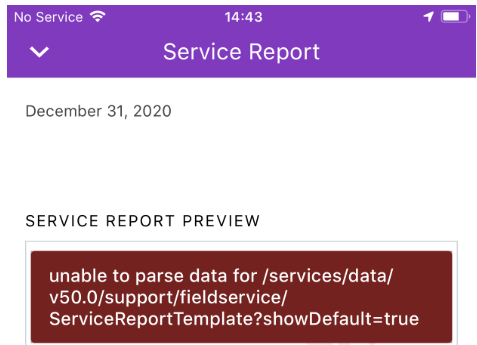
"unable to parse data for /services/data/v56.0/support/fieldservice/ServiceReportTemplate?showDefault=true"
This error makes it impossible to generate a service report from the mobile app. The screenshot below shows the error message as it appears on the device.
Решение
Root Cause
This error occurs because the standard out-of-the-box default Service Report Template (called "Standard Template") has been deactivated in the org. When the Field Service Mobile app requests the default template from the API endpoint, it cannot find an active default template, causing it to fail to parse the template data. Salesforce recommends keeping the Standard Template active at all times to avoid this error.
Steps to Resolve — Desktop
- Log in to the org as a System Administrator.
- Go to Setup.
- Search for Service Report Templates in the Quick Find box.
- Locate the Standard Template in the list.
- Click the Activate button to reactivate the Standard Template.
Steps to Resolve — Mobile
After activating the Standard Template in Setup, refresh the metadata on the Field Service Mobile app to apply the change:
- Clear Cached Metadata: Profile > Settings > Advanced Settings > Clear Cached Metadata
- OR: Log out of the app and log back in to reload the latest metadata.
Дополнительные ресурсы
Номер статьи базы знаний
000394670
Эта статья решила вашу проблему?
Оставьте свой отзыв, чтобы мы могли стать лучше!
