Velg en organisasjon
Task Reminder Based on Due Date using Salesforce Flow
Publiseringsdato: Oct 9, 2026
Beskrivelse
Configure a Record-Triggered Flow in Salesforce on the Task object to send an email reminder to the task owner one day before the task due date, if the task is not completed.
Løsning
This article answers the question: how do you send a Salesforce user a reminder email one day before a task's due date if the task is not completed? You can build this automation with a Record-Triggered Flow based on the Task object. Follow these steps to set it up.
Create a Record-Triggered Flow on the Task Object
-
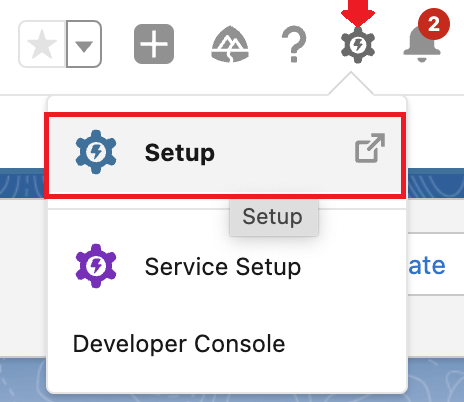
Navigate to Setup.
-
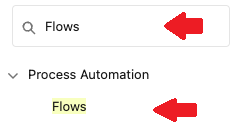
In the Quick Find box, enter Flows, and then select Flows.
-
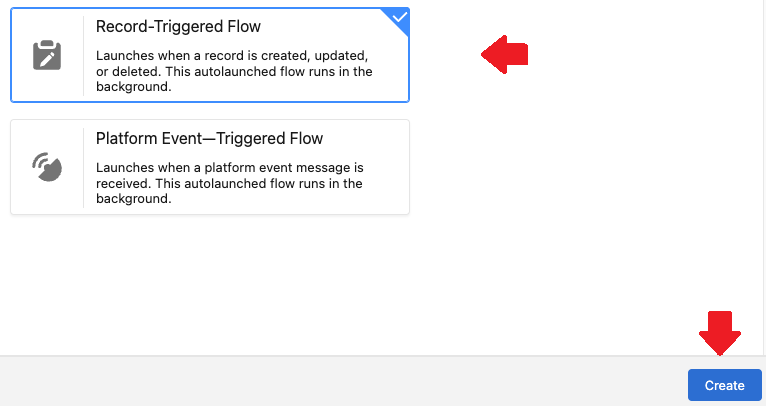
Click on the New Flow button, select Record-Triggered Flow, and press Create.
-
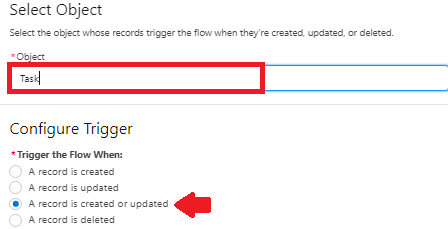
Under the Select Object section, set the object as Task, and in the Configure Trigger section, choose A record is created or updated.
Set the Entry Conditions and Run Timing
-
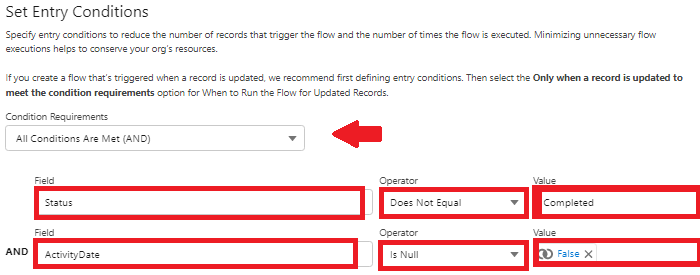
In Condition Requirements, choose All Conditions Are Met (AND). Add the following details as your entry conditions:
First entry condition:
- Field: Status
- Operator: Does Not Equal
- Value: Completed
Second entry condition:
- Field: Activity Date
- Operator: Is Null
- Value: False
-
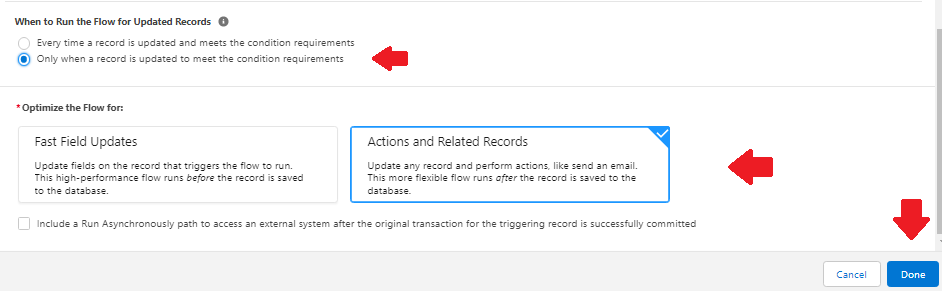
In the When to Run the Flow for Updated Records section, choose Only when a record is updated to meet the condition requirements, select Actions and Related Records, and click on Done.
Add a Scheduled Path One Day Before the Due Date
-
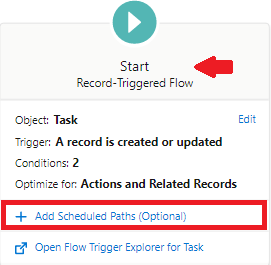
Click on the + Add Scheduled Paths (Optional) action.
-
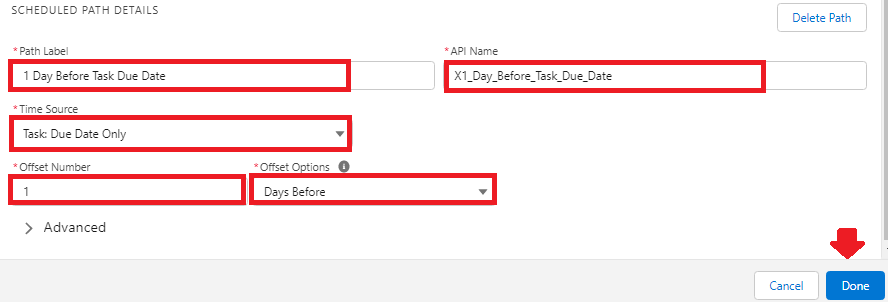
Set the scheduled path with the following details and click on Done:
- Path Label: 1 Day Before Task Due Date
- Time Source: Task: Due Date Only
- Offset Number: 1
- Offset Options: Days Before
Note: A record with a past due date also enters the scheduled path. To avoid this, add a Decision element so the path does not run when the due date has passed.
Add a Decision Element to Skip Past Due Dates
-
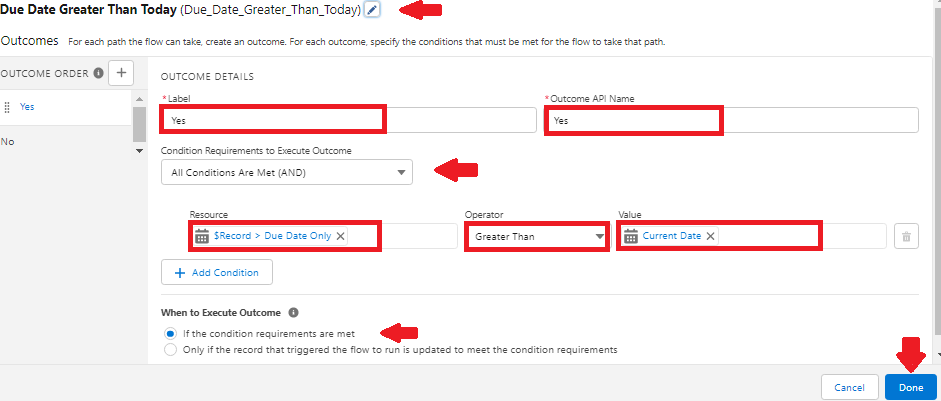
Add a Decision element using the details below. In the When to Execute Outcome section, select If the condition requirements are met and click on Done:
- Label: Due Date Greater Than Today
Outcome details:
- Label: Yes
- Field: {!$Record.ActivityDate}
- Operator: Greater Than
- Value: {!$Flow.CurrentDate}
Send the Reminder Email, Save, and Activate the Flow
-
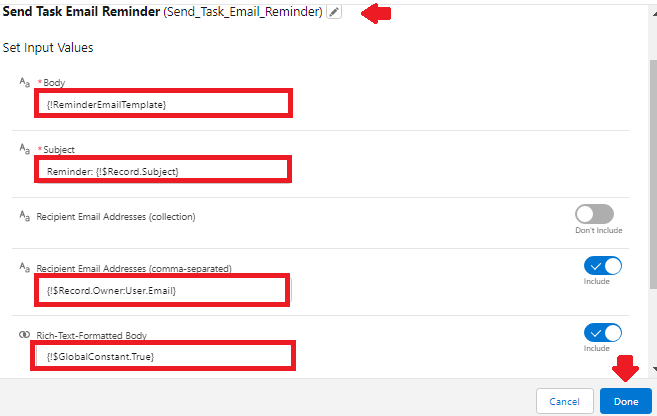
Under the Yes route, add an Action and select the Send Email core action to send an email to the task owner. You can also use an email template instead of the Email core action.
-
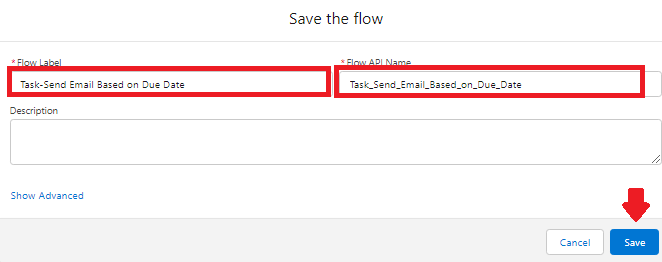
Save your flow and give it a name. The Flow API Name is generated automatically.
-
Click on Activate to start reminding task owners via email.

Review the Completed Flow
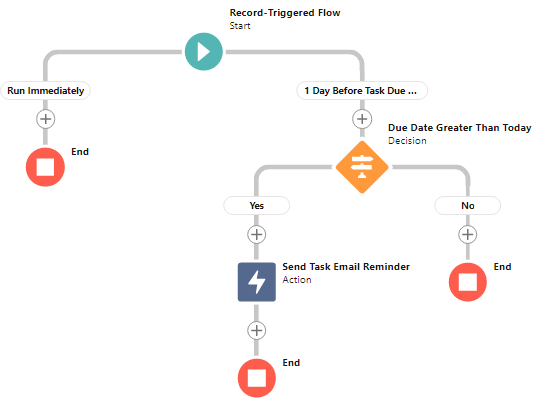
The following image shows what the complete flow looks like:
About the Author
Written by: Iqrar Ahmed | Salesforce Answers Leader
Iqrar Ahmed is a Senior Salesforce Consultant with over 8 years of experience. He is currently working at Aware Services.
Submissions reflect only the opinions of the user who made the Submission available and not the opinions of Salesforce. For questions, tap into the wisdom of our Trailblazer Community here.
Flere ressurser
Knowledge-artikkelnummer
000394827
Hjalp denne artikkelen med å løse problemet ditt?
La oss få vite det slik at vi kan forbedre!
