組織を選択
組織選択 (組織ピッカー)
公開日: Jun 23, 2026
説明
解決策
新しい組織ピッカーには、グローバルナビゲーションから [サポート] > [My Salesforce Cases (私の Salesforce ケース)] ページにアクセスするか、青い [カスタマーサポートへの連絡] ボタン (以下を参照) をクリックすると、サポートを受けられます。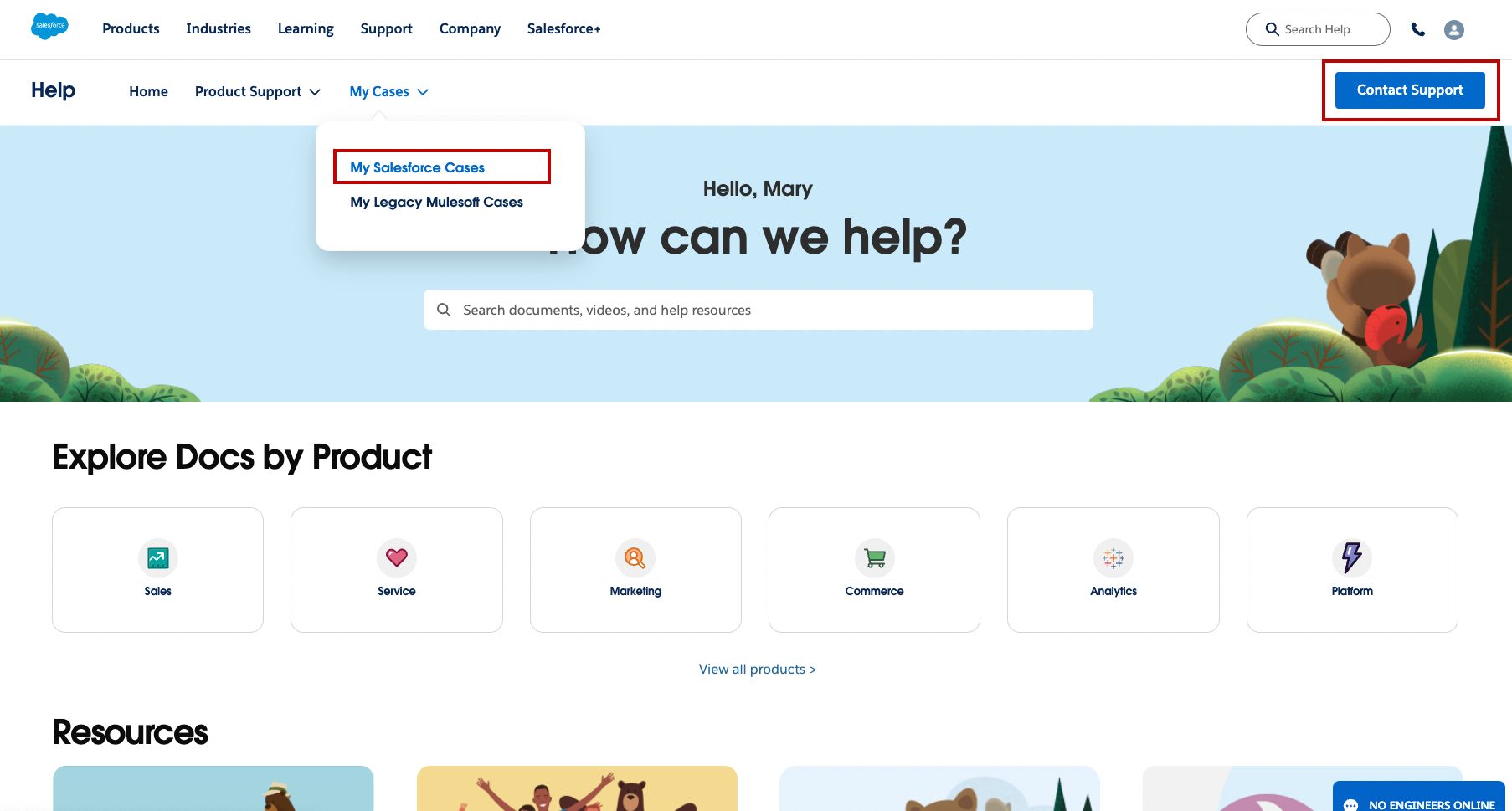
[カスタマーサポートへの連絡] および [My Salesforce Cases (私の Salesforce ケース)] ページには、[組織を選択] ボタンが表示されます。このボタンによって、従来の組織ピッカーと同じ機能を持つ組織の選択機能がトリガーされます。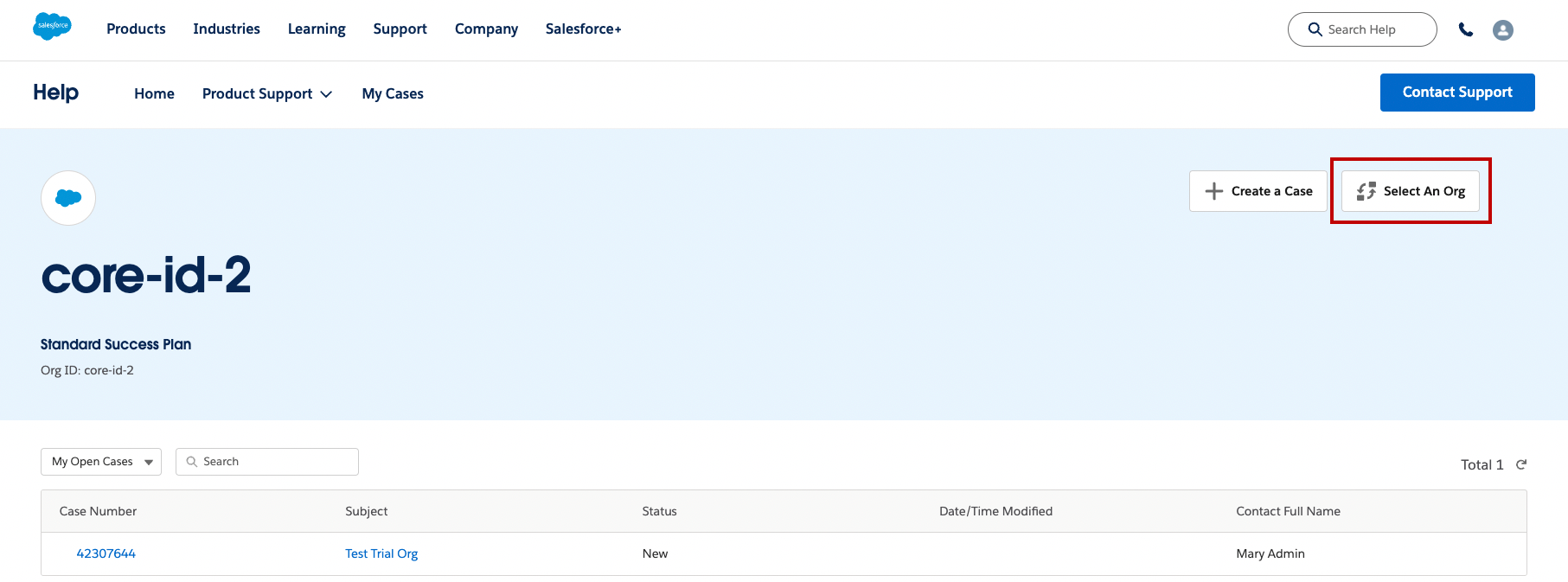
組織ピッカーの操作方法
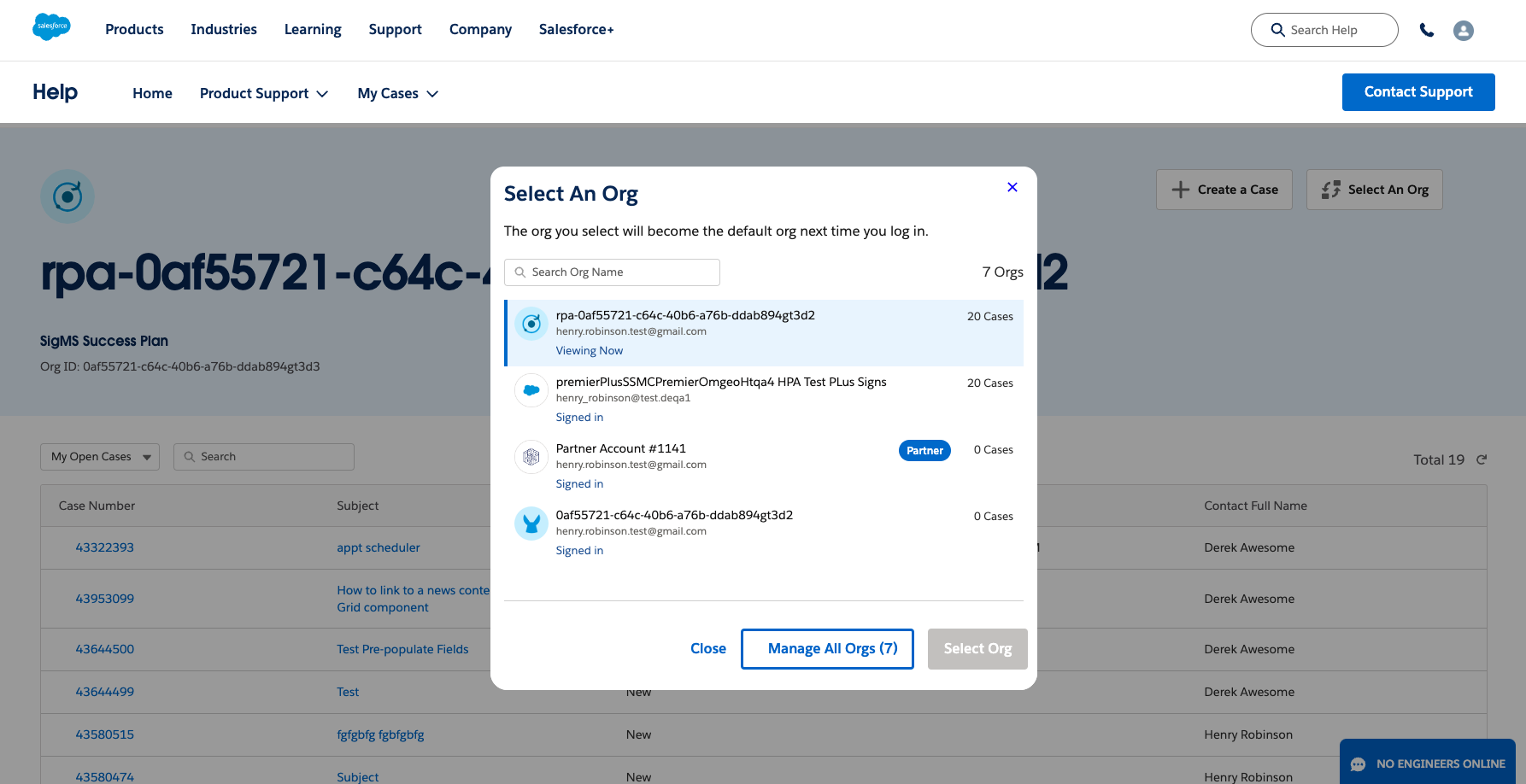
[組織を選択] ボタンをクリックすると組織ピッカーが表示され、最後にアクセスされた組織から順に有効な組織が 5 つ表示されます。サポートが必要な組織を選択してから組織ピッカーの [組織を選択] ボタンをクリックすると、組織を変更できます。組織を選択するとページが更新され、新しく選択された組織のデータが表示されます。
組織選択がサポートの前提条件であるため、ログイン時には最後にアクセスした組織があらかじめ選択されます。初めてログインする場合は、組織を選択するよう求められます。組織が組織ピッカーに表示されない場合は、[すべての組織を管理] をクリックしてすべての組織を表示してください。
初めて組織を選択した後は、他の組織を選択するまで、その組織が最後にアクセスした組織となります。組織が組織ピッカーに表示されない場合は、[すべての組織を管理] をクリックしてすべての組織を表示してください。
現在選択されている組織は、[Viewing Now (現在表示中)] というステータスで表示されます。ログインに使用し、アクセス可能なメールアドレスを共有する組織は、サインイン済みとして表示されます。ログインに使用したメールと無関係の組織を選択しようとすると、その組織はステップアップログインまたはセカンダリログインが要求されます。この場合、組織ピッカーにその組織が表示されますが、[組織を選択] をクリックしてその組織を変更することはできません。ステップアップログインまたはセカンダリログインを必要とする組織は、[ログイン] ステータスで表示されます。ログインに使用したメールと関連付けられていない組織にログインするには、[すべての組織を管理] をクリックしてください。
ナレッジ記事番号
000395067
この記事で問題は解決されましたか?
ご意見をお待ちしております。
