組織を選択
Salesforce Authenticator の自動承認 (信頼できる場所による承認) がうまく動作しない
公開日: Apr 30, 2026
説明
以下の場合、Salesforce Authenticator の自動承認 (信頼できる場所による承認) が動作しないことがあります。
・Lightning Login(ライトニング ログイン)を使用している場合
・Salesforce モバイルアプリケーションからログインする場合
解決策
Lightning Login を使用している場合は、自動承認が利用できません。ユーザー名とパスワードを入力する通常のログイン方法をご利用ください。
ユーザー名とパスワードを入力してログインする際に自動承認が動作しない場合は、 Salesforce Authenticator 自動化 の記事を参照してください。
また、Salesforce モバイルアプリケーションからログインする場合は、自動承認が動作しないことがあります。この場合は、Salesforce Authenticator を開き、手動での承認を実施ください。
参考:
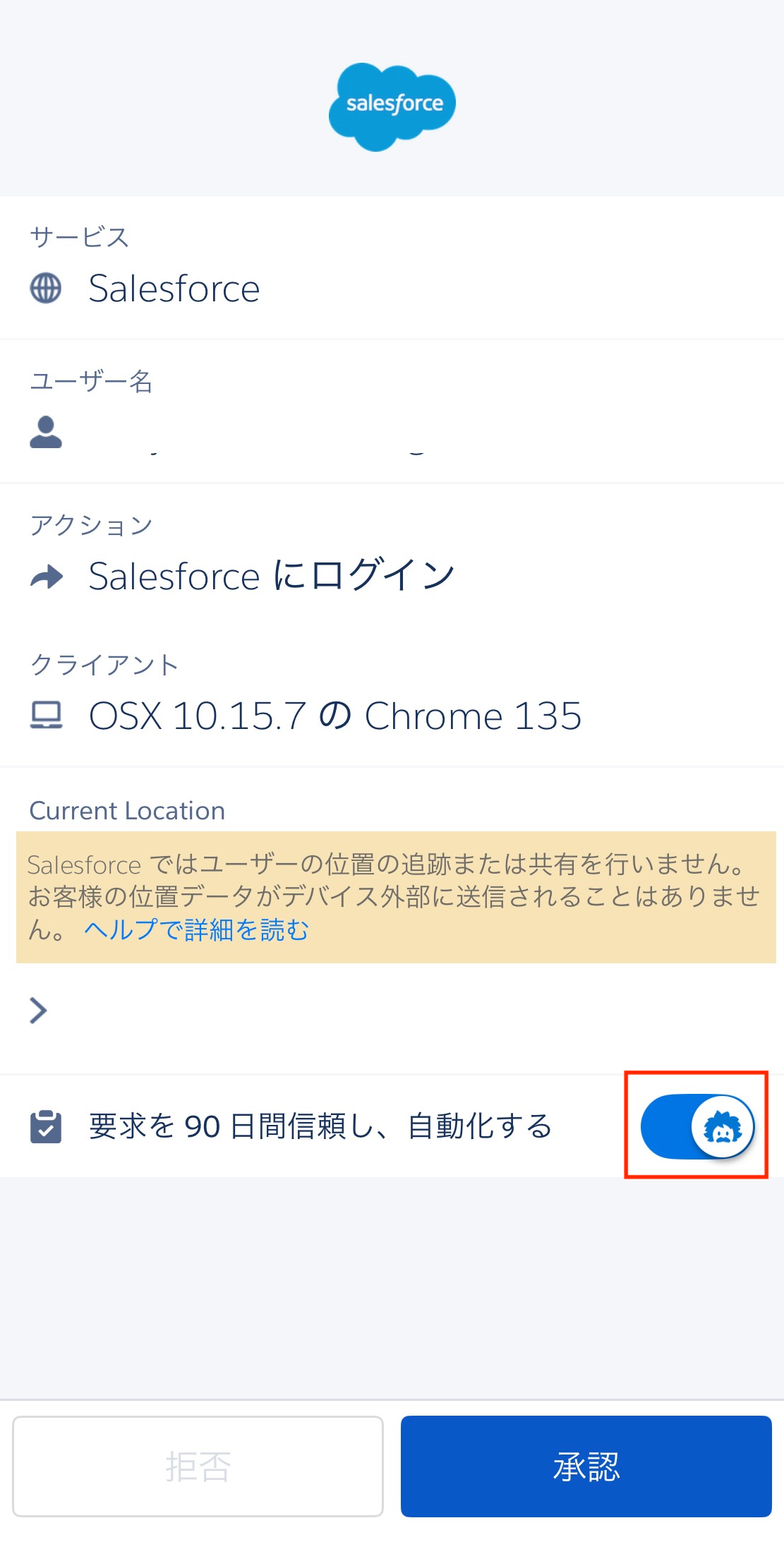
バージョン 4.7.0 以降の Salesforce Authenticator からの承認通知を受信時、「要求を 90 日間信頼し、自動化する」スイッチが有効な場合は青色、無効な場合には灰色の Einstein アイコンが表示されます。
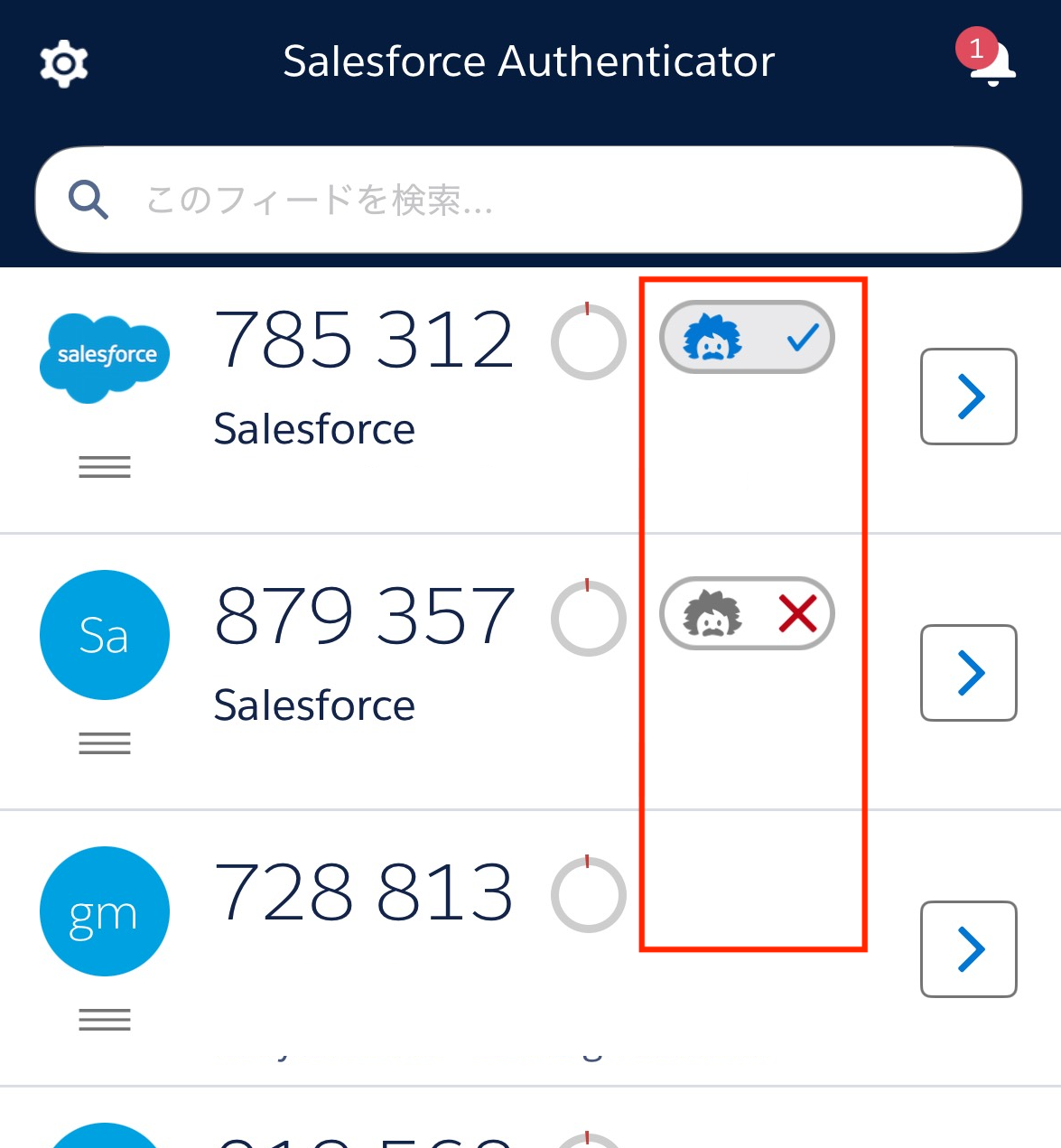
それぞれのアカウントには、自動承認が有効の場合はチェックマーク付きの青色の Einstein アイコン、無効の場合には×印付きの灰色のアイコンが表示されます。アイコンが非表示の場合、対象のアカウントでは自動承認が利用できません。
その他のリソース
Lightning Login によるパスワードを使用しないログイン
Salesforce Authenticator 自動化
多要素認証 (MFA) の よくあるトラブルシューティング
Salesforce Authenticator での自動化の最適化とトラブルシューティング
Salesforce Authenticator を使用した多要素認証の自動化
ナレッジ記事番号
000395163
この記事で問題は解決されましたか?
ご意見をお待ちしております。
